> ## Documentation Index
> Fetch the complete documentation index at: https://docs.gmicloud.ai/llms.txt
> Use this file to discover all available pages before exploring further.
# Overview
> AgentBox is GMI Cloud's platform for deploying and distributing AI agents.
You deploy an agent on GMI infrastructure or self-host it and connect to GMI Models-as-a-Service for inference across 100+ models. Each agent runs in an isolated environment with a persistent state and includes built-in billing, versioning, monitoring, and usage analytics. You deploy an agent on GMI infrastructure or self-host it and connect to GMI Models-as-a-Service for inference across 200+ models. Each agent runs in an isolated environment with a persistent state and includes built-in billing, versioning, monitoring, and usage analytics.
You can keep an agent private for your own use or list it in the marketplace, where other GMI users can discover and deploy it. Registration is done through a 5-step wizard in which you choose your infrastructure path: host on GMI or self-host and connect to GMI MaaS.
## **Using an agent**
1. Search the catalog or filter by category.
2. Open an agent and read its description and infrastructure badges.
3. Click **Access agent**, or **Request Early Access** if it's in beta.
4. Sign in with your GMI account. For agents hosted on GMI, usage is billed to your GMI account. If the agent redirects you to its own product website, billing is handled by that agent provider.
For filters, sort options, and access modes, see [Search & Use](/agentbox-marketplace/search-and-use).
## **Register an agent**
1. Go to **Register an agent** in the menu. Pick **GMI CE Deployment** if you want GMI to host your agent on our infrastructure, or **GMI MaaS** if you prefer to self-host and use GMI for model inference.
2. Open the Deploy Wizard from your GMI dashboard. If you choose an infrastructure region, it builds your container, runs it, and automatically assigns a public URL.
See more details on [how to Register an agent](/agentbox-marketplace/register-an-agent).
## **List an agent**
1. Fill in your agent details.
2. Submit for review.
For more information, see [List an agent.](/agentbox-marketplace/list-an-agent)
## **Trust and badges**
The badge on an agent card signals who runs the infrastructure and how the listing was reviewed.
| **Verified** | Powered by GMI MaaS | **Powered by GMI Infrastructure** |
| ------------------------------------------------------------------------- | ---------------------------------------------------------------------------------------- | --------------------------------------------------------------------------------------------------- |
| Reviewed by GMI and running end-to-end on GMI infrastructure. | Self-hosted by the publisher, calling GMI Models-as-a-Service for inference. | Hosted on dedicated GMI Infrastructure. The publisher supplies the model and API. |
Full review checklist and Verified guarantees are on [Verified agents](/agentbox-marketplace/verified-agents).
## **What is an agent?**
An agent is a focused AI worker that does one job well. One agent reviews code. Another summarizes PDFs, drafts marketing copy, or answers questions about your support docs. Each agent has a dedicated page on the Marketplace describing what it does, who built it, and how to start using it.
Behind every agent sits a model and the application code that turns it into something useful. Both run on GMI Cloud, so you skip the work of provisioning servers, GPUs, and scaling rules.
## **Who uses the Marketplace**
| Users | Builders |
| ------------------------------------------------------------------------------------- | ------------------------------------------------------------------------------- |
| Browse the catalog, find an agent that fits the task, and start using it. | Bring an agent, deploy it on GMI, and list it for others to find and use. |
## **Pricing**
Users pay for what they consume. Model calls bill per token through MaaS. Compute bills per second of agent runtime on GMI Infrastructure. Builders pay only for the compute their agent uses. There is no listing fee and no minimum spend.
## **Where to start**
* Just browsing? Open the catalog and pick any **Verified** agent.
* Looking for something specific? Use search with a keyword like "code review" or "OCR".
* Building? Open the Deploy Wizard from your GMI dashboard and start with the managed path.
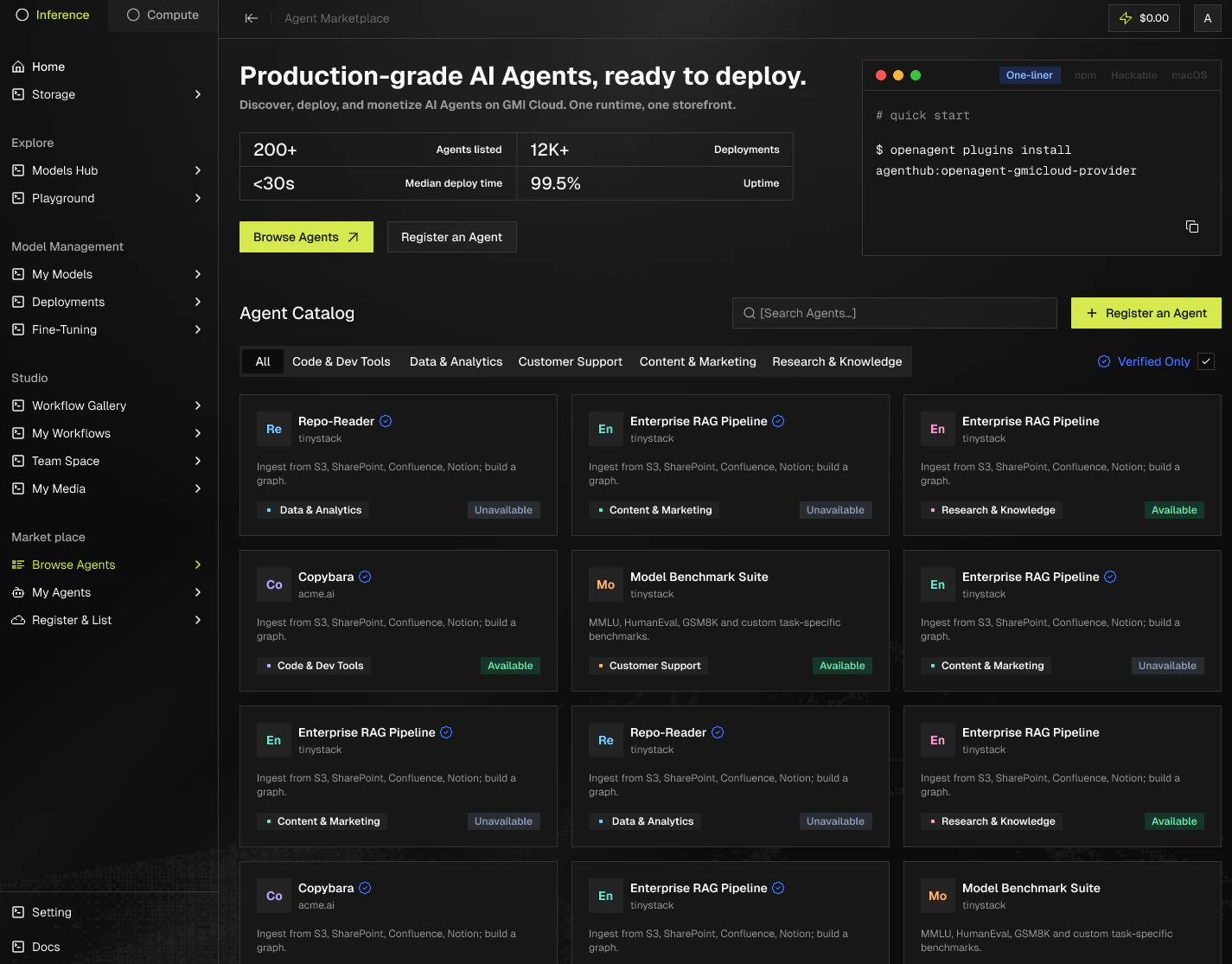 2. Open an agent and read its description and infrastructure badges.
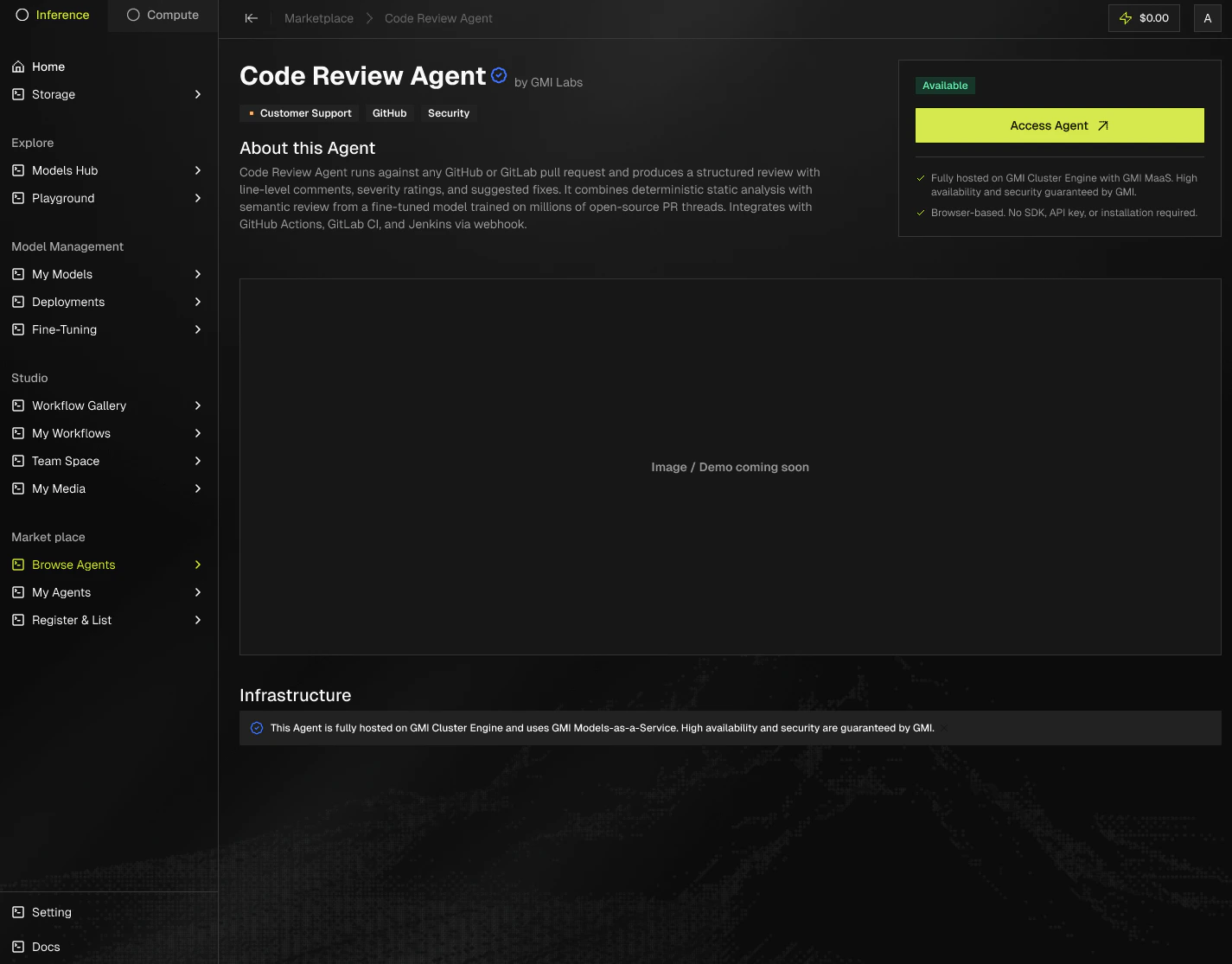 3. Click **Access agent**, or **Request Early Access** if it's in beta.
4. Sign in with your GMI account. For agents hosted on GMI, usage is billed to your GMI account. If the agent redirects you to its own product website, billing is handled by that agent provider.
For filters, sort options, and access modes, see [Search & Use](/agentbox-marketplace/search-and-use).
## **Register an agent**
1. Go to **Register an agent** in the menu. Pick **GMI CE Deployment** if you want GMI to host your agent on our infrastructure, or **GMI MaaS** if you prefer to self-host and use GMI for model inference.
3. Click **Access agent**, or **Request Early Access** if it's in beta.
4. Sign in with your GMI account. For agents hosted on GMI, usage is billed to your GMI account. If the agent redirects you to its own product website, billing is handled by that agent provider.
For filters, sort options, and access modes, see [Search & Use](/agentbox-marketplace/search-and-use).
## **Register an agent**
1. Go to **Register an agent** in the menu. Pick **GMI CE Deployment** if you want GMI to host your agent on our infrastructure, or **GMI MaaS** if you prefer to self-host and use GMI for model inference.
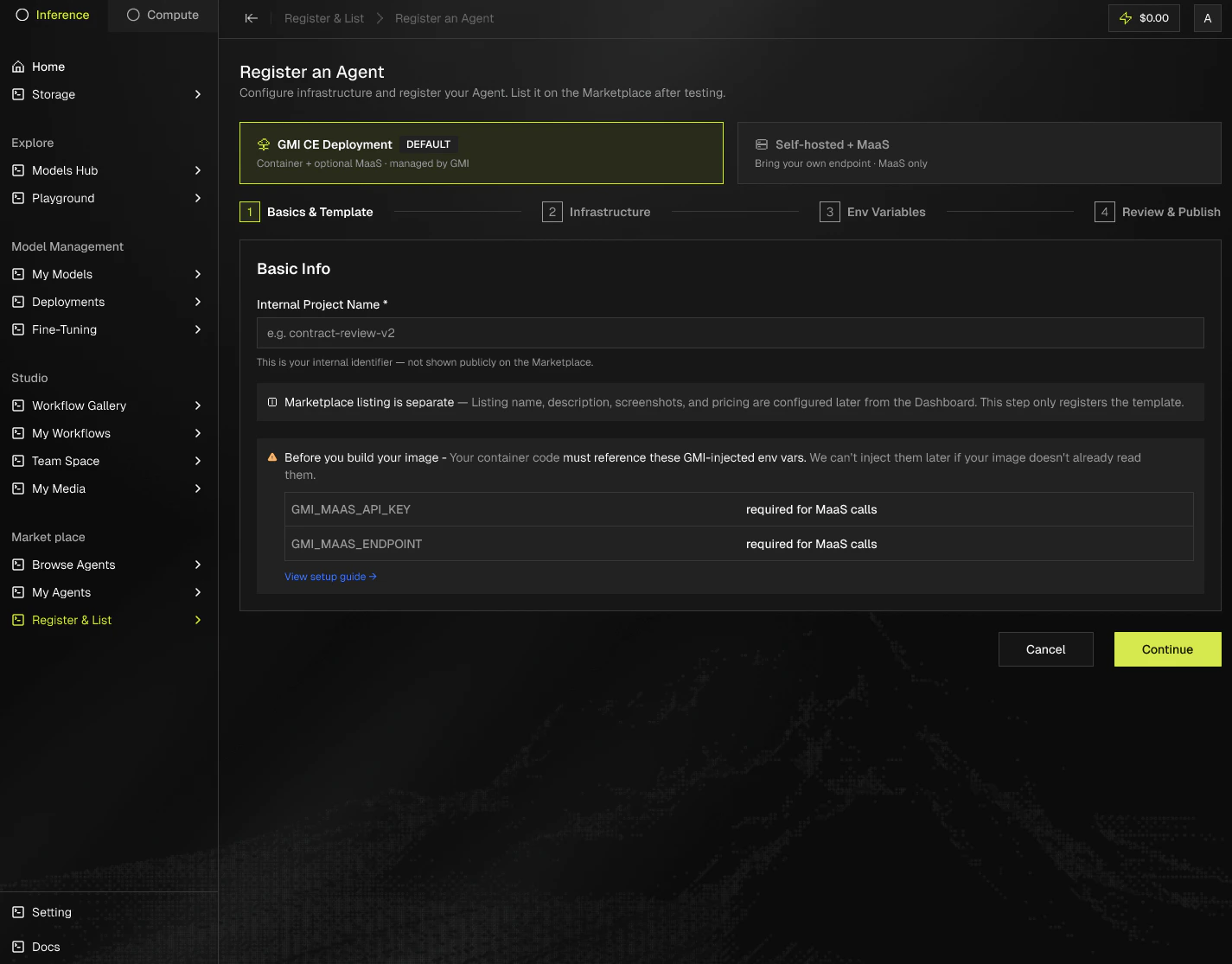 2. Open the Deploy Wizard from your GMI dashboard. If you choose an infrastructure region, it builds your container, runs it, and automatically assigns a public URL.
See more details on [how to Register an agent](/agentbox-marketplace/register-an-agent).
## **List an agent**
1. Fill in your agent details.
2. Open the Deploy Wizard from your GMI dashboard. If you choose an infrastructure region, it builds your container, runs it, and automatically assigns a public URL.
See more details on [how to Register an agent](/agentbox-marketplace/register-an-agent).
## **List an agent**
1. Fill in your agent details.
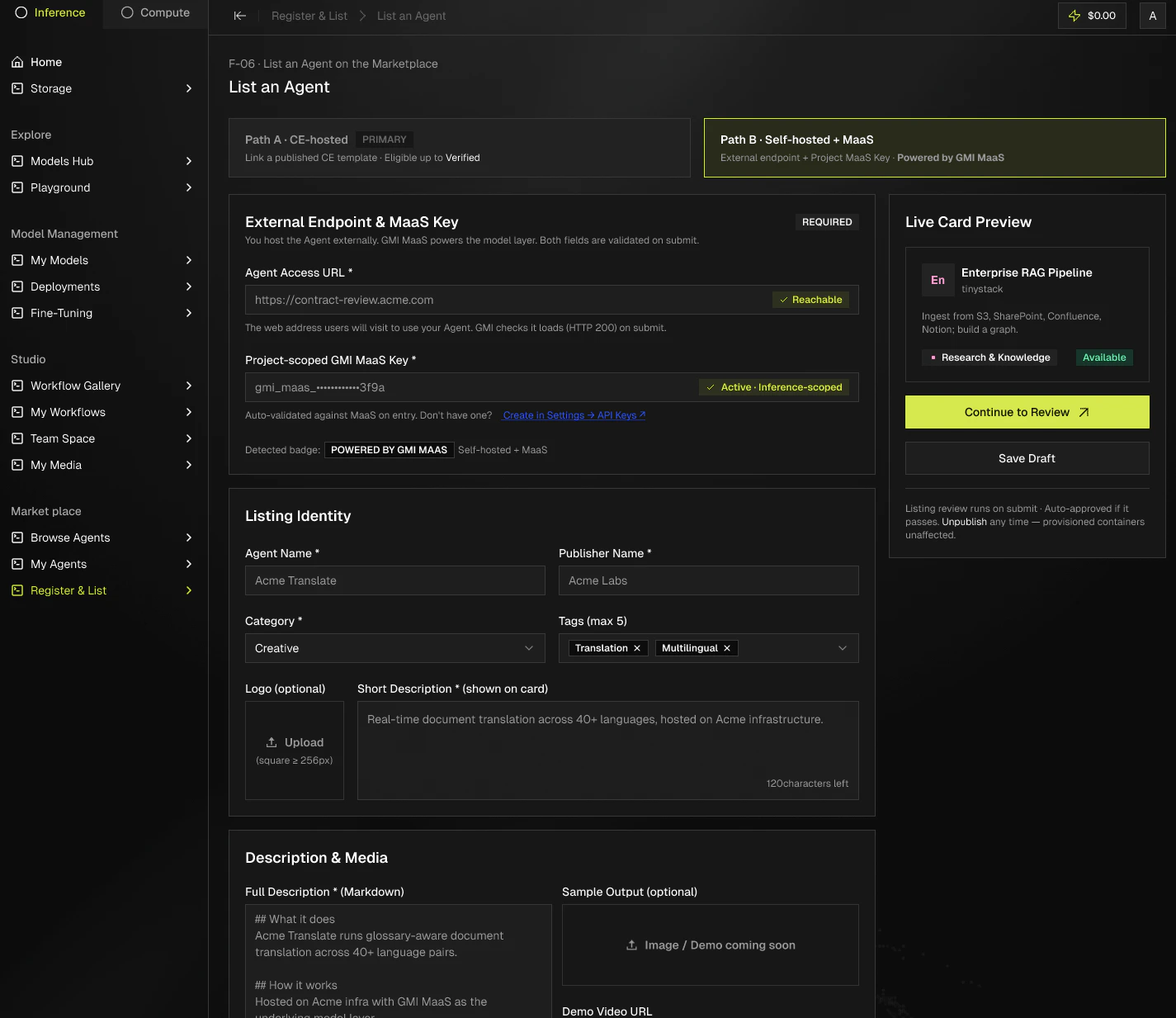 2. Submit for review.
For more information, see [List an agent.](/agentbox-marketplace/list-an-agent)
## **Trust and badges**
The badge on an agent card signals who runs the infrastructure and how the listing was reviewed.
| **Verified** | Powered by GMI MaaS | **Powered by GMI Infrastructure** |
| ------------------------------------------------------------------------- | ---------------------------------------------------------------------------------------- | --------------------------------------------------------------------------------------------------- |
| Reviewed by GMI and
2. Submit for review.
For more information, see [List an agent.](/agentbox-marketplace/list-an-agent)
## **Trust and badges**
The badge on an agent card signals who runs the infrastructure and how the listing was reviewed.
| **Verified** | Powered by GMI MaaS | **Powered by GMI Infrastructure** |
| ------------------------------------------------------------------------- | ---------------------------------------------------------------------------------------- | --------------------------------------------------------------------------------------------------- |
| Reviewed by GMI and 

 Full review checklist and Verified guarantees are on [Verified agents](/agentbox-marketplace/verified-agents).
## **What is an agent?**
An agent is a focused AI worker that does one job well. One agent reviews code. Another summarizes PDFs, drafts marketing copy, or answers questions about your support docs. Each agent has a dedicated page on the Marketplace describing what it does, who built it, and how to start using it.
Behind every agent sits a model and the application code that turns it into something useful. Both run on GMI Cloud, so you skip the work of provisioning servers, GPUs, and scaling rules.
## **Who uses the Marketplace**
| Users | Builders |
| ------------------------------------------------------------------------------------- | ------------------------------------------------------------------------------- |
| Browse the catalog, find an
Full review checklist and Verified guarantees are on [Verified agents](/agentbox-marketplace/verified-agents).
## **What is an agent?**
An agent is a focused AI worker that does one job well. One agent reviews code. Another summarizes PDFs, drafts marketing copy, or answers questions about your support docs. Each agent has a dedicated page on the Marketplace describing what it does, who built it, and how to start using it.
Behind every agent sits a model and the application code that turns it into something useful. Both run on GMI Cloud, so you skip the work of provisioning servers, GPUs, and scaling rules.
## **Who uses the Marketplace**
| Users | Builders |
| ------------------------------------------------------------------------------------- | ------------------------------------------------------------------------------- |
| Browse the catalog, find an