> ## Documentation Index
> Fetch the complete documentation index at: https://docs.gmicloud.ai/llms.txt
> Use this file to discover all available pages before exploring further.
# Cluster Requests
> Track pending cluster and node provisioning requests for your organization.
The Cluster Requests page tracks pending cluster and node provisioning requests for your organization. Once a request is fulfilled, the resource appears under [Managed GPU Clusters](/cluster-engine/resources/managed-gpu-clusters).
URL: `https://console.gmicloud.ai/user-console/ce/managed-clusters/requests`
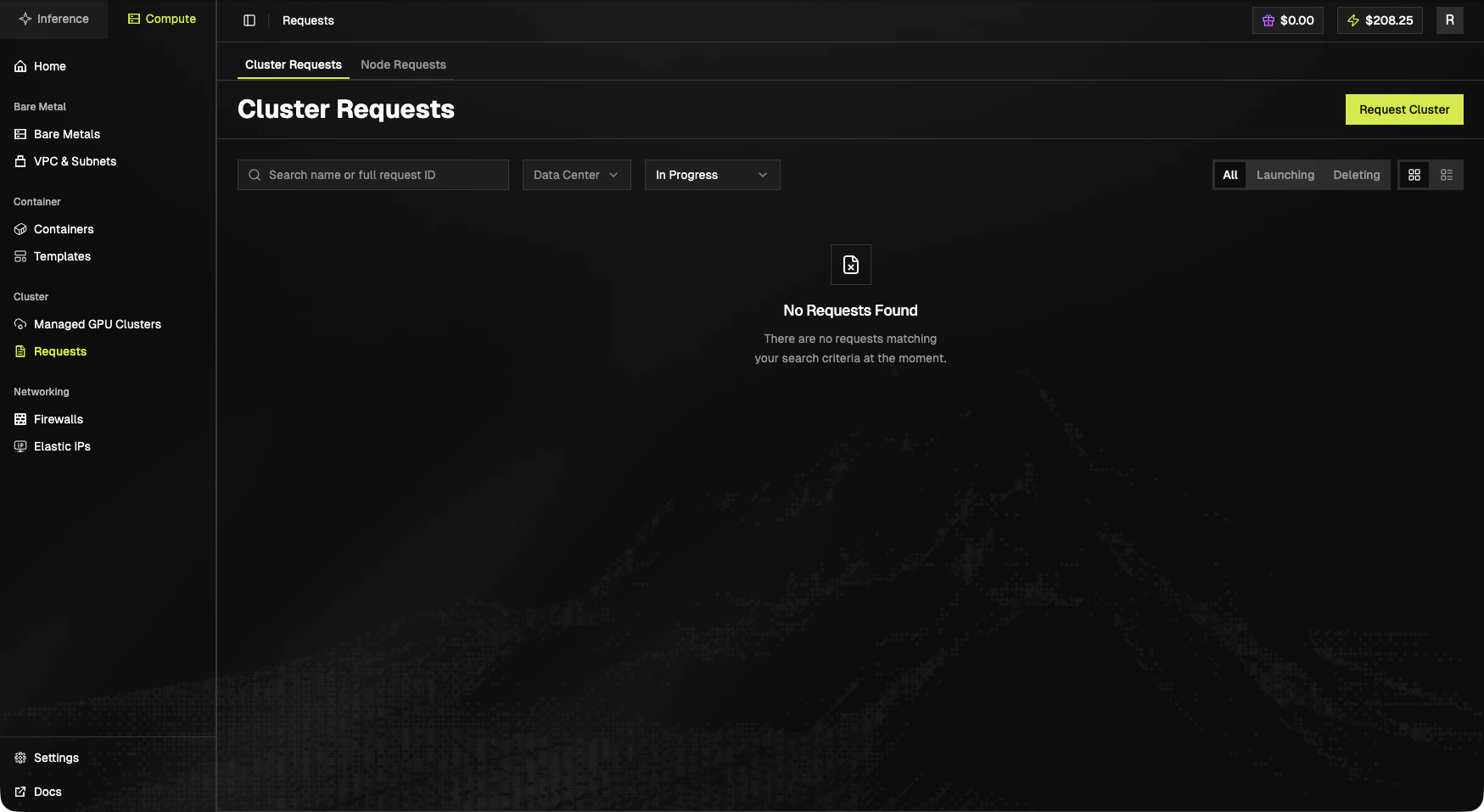 ## Sub-tabs
* **Cluster Requests**: requests for whole clusters.
* **Node Requests**: requests for additional nodes against an existing cluster.
## Toolbar
* Search by name or full request ID.
* **Data Center** filter.
* Status select (e.g. `In Progress`).
* Status pills: **All**, **Launching**, **Deleting**.
* Grid / table view toggle.
* **Request Cluster** (top-right).
## Submit a new request
The **Request Cluster** button (here and on the Compute Home catalog cards) routes to:
```
/user-console/ce/managed-clusters/requests/cluster-requests/create
```
Optional query parameters `?product=&idc=` pre-fill the form from a catalog card.
## Empty state
> **No Requests Found**
>
> There are no requests matching your search criteria at the moment.
## Next steps
* See provisioned clusters: [Managed GPU Clusters](/cluster-engine/resources/managed-gpu-clusters).
* Browse the SKU catalog on the [Compute Home](/cluster-engine).
## Sub-tabs
* **Cluster Requests**: requests for whole clusters.
* **Node Requests**: requests for additional nodes against an existing cluster.
## Toolbar
* Search by name or full request ID.
* **Data Center** filter.
* Status select (e.g. `In Progress`).
* Status pills: **All**, **Launching**, **Deleting**.
* Grid / table view toggle.
* **Request Cluster** (top-right).
## Submit a new request
The **Request Cluster** button (here and on the Compute Home catalog cards) routes to:
```
/user-console/ce/managed-clusters/requests/cluster-requests/create
```
Optional query parameters `?product=&idc=` pre-fill the form from a catalog card.
## Empty state
> **No Requests Found**
>
> There are no requests matching your search criteria at the moment.
## Next steps
* See provisioned clusters: [Managed GPU Clusters](/cluster-engine/resources/managed-gpu-clusters).
* Browse the SKU catalog on the [Compute Home](/cluster-engine).