> ## Documentation Index
> Fetch the complete documentation index at: https://docs.gmicloud.ai/llms.txt
> Use this file to discover all available pages before exploring further.
# Templates
> Container image templates available to launch new container workloads.
URL: `https://console.gmicloud.ai/user-console/ce/templates`
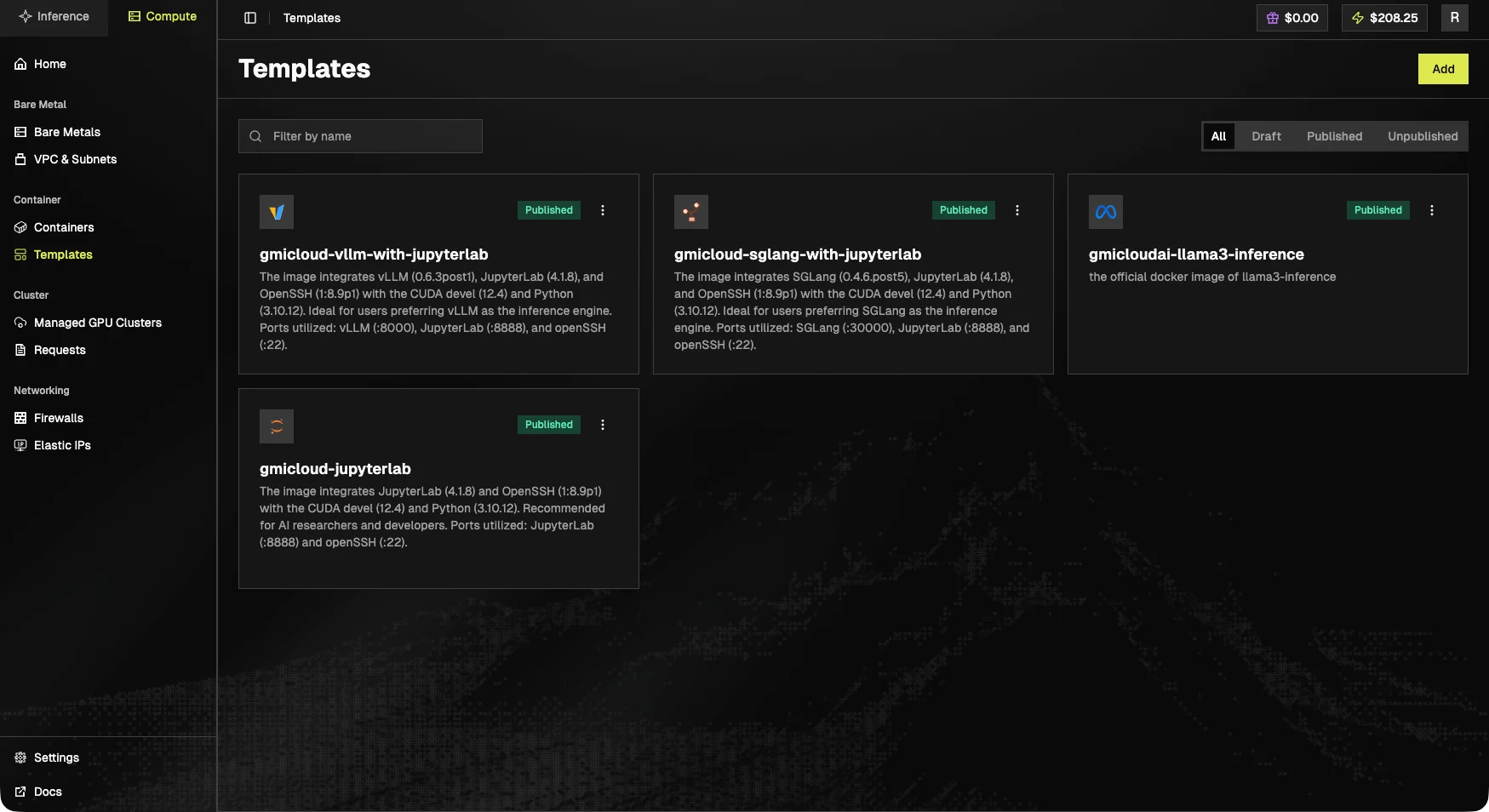
Container image templates available to your organization. New container workloads can be launched from any template here.
 ## Toolbar
* **Add**, register a new template (top-right).
* **Filter by name**, text search.
* Status tabs: **All**, **Draft**, **Published**, **Unpublished**.
## Card layout
Each template card shows the icon, name, description, status badge (`Published`, `Draft`, etc.), and a `•••` menu (edit, publish/unpublish, duplicate, delete).
## Built-in templates
| Template | Description |
| --------------------------------- | ------------------------------------------------------------------------------------------------------- |
| `gmicloud-vllm-with-jupyterlab` | vLLM 0.6.3post1 + JupyterLab 4.1.8 + OpenSSH on CUDA devel 12.4 / Python 3.10.12. Ports 8000, 8888, 22. |
| `gmicloud-sglang-with-jupyterlab` | SGLang 0.4.6.post5 + JupyterLab 4.1.8 + OpenSSH. Ports 30000, 8888, 22. |
| `gmicloudai-llama3-inference` | Official Llama 3 inference docker image. |
| `gmicloud-jupyterlab` | JupyterLab 4.1.8 + OpenSSH on CUDA devel 12.4 / Python 3.10.12. Ports 8888, 22. |
## Manage Templates
1. Click "**Templates**" in the left sidebar under the "Container" section
## Toolbar
* **Add**, register a new template (top-right).
* **Filter by name**, text search.
* Status tabs: **All**, **Draft**, **Published**, **Unpublished**.
## Card layout
Each template card shows the icon, name, description, status badge (`Published`, `Draft`, etc.), and a `•••` menu (edit, publish/unpublish, duplicate, delete).
## Built-in templates
| Template | Description |
| --------------------------------- | ------------------------------------------------------------------------------------------------------- |
| `gmicloud-vllm-with-jupyterlab` | vLLM 0.6.3post1 + JupyterLab 4.1.8 + OpenSSH on CUDA devel 12.4 / Python 3.10.12. Ports 8000, 8888, 22. |
| `gmicloud-sglang-with-jupyterlab` | SGLang 0.4.6.post5 + JupyterLab 4.1.8 + OpenSSH. Ports 30000, 8888, 22. |
| `gmicloudai-llama3-inference` | Official Llama 3 inference docker image. |
| `gmicloud-jupyterlab` | JupyterLab 4.1.8 + OpenSSH on CUDA devel 12.4 / Python 3.10.12. Ports 8888, 22. |
## Manage Templates
1. Click "**Templates**" in the left sidebar under the "Container" section
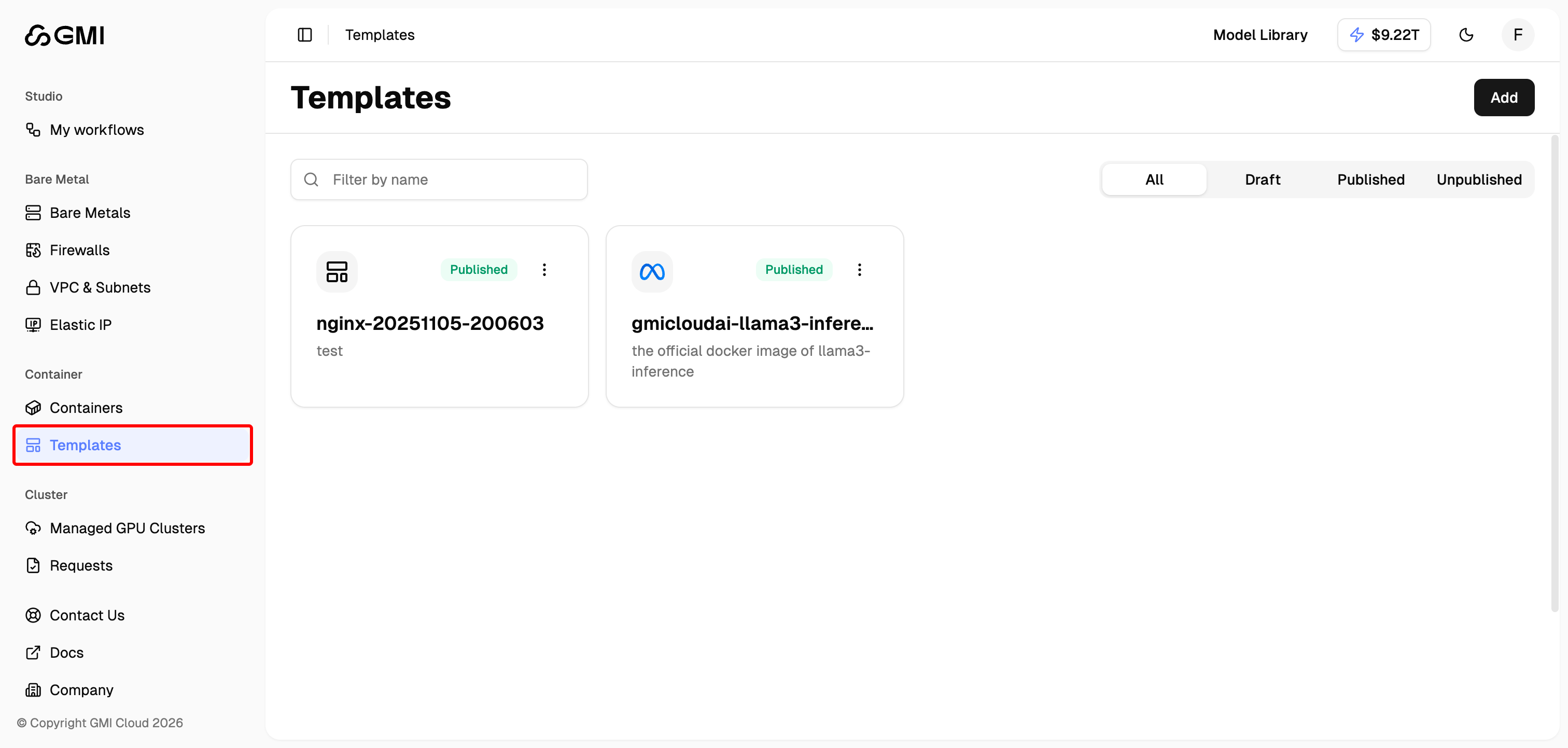 2. You will see all templates in the Templates page
## Add a New Template
1. Click the **"Add"** button in the top right corner
2. You will see all templates in the Templates page
## Add a New Template
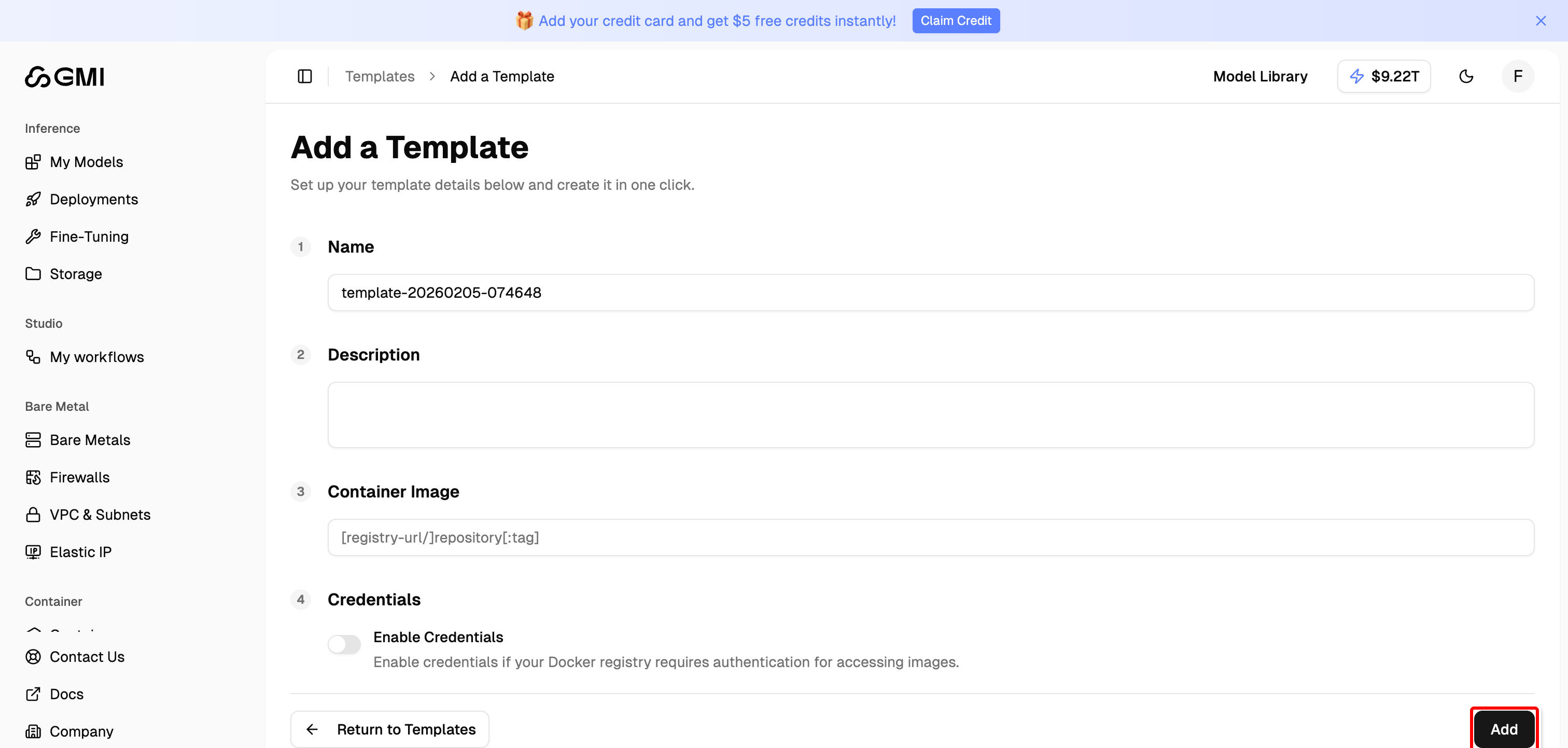
1. Click the **"Add"** button in the top right corner
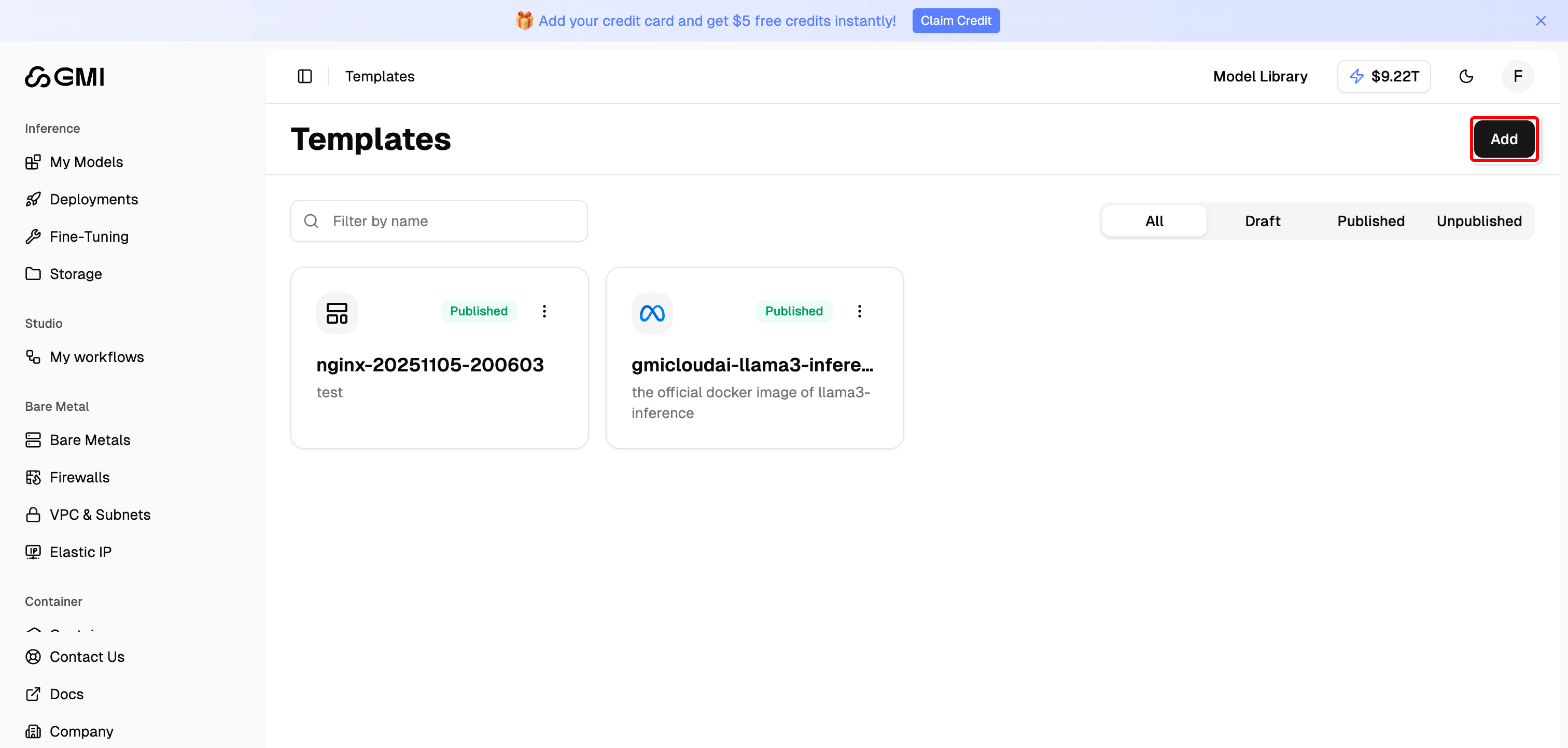 2. Enter the required information and click **"Add"** to add a new container template
 ## Edit a Template
1. Locate the template you want to edit
2. Click the "More actions" button (three dots icon)
3. Select "**Edit**" from the dropdown menu
## Edit a Template
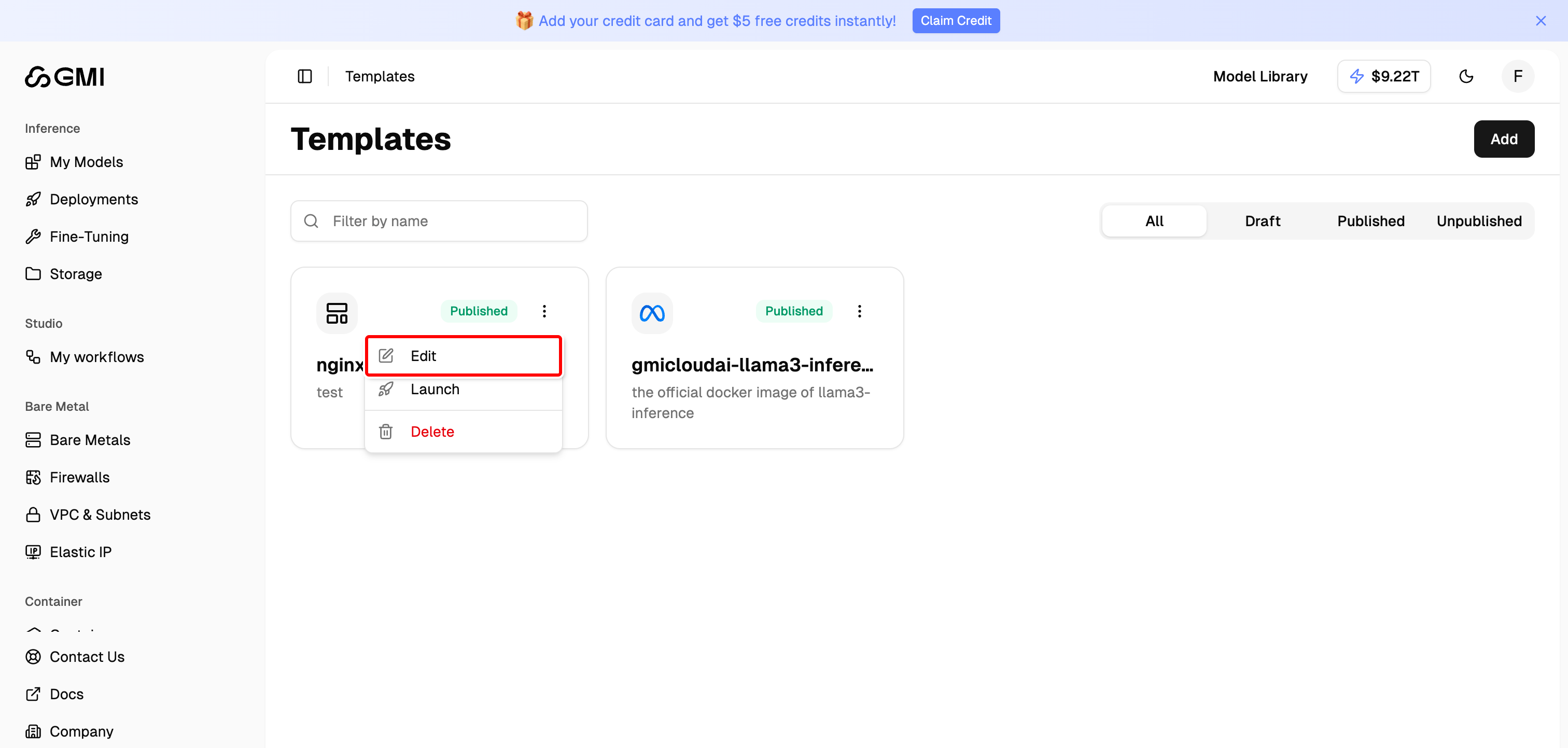
1. Locate the template you want to edit
2. Click the "More actions" button (three dots icon)
3. Select "**Edit**" from the dropdown menu
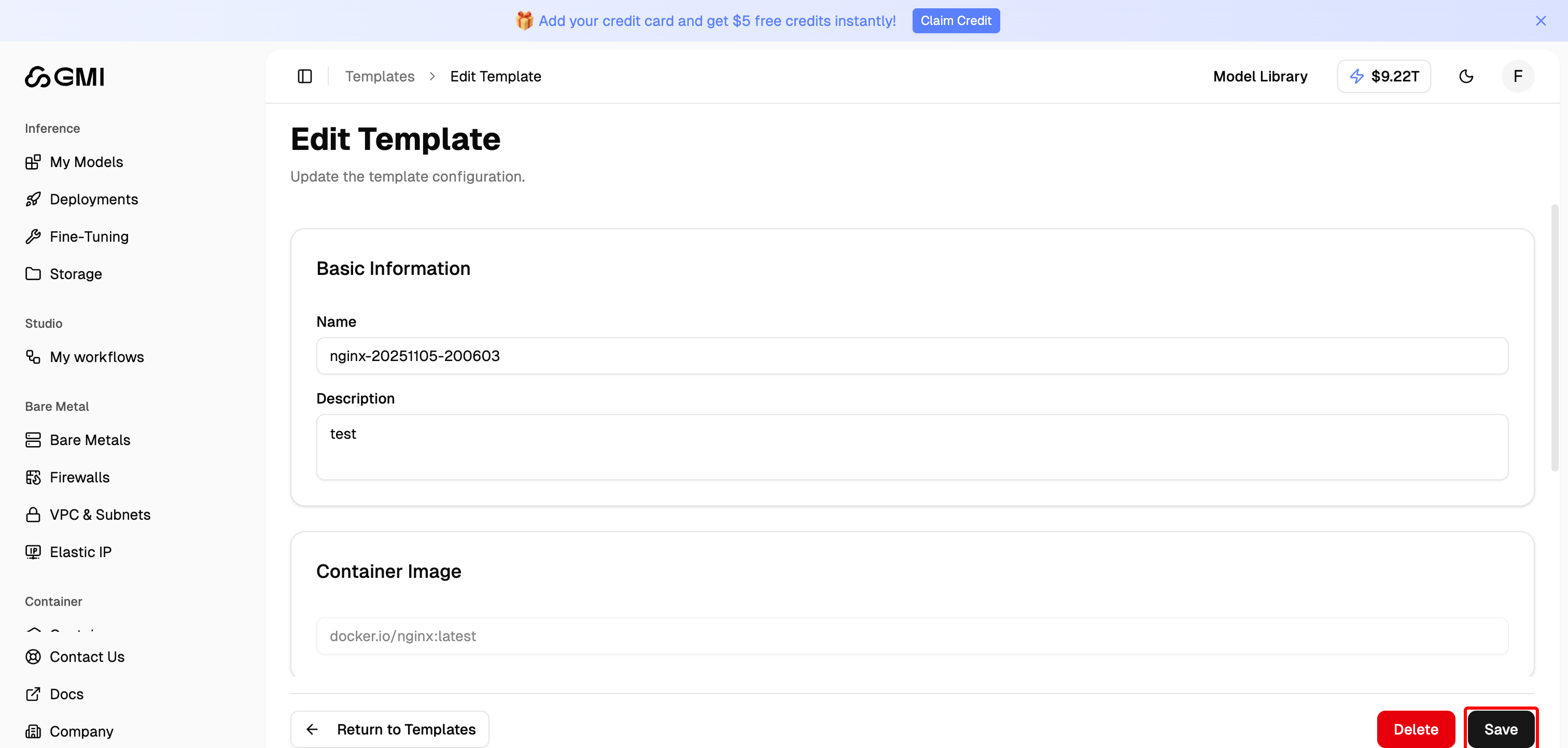
 4. Modify the template information and click **"Save"** to update
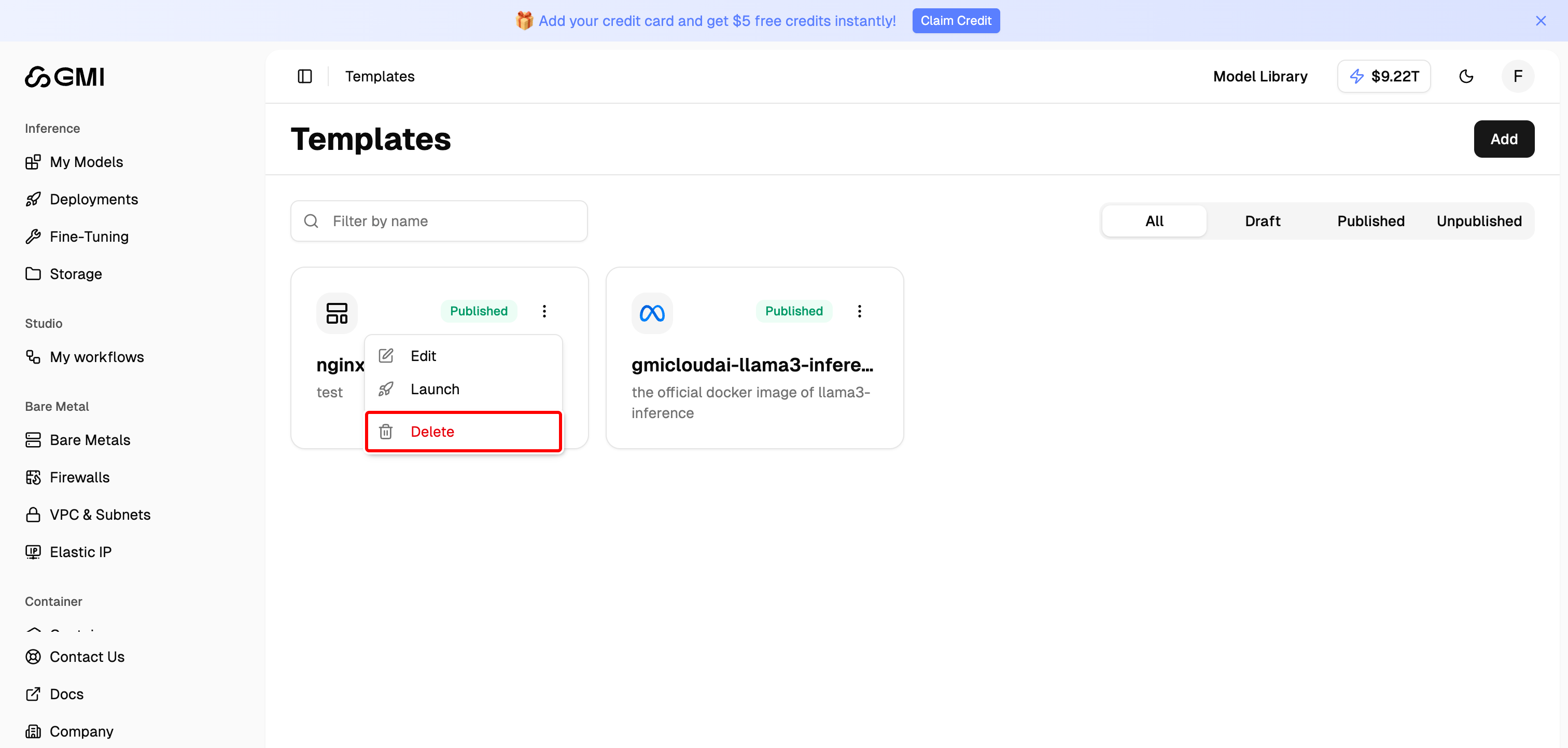
 ## Delete a Template
1. Locate the template you want to delete
2. Click the "More actions" button (three dots icon)
3. Select "**Delete**" from the dropdown menu to remove the template
## Delete a Template
1. Locate the template you want to delete
2. Click the "More actions" button (three dots icon)
3. Select "**Delete**" from the dropdown menu to remove the template