> ## Documentation Index
> Fetch the complete documentation index at: https://docs.gmicloud.ai/llms.txt
> Use this file to discover all available pages before exploring further.
# VPC & Subnets
> Virtual Private Cloud and subnet management for GMI Cloud Compute resources.
URL: `https://console.gmicloud.ai/user-console/ce/vpcs`
Virtual Private Clouds (VPCs) provide isolated network environments for your bare metal servers. Each VPC contains one or more subnets that define the IP address ranges for your resources.
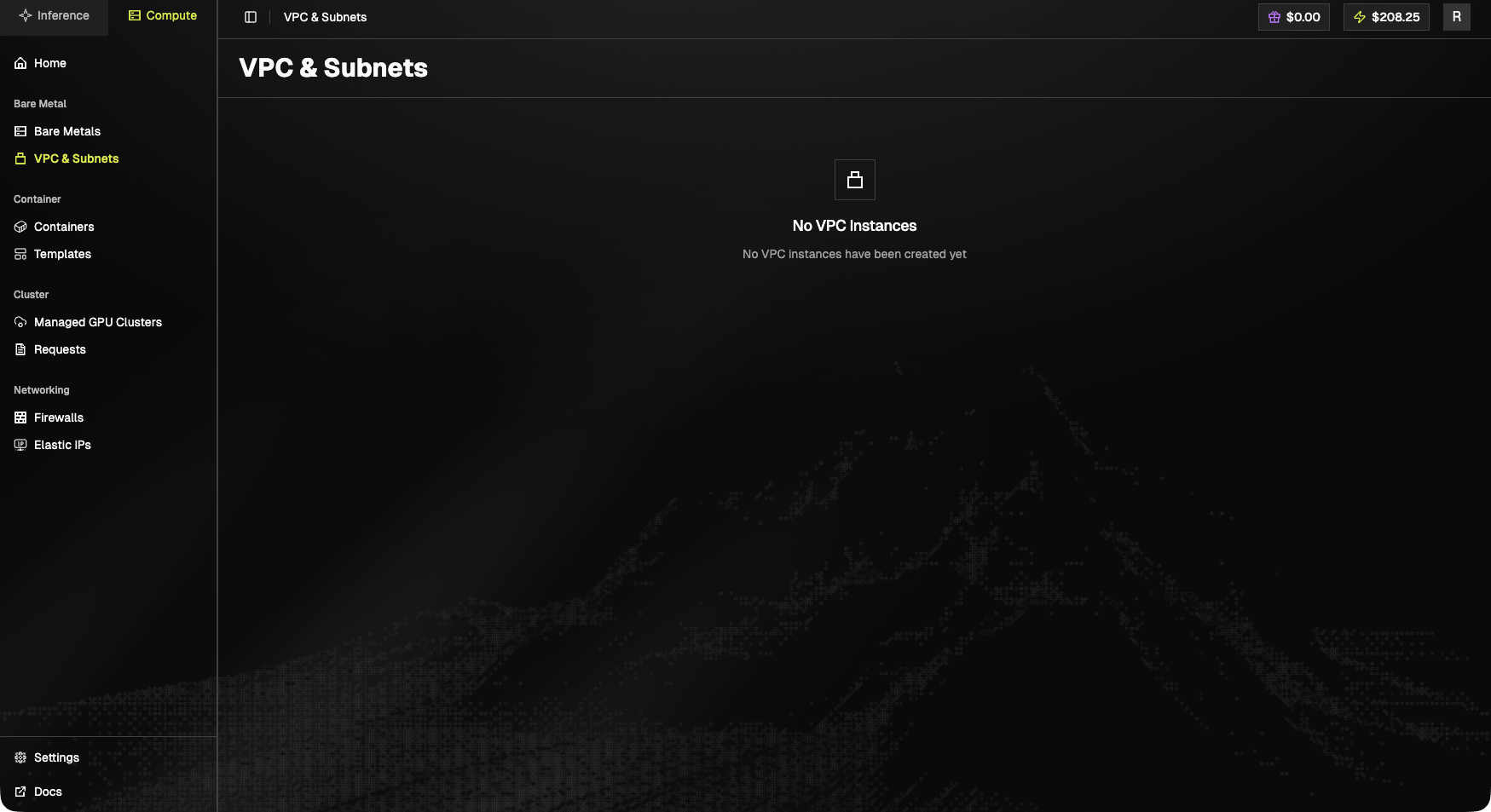 ## Empty state
> **No VPC Instances.** No VPC instances have been created yet.
When populated, the page lists each VPC with its CIDR block, subnets, and the count of attached resources.
## Access VPC & Subnets
1. Click "**VPC & Subnets**" in the left sidebar under the "Bare Metal" section
## Empty state
> **No VPC Instances.** No VPC instances have been created yet.
When populated, the page lists each VPC with its CIDR block, subnets, and the count of attached resources.
## Access VPC & Subnets
1. Click "**VPC & Subnets**" in the left sidebar under the "Bare Metal" section
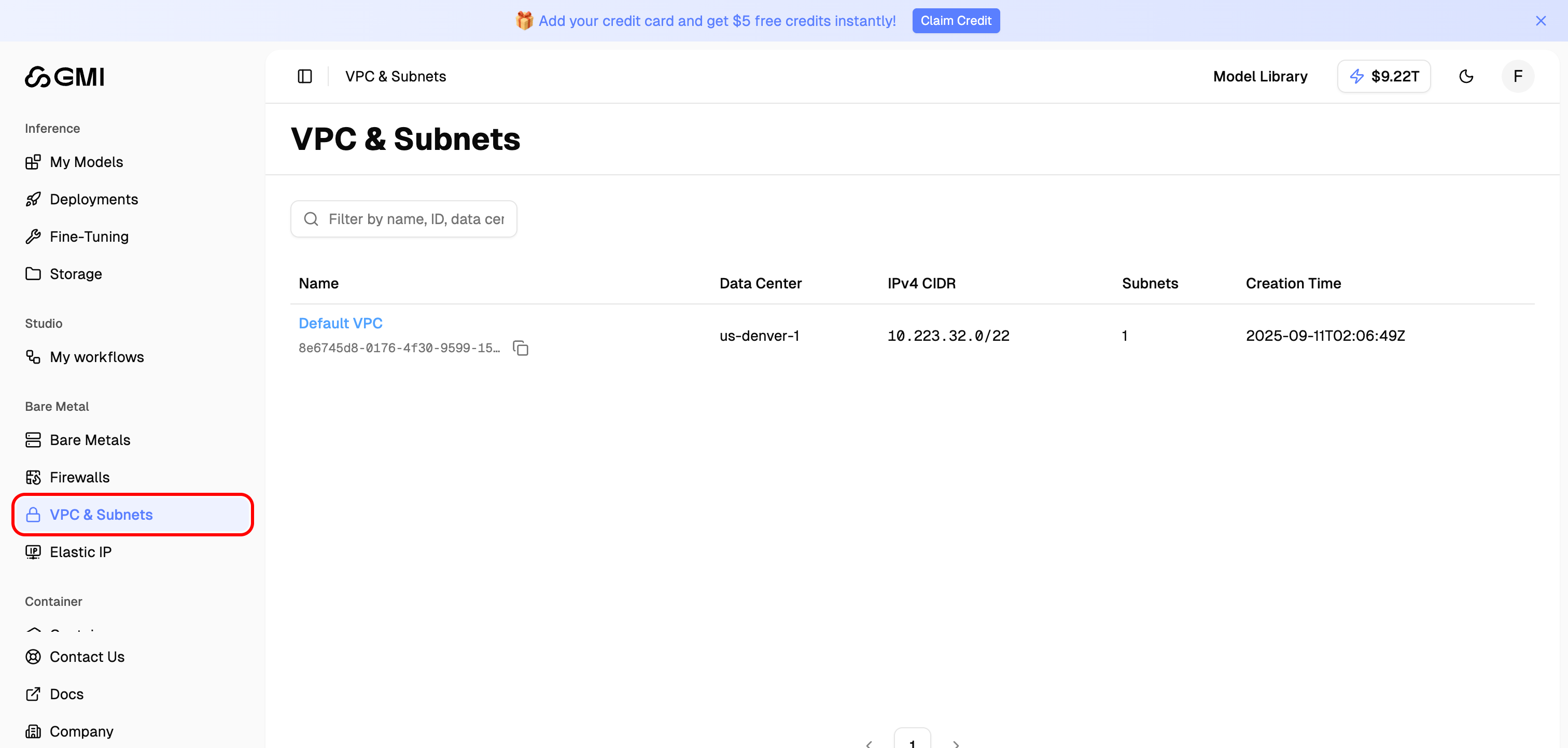 2. You will see the VPC list page showing all your VPCs
 ## VPC List
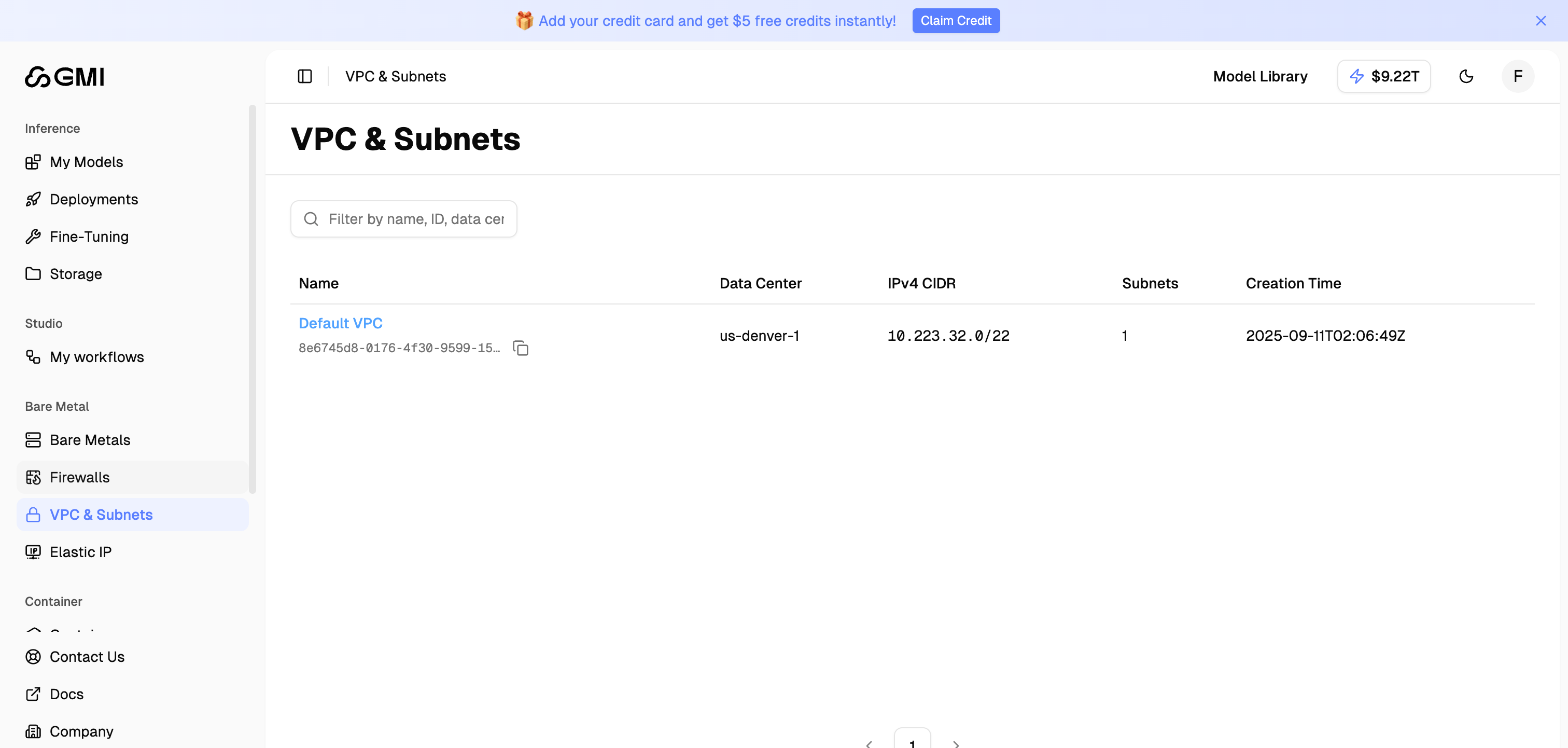
The VPC list displays the following information for each VPC:
| Column | Description |
| ----------------- | ------------------------------------------- |
| **Name** | The name of the VPC (click to view details) |
| **Data Center** | The data center where the VPC is located |
| **IPv4 CIDR** | The IP address range assigned to the VPC |
| **Subnets** | Number of subnets in the VPC |
| **Creation Time** | When the VPC was created |
Use the filter box to search VPCs by name, ID, data center, or CIDR.
## Default VPC
Each data center comes with a **Default VPC** that is automatically created for your organization. The Default VPC includes:
* A pre-configured IPv4 CIDR block
* A Default Subnet covering the entire VPC range
## View VPC Details
Click on a VPC name to view its details:
## VPC List
The VPC list displays the following information for each VPC:
| Column | Description |
| ----------------- | ------------------------------------------- |
| **Name** | The name of the VPC (click to view details) |
| **Data Center** | The data center where the VPC is located |
| **IPv4 CIDR** | The IP address range assigned to the VPC |
| **Subnets** | Number of subnets in the VPC |
| **Creation Time** | When the VPC was created |
Use the filter box to search VPCs by name, ID, data center, or CIDR.
## Default VPC
Each data center comes with a **Default VPC** that is automatically created for your organization. The Default VPC includes:
* A pre-configured IPv4 CIDR block
* A Default Subnet covering the entire VPC range
## View VPC Details
Click on a VPC name to view its details:
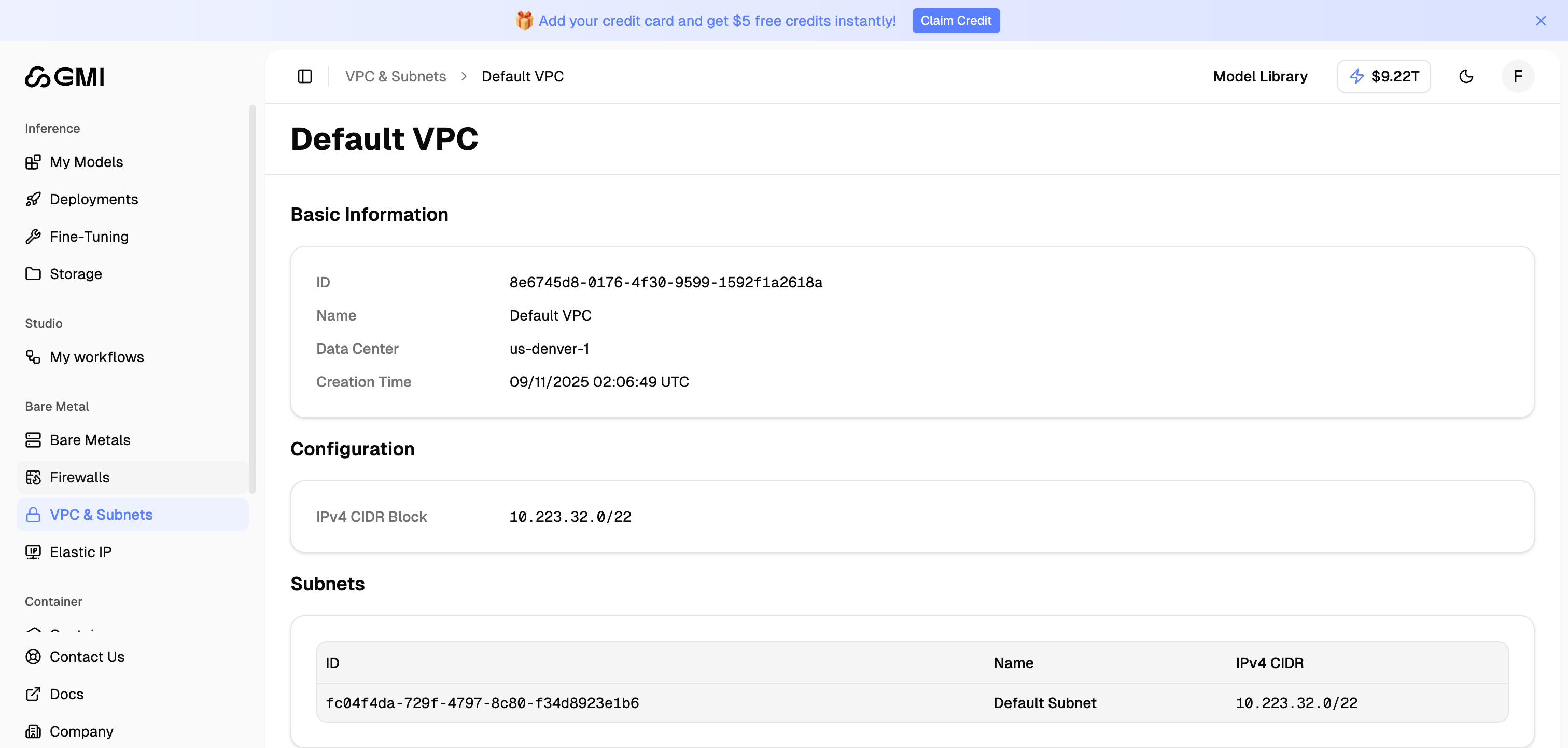 ### Basic Information
| Field | Description |
| ----------------- | ----------------------------- |
| **ID** | Unique identifier for the VPC |
| **Name** | The VPC name |
| **Data Center** | Location of the VPC |
| **Creation Time** | When the VPC was created |
### Configuration
| Field | Description |
| ------------------- | -------------------------------- |
| **IPv4 CIDR Block** | The IP address range for the VPC |
### Subnets
The Subnets section lists all subnets within the VPC:
| Column | Description |
| ------------- | ----------------------------------- |
| **ID** | Unique identifier for the subnet |
| **Name** | The subnet name |
| **IPv4 CIDR** | The IP address range for the subnet |
## Using VPCs with Bare Metal
When launching a bare metal server, you can select which VPC and subnet to use for networking. This determines the private IP address range your server will use and enables communication with other resources in the same VPC.
### Basic Information
| Field | Description |
| ----------------- | ----------------------------- |
| **ID** | Unique identifier for the VPC |
| **Name** | The VPC name |
| **Data Center** | Location of the VPC |
| **Creation Time** | When the VPC was created |
### Configuration
| Field | Description |
| ------------------- | -------------------------------- |
| **IPv4 CIDR Block** | The IP address range for the VPC |
### Subnets
The Subnets section lists all subnets within the VPC:
| Column | Description |
| ------------- | ----------------------------------- |
| **ID** | Unique identifier for the subnet |
| **Name** | The subnet name |
| **IPv4 CIDR** | The IP address range for the subnet |
## Using VPCs with Bare Metal
When launching a bare metal server, you can select which VPC and subnet to use for networking. This determines the private IP address range your server will use and enables communication with other resources in the same VPC.