> ## Documentation Index
> Fetch the complete documentation index at: https://docs.gmicloud.ai/llms.txt
> Use this file to discover all available pages before exploring further.
# API Keys
> Create and revoke API keys used by external clients and SDKs to call GMI Cloud Inference.
Create and revoke API keys used by external clients and SDKs to call GMI Cloud Inference.
URL: `https://console.gmicloud.ai/user-setting/api-keys`
 ## Create a key
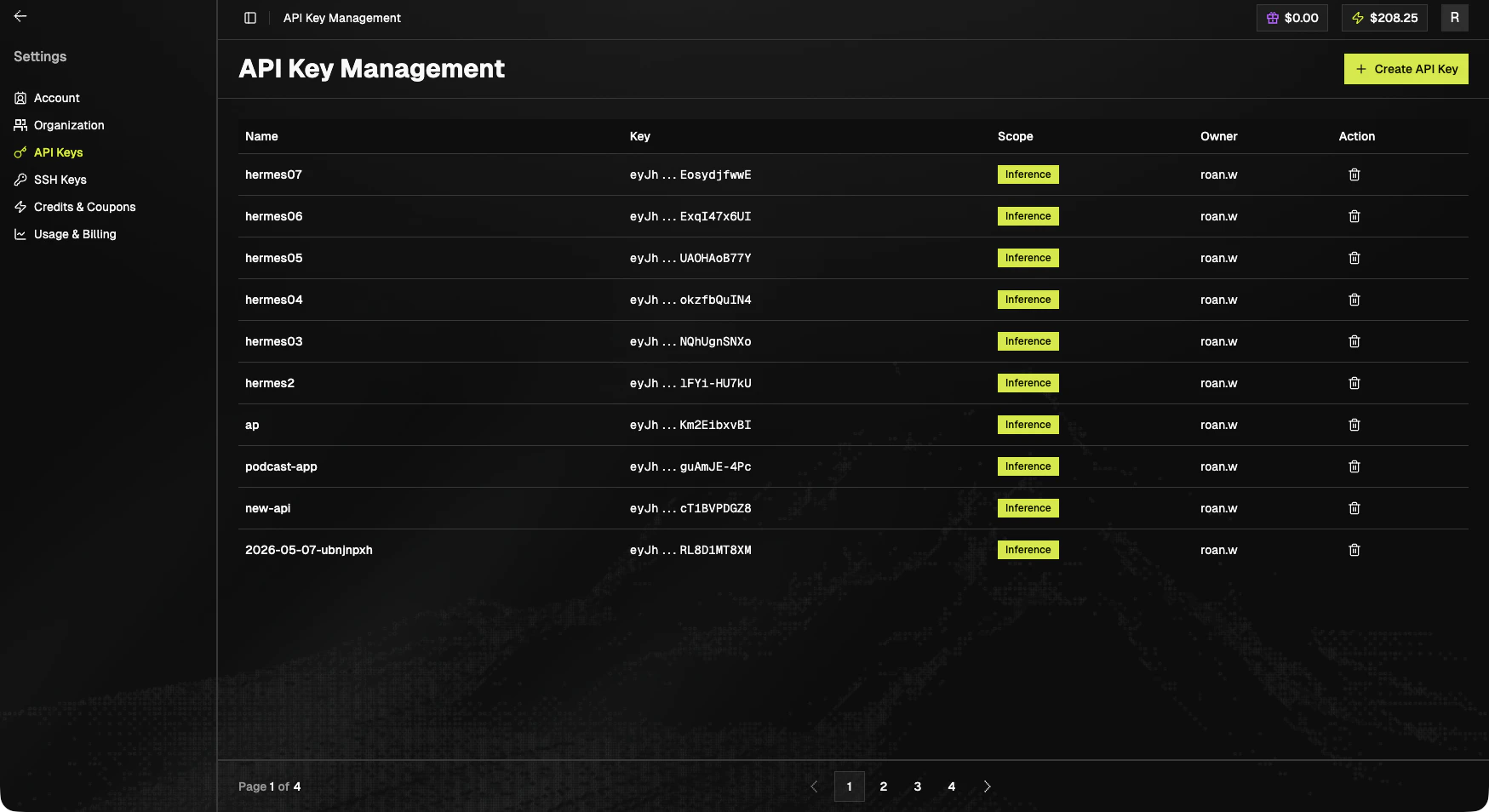
Open **Settings > API Key Management** and click **+ Create API Key** in the top-right. The dialog asks for:
| Field | Value |
| --------------- | -------------------------------------------------------------------------------------------------- |
| **Description** | Enter a key name that helps you recognize it later (for example, `prod-inference` or `local-dev`). |
| **Scope** | Defaults to **Inference**. Leave it set unless you have a reason to change. |
Click **Create Key** to generate the key, or **Close** to cancel.
Treat API keys as secrets. The full value is only shown when the key is created. Copy and store it immediately. If you lose it, you must create a new one.
## Key list
| Column | Notes |
| :----- | :-------------------------------------------------------- |
| Name | Friendly name |
| Key | Truncated preview (e.g. `eyJh...XXXX`) with copy on hover |
| Scope | Scope badge. `Inference` is the common scope. |
| Owner | Member who created the key |
| Action | Delete (trash icon) |
Keys are paginated at 10 / page.
## Next steps
* Use your key in [Claude Code](/coding-tools/claude-code), [Codex](/coding-tools/codex), or [Cursor](/coding-tools/cursor).
* See pricing and current spend: [Billing](/cluster-engine/user-management/billing).
## Create a key
Open **Settings > API Key Management** and click **+ Create API Key** in the top-right. The dialog asks for:
| Field | Value |
| --------------- | -------------------------------------------------------------------------------------------------- |
| **Description** | Enter a key name that helps you recognize it later (for example, `prod-inference` or `local-dev`). |
| **Scope** | Defaults to **Inference**. Leave it set unless you have a reason to change. |
Click **Create Key** to generate the key, or **Close** to cancel.
Treat API keys as secrets. The full value is only shown when the key is created. Copy and store it immediately. If you lose it, you must create a new one.
## Key list
| Column | Notes |
| :----- | :-------------------------------------------------------- |
| Name | Friendly name |
| Key | Truncated preview (e.g. `eyJh...XXXX`) with copy on hover |
| Scope | Scope badge. `Inference` is the common scope. |
| Owner | Member who created the key |
| Action | Delete (trash icon) |
Keys are paginated at 10 / page.
## Next steps
* Use your key in [Claude Code](/coding-tools/claude-code), [Codex](/coding-tools/codex), or [Cursor](/coding-tools/cursor).
* See pricing and current spend: [Billing](/cluster-engine/user-management/billing).