> ## Documentation Index
> Fetch the complete documentation index at: https://docs.gmicloud.ai/llms.txt
> Use this file to discover all available pages before exploring further.
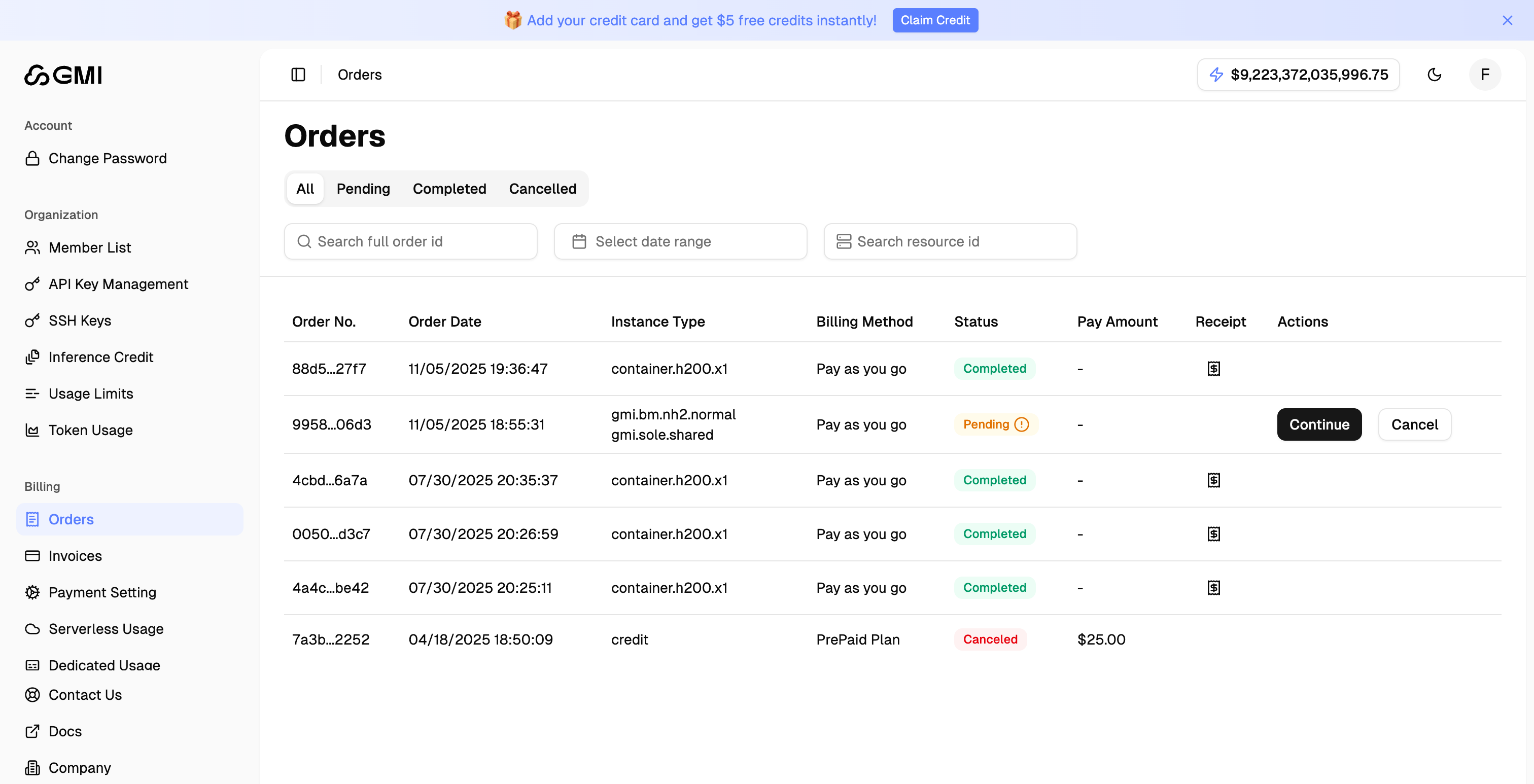
# Billing
> View invoices, payment methods, and current usage for your GMI Cloud account.
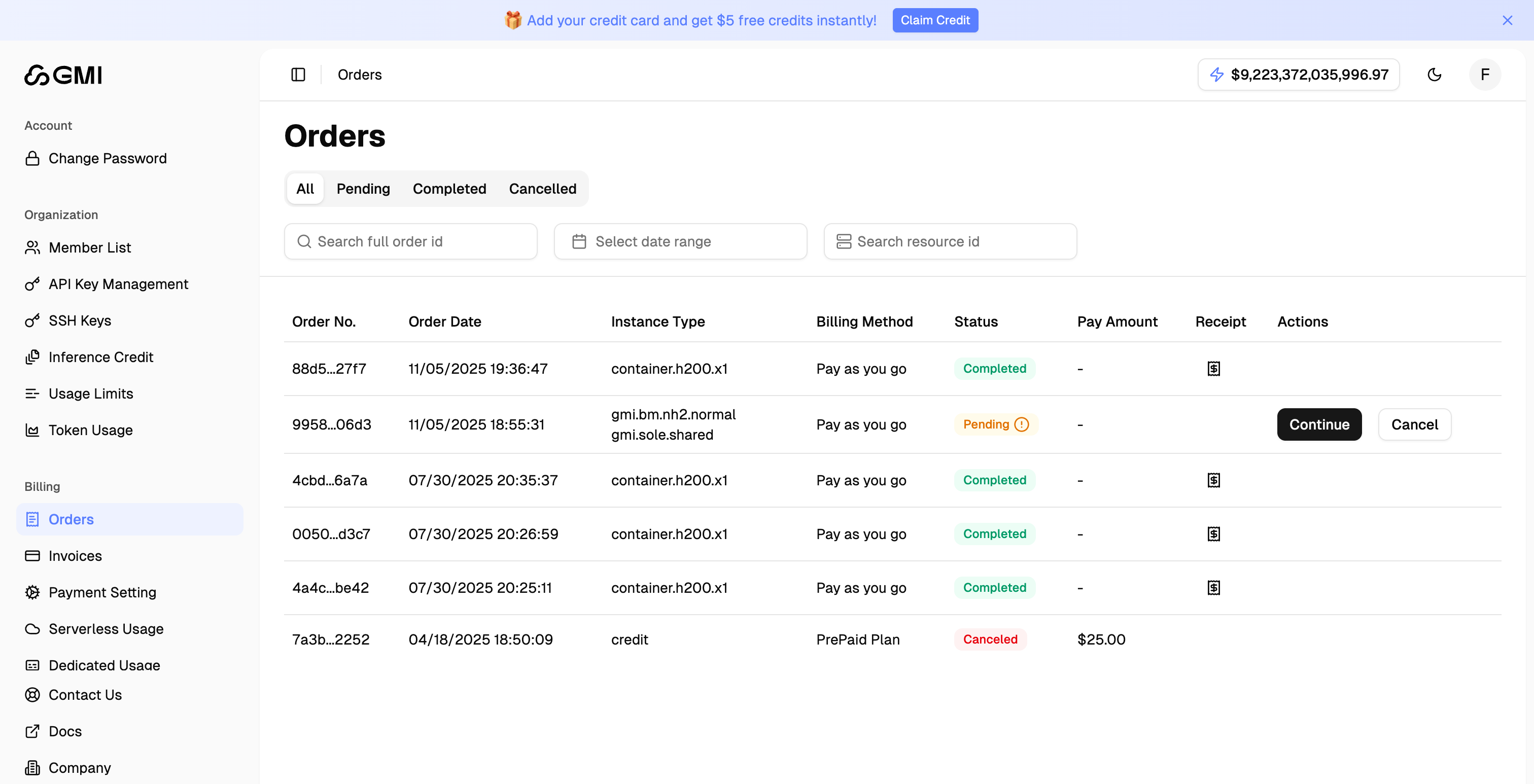
## Manage Orders
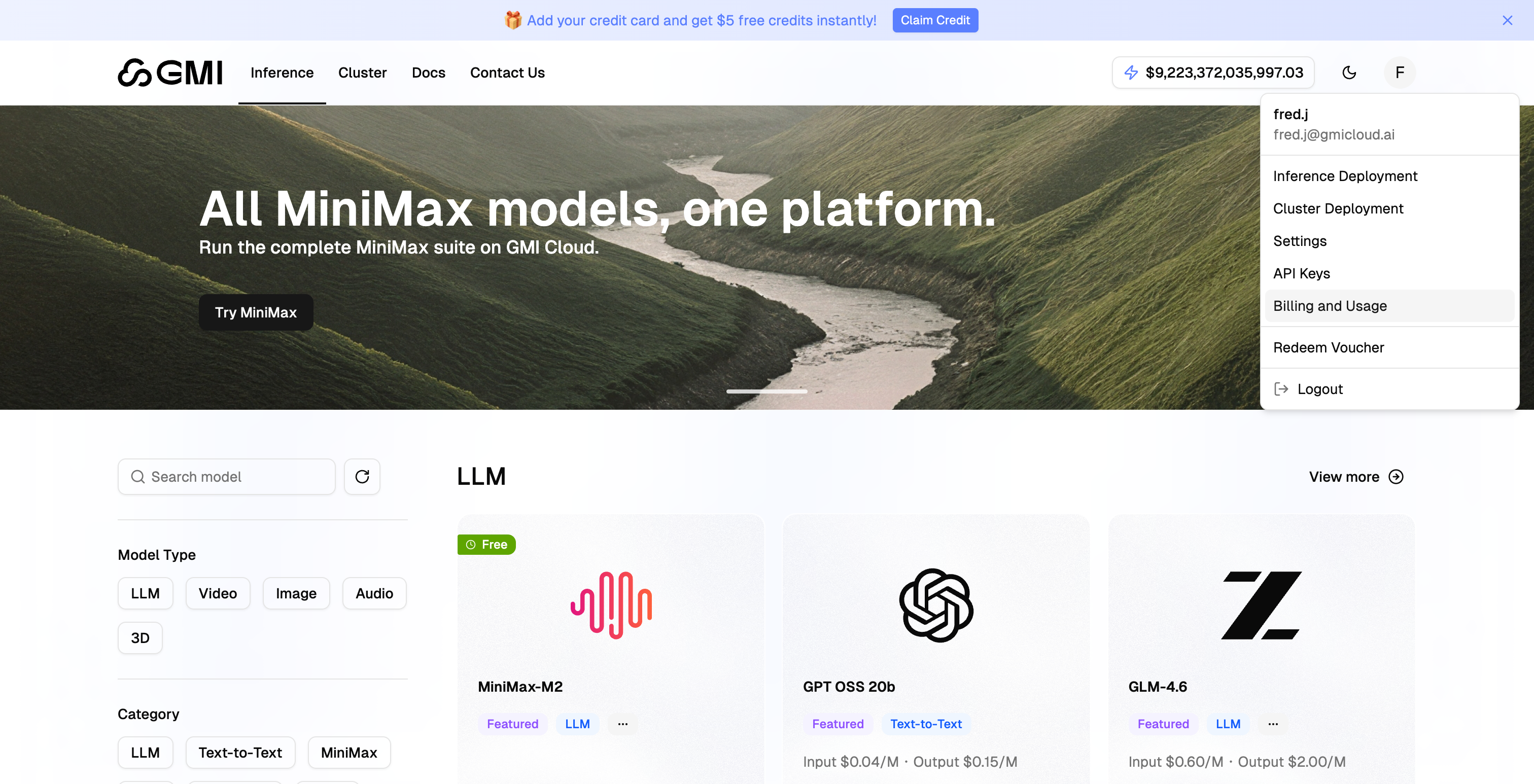
1. Click your avatar in the top right corner
2. Select "**Billing and Usage**" from the dropdown menu
 3. Click "**Orders**" in the left sidebar to view your order history
 ## View Receipt
1. Locate the order whose receipt you want to view
2. Click the "**View Receipt**" icon
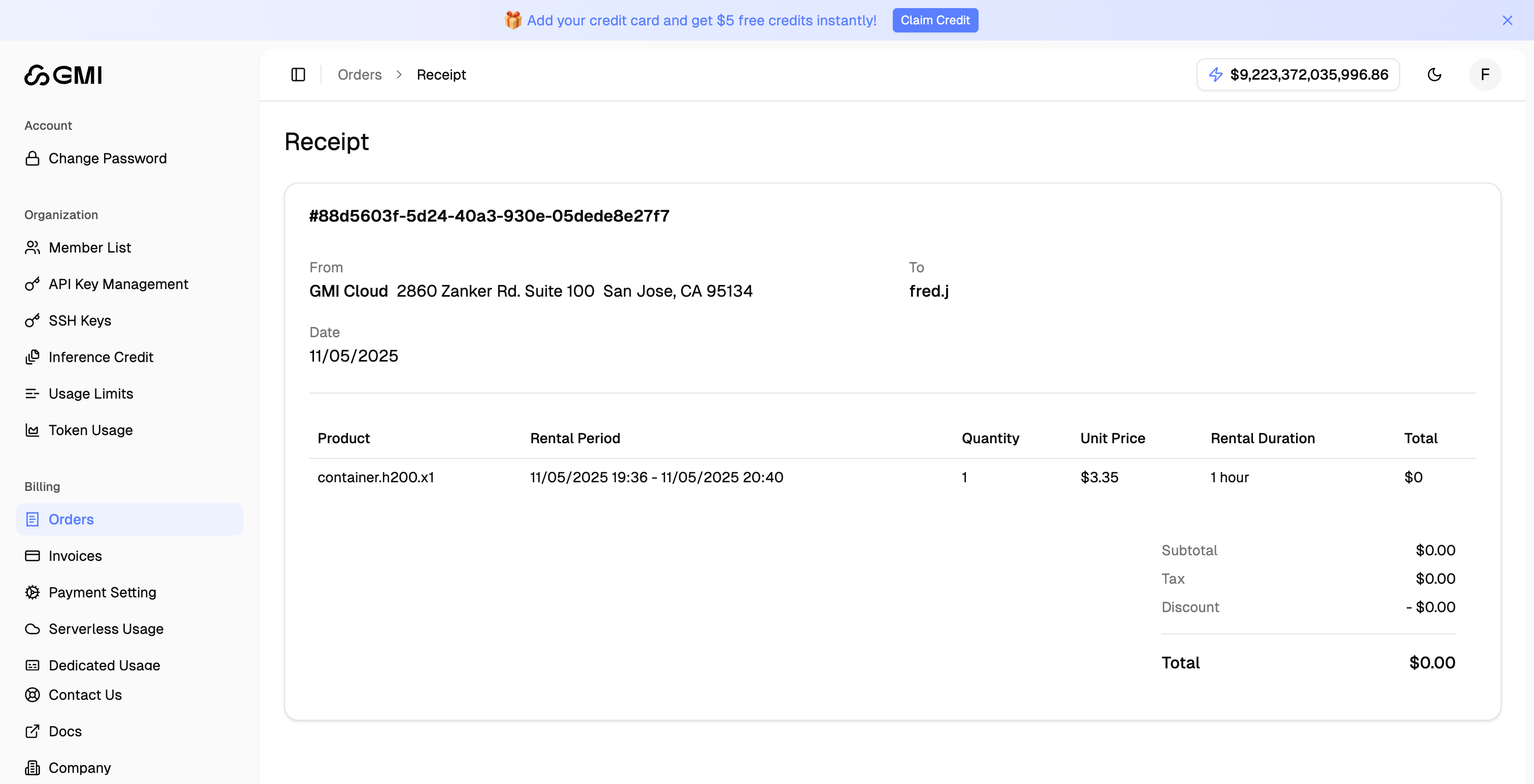
## View Receipt
1. Locate the order whose receipt you want to view
2. Click the "**View Receipt**" icon
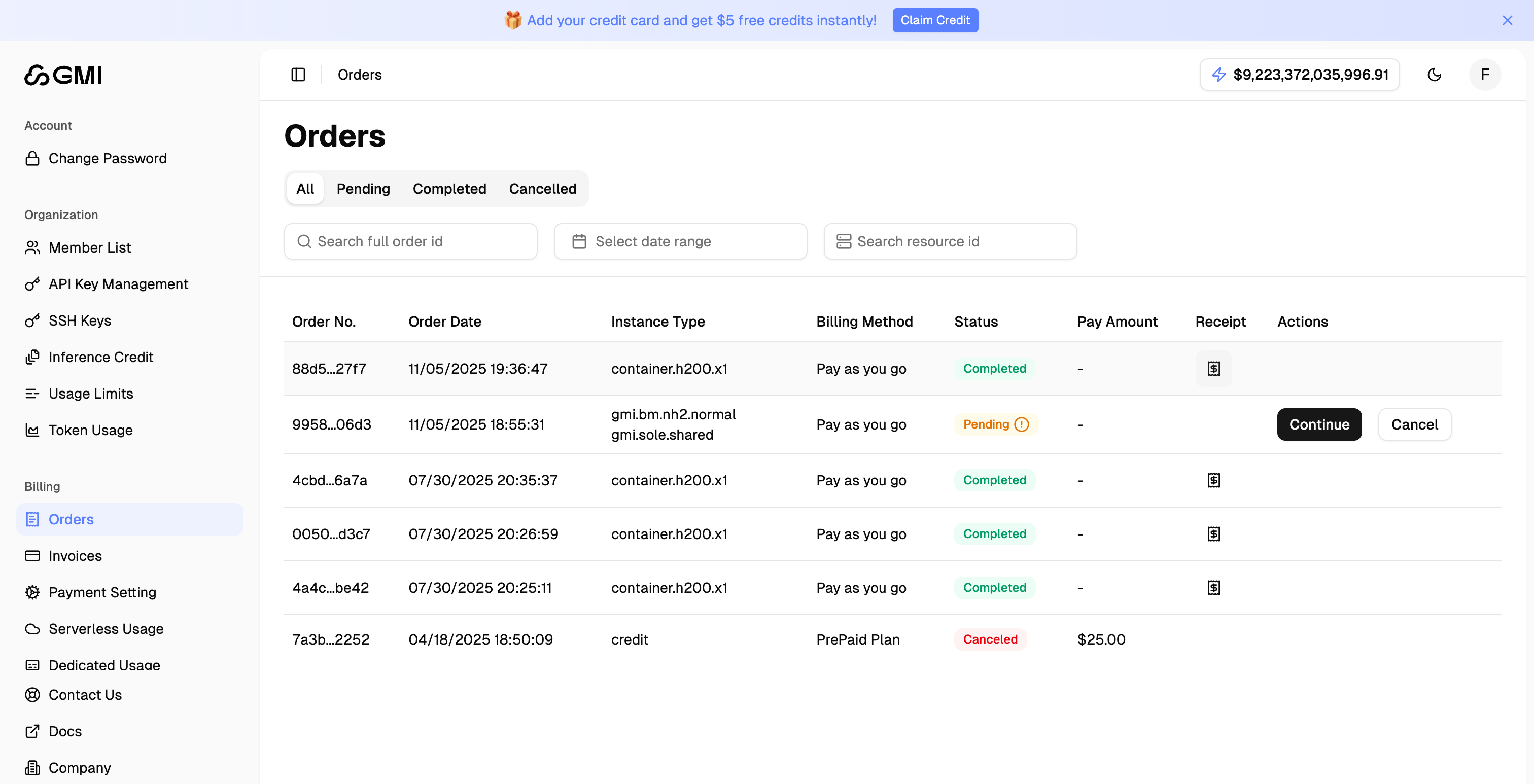 3. The receipt details will be displayed
 ## Manage Pending Orders
For orders with "Pending" status, you can:
* Click "**Continue**" to resume the checkout process
* Click "**Cancel**" to cancel the order
## Manage Pending Orders
For orders with "Pending" status, you can:
* Click "**Continue**" to resume the checkout process
* Click "**Cancel**" to cancel the order