> ## Documentation Index
> Fetch the complete documentation index at: https://docs.gmicloud.ai/llms.txt
> Use this file to discover all available pages before exploring further.
# OpenCode
> Install OpenCode and connect it to GMI Cloud in under 5 minutes.
OpenCode is an open-source AI coding agent that runs in your terminal. Connect it to GMI Cloud and any model in the GMI catalog becomes available for reading files, reasoning about code, and making edits, directly from the TUI.
## Prerequisites
* A Mac, Linux, or Windows machine with a terminal
* A GMI Cloud account at [console.gmicloud.ai](https://console.gmicloud.ai)
* About 5 minutes
## Step 1. Install OpenCode
Run this command in your terminal:
```bash theme={null}
curl -fsSL https://opencode.ai/install | bash
```
Verify the install worked:
```bash theme={null}
opencode --version
```
You should see a version number like `1.15.11`.
## Step 2. Open OpenCode in your project
Navigate to any code project and launch OpenCode:
```bash theme={null}
cd your-project
opencode
```
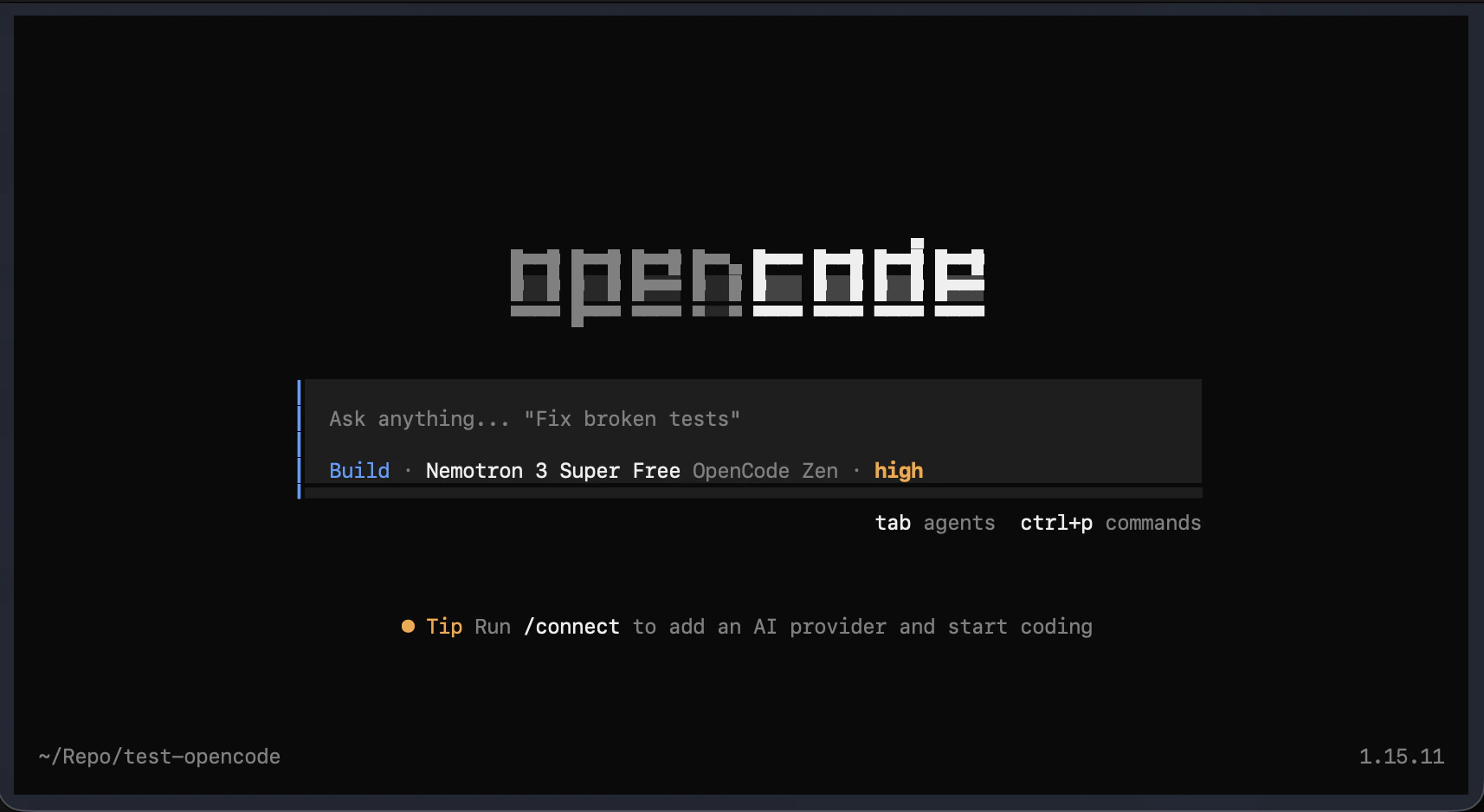
The OpenCode TUI (terminal interface) opens.
 ## Step 3. Connect GMI Cloud
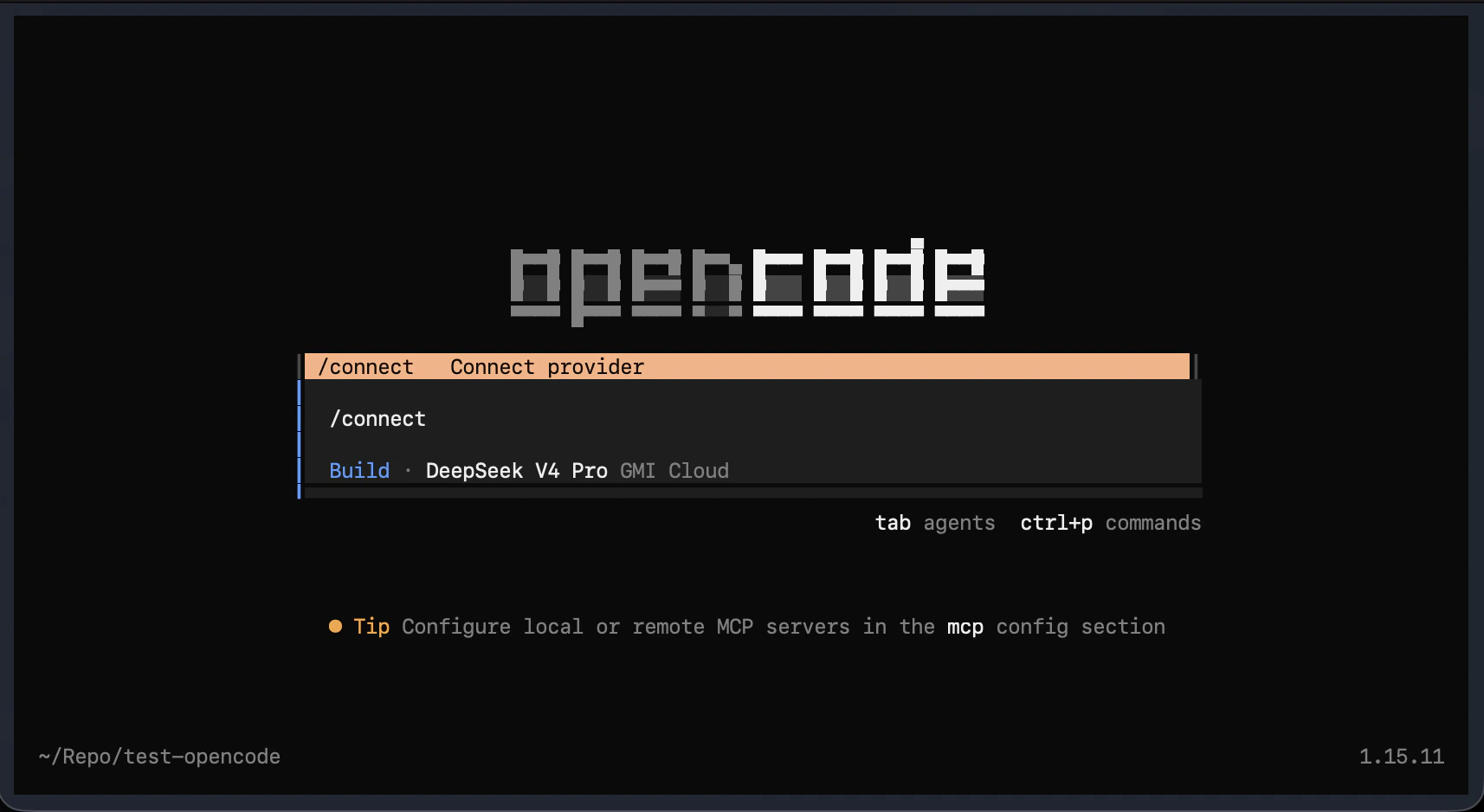
Inside OpenCode, type:
```
/connect
```
## Step 3. Connect GMI Cloud
Inside OpenCode, type:
```
/connect
```
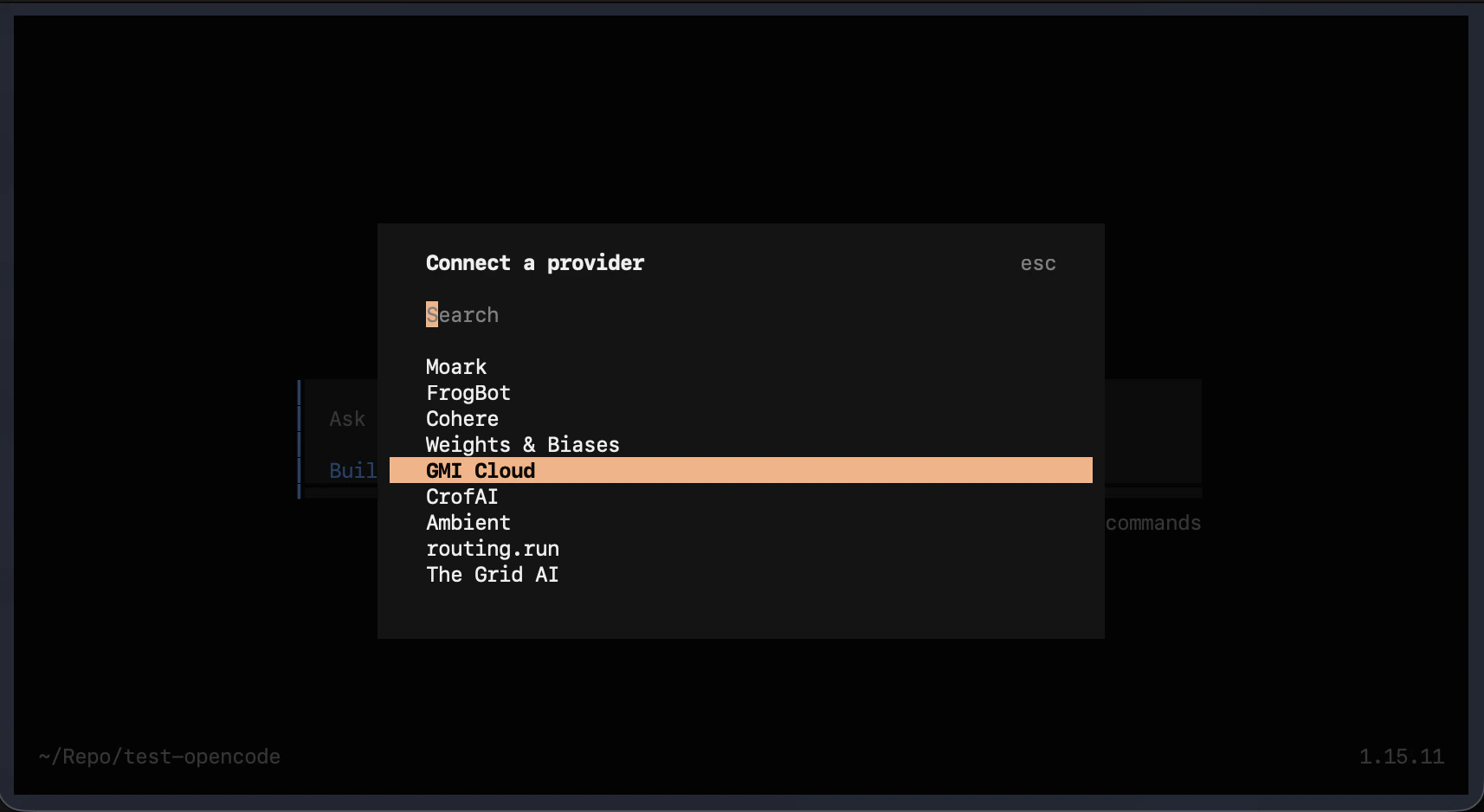
 A provider list appears. Scroll down, select **GMI Cloud**, then press **Enter**.
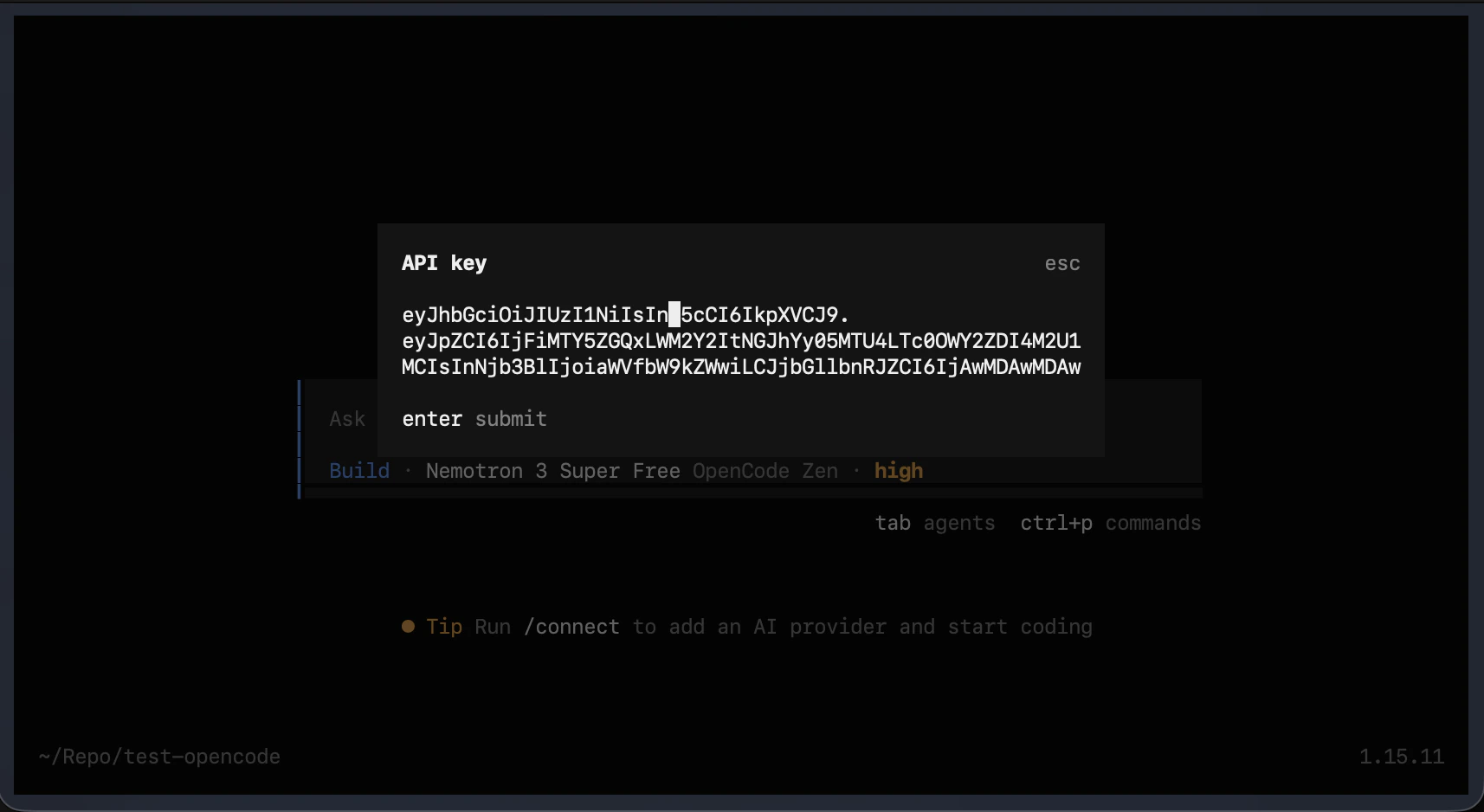
 When prompted for an API key:
1. Go to [console.gmicloud.ai](https://console.gmicloud.ai).
2. Open **API Keys** and copy your key.
3. Paste it into OpenCode and press **Enter** to confirm.
When prompted for an API key:
1. Go to [console.gmicloud.ai](https://console.gmicloud.ai).
2. Open **API Keys** and copy your key.
3. Paste it into OpenCode and press **Enter** to confirm.
 GMI Cloud is now connected.
## Step 4. Pick a model
Inside OpenCode, type:
```
/models
```
The model picker opens showing all available GMI Cloud models.
Recommended models for coding:
| Model | Best for |
| -------------------- | --------------------------------- |
| Qwen3-Coder-480B | Best coding quality |
| DeepSeek V4 Pro | Complex reasoning & hard problems |
| Claude Sonnet 4.6 | Balanced quality + speed |
| Claude Opus 4.7 Fast | Fast, high-quality responses |
| DeepSeek V4 Flash | Lightweight, quick tasks |
Select a model and press **Enter**.
## Step 5. Start coding
You're all set. Type any task in the prompt and hit **Enter**:
```
Fix the broken tests in this project
```
```
Explain what this codebase does
```
```
Refactor this function to be more readable
```
OpenCode reads your files, reasons about the code, and makes changes directly.
## Useful commands
| Command | What it does |
| ---------- | ------------------------- |
| `/connect` | Add or switch AI provider |
| `/models` | Switch the active model |
| `Ctrl + P` | Open command palette |
| `Ctrl + C` | Cancel current response |
| `Esc` | Close any menu |
## Next steps
* Try [Claude Code](/coding-tools/claude-code), [Codex](/coding-tools/codex), or [Cursor](/coding-tools/cursor) with the same GMI account.
* Browse models in the [Text catalog](/model-quickstarts/text/overview).
* OpenCode docs: [opencode.ai/docs](https://opencode.ai/docs)
GMI Cloud is now connected.
## Step 4. Pick a model
Inside OpenCode, type:
```
/models
```
The model picker opens showing all available GMI Cloud models.
Recommended models for coding:
| Model | Best for |
| -------------------- | --------------------------------- |
| Qwen3-Coder-480B | Best coding quality |
| DeepSeek V4 Pro | Complex reasoning & hard problems |
| Claude Sonnet 4.6 | Balanced quality + speed |
| Claude Opus 4.7 Fast | Fast, high-quality responses |
| DeepSeek V4 Flash | Lightweight, quick tasks |
Select a model and press **Enter**.
## Step 5. Start coding
You're all set. Type any task in the prompt and hit **Enter**:
```
Fix the broken tests in this project
```
```
Explain what this codebase does
```
```
Refactor this function to be more readable
```
OpenCode reads your files, reasons about the code, and makes changes directly.
## Useful commands
| Command | What it does |
| ---------- | ------------------------- |
| `/connect` | Add or switch AI provider |
| `/models` | Switch the active model |
| `Ctrl + P` | Open command palette |
| `Ctrl + C` | Cancel current response |
| `Esc` | Close any menu |
## Next steps
* Try [Claude Code](/coding-tools/claude-code), [Codex](/coding-tools/codex), or [Cursor](/coding-tools/cursor) with the same GMI account.
* Browse models in the [Text catalog](/model-quickstarts/text/overview).
* OpenCode docs: [opencode.ai/docs](https://opencode.ai/docs)