> ## Documentation Index
> Fetch the complete documentation index at: https://docs.gmicloud.ai/llms.txt
> Use this file to discover all available pages before exploring further.
# Introduction
> Visual workflow editor for running open-source-based AI pipelines on GMI Cloud GPUs.
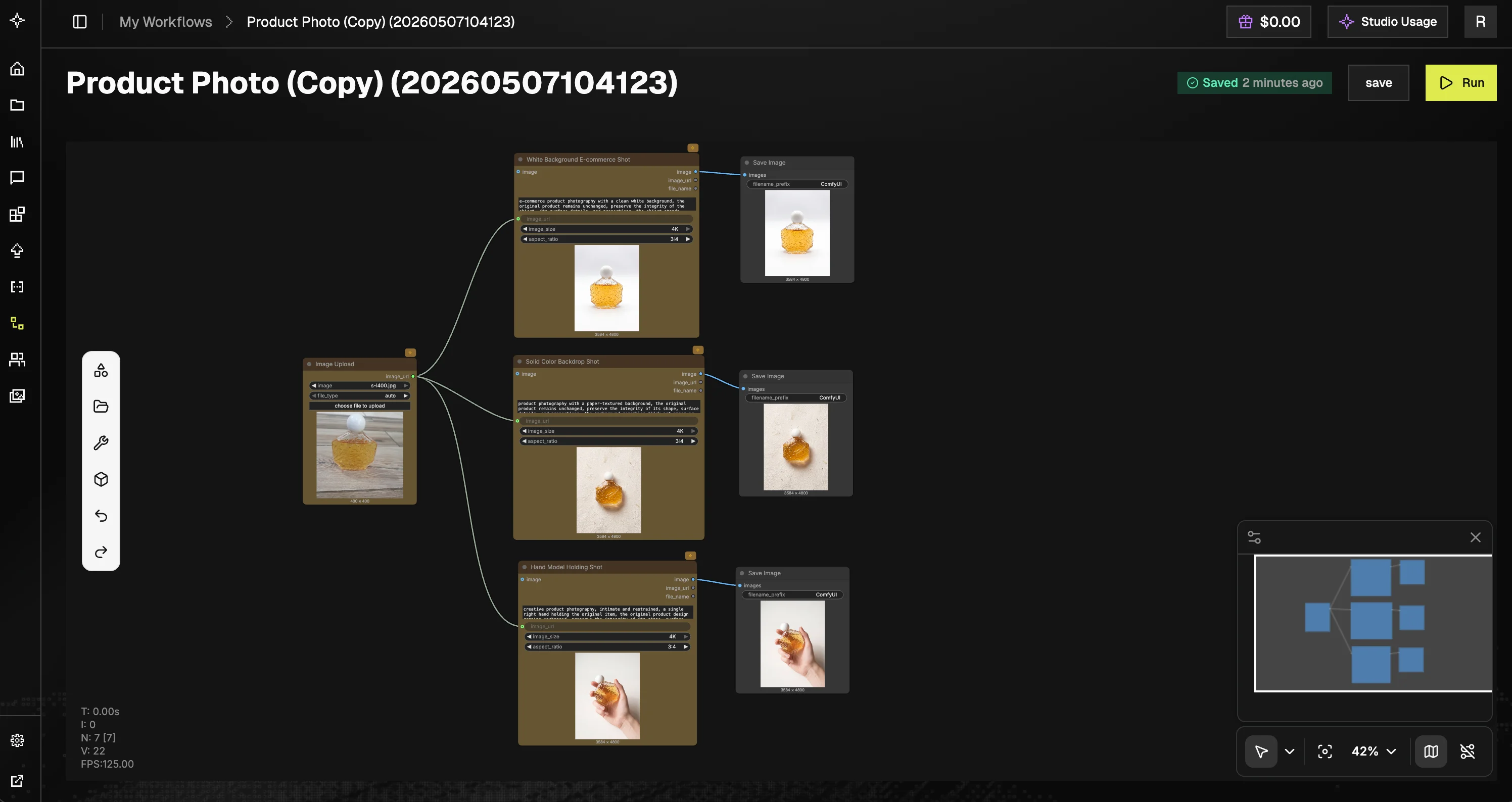
GMI Studio is a cloud-native workflow editor and execution environment for running open-source-based AI pipelines on GMI Cloud's GPU infrastructure. Compose workflows visually using nodes and run multimodal inference directly in the browser.
 ## Who is it for
* AI creators and artists building image, video, LLM, and audio workflows
* Engineers prototyping or deploying inference pipelines
* Teams collaborating on reproducible AI workflows
Because all execution runs on **GMI Cloud's managed GPU backend**, you don't need personal hardware GPUs or local GPU setup to build or run workflows.
## Key concepts
* **Workflows**: directed graphs defining how nodes connect and execute
* **Nodes**: individual functional units (e.g., upload, inference, save)
* **Sessions**: a single execution run of a workflow
* **Execution engine**: GMI's backend system that schedules and runs workflows on GPUs
## Console layout
The GMI Studio console organizes work into four areas:
* **Workflow Gallery**: curated templates and community-shared workflows. Most support **One-Click Execution**: run them instantly, no node graph required. The topology is hidden and only the required inputs are exposed.
* **My Workflows**: your personal workspace for managing workflows you created or duplicated. Search by name, create new workflows, and use the **Actions (⋯)** menu to edit metadata, duplicate, or delete. Workflows show **Last modified** and **Created at** timestamps.
* **Team Space**: a shared workspace where teammates can co-author workflows. Each entry lists its **Permission** (e.g. Can edit, Can view), **Last modified by**, and **Created at**. Use **Create Workflow** to start a new shared workflow, **Filter by workflow name** to search, and **Subscribe** to follow updates from other team members.
* **My Media**: a gallery of every asset you've generated (images, videos, audio) across all your workflow runs. Preview, download, or reuse outputs without re-running the workflow.
## Where to start
Sign in, open the console, create your first workflow.
Tour the editor: node library, canvas basics, toolbar.
Step-by-step examples for image, video, audio, and batch workflows.
Per-node docs for image, video, and LLM nodes.
## Who is it for
* AI creators and artists building image, video, LLM, and audio workflows
* Engineers prototyping or deploying inference pipelines
* Teams collaborating on reproducible AI workflows
Because all execution runs on **GMI Cloud's managed GPU backend**, you don't need personal hardware GPUs or local GPU setup to build or run workflows.
## Key concepts
* **Workflows**: directed graphs defining how nodes connect and execute
* **Nodes**: individual functional units (e.g., upload, inference, save)
* **Sessions**: a single execution run of a workflow
* **Execution engine**: GMI's backend system that schedules and runs workflows on GPUs
## Console layout
The GMI Studio console organizes work into four areas:
* **Workflow Gallery**: curated templates and community-shared workflows. Most support **One-Click Execution**: run them instantly, no node graph required. The topology is hidden and only the required inputs are exposed.
* **My Workflows**: your personal workspace for managing workflows you created or duplicated. Search by name, create new workflows, and use the **Actions (⋯)** menu to edit metadata, duplicate, or delete. Workflows show **Last modified** and **Created at** timestamps.
* **Team Space**: a shared workspace where teammates can co-author workflows. Each entry lists its **Permission** (e.g. Can edit, Can view), **Last modified by**, and **Created at**. Use **Create Workflow** to start a new shared workflow, **Filter by workflow name** to search, and **Subscribe** to follow updates from other team members.
* **My Media**: a gallery of every asset you've generated (images, videos, audio) across all your workflow runs. Preview, download, or reuse outputs without re-running the workflow.
## Where to start
Sign in, open the console, create your first workflow.
Tour the editor: node library, canvas basics, toolbar.
Step-by-step examples for image, video, audio, and batch workflows.
Per-node docs for image, video, and LLM nodes.