> ## Documentation Index
> Fetch the complete documentation index at: https://docs.gmicloud.ai/llms.txt
> Use this file to discover all available pages before exploring further.
# Usage
> Track usage and spending across inference services.
## Serverless Usage
You can view serverless usage in the dashboard.
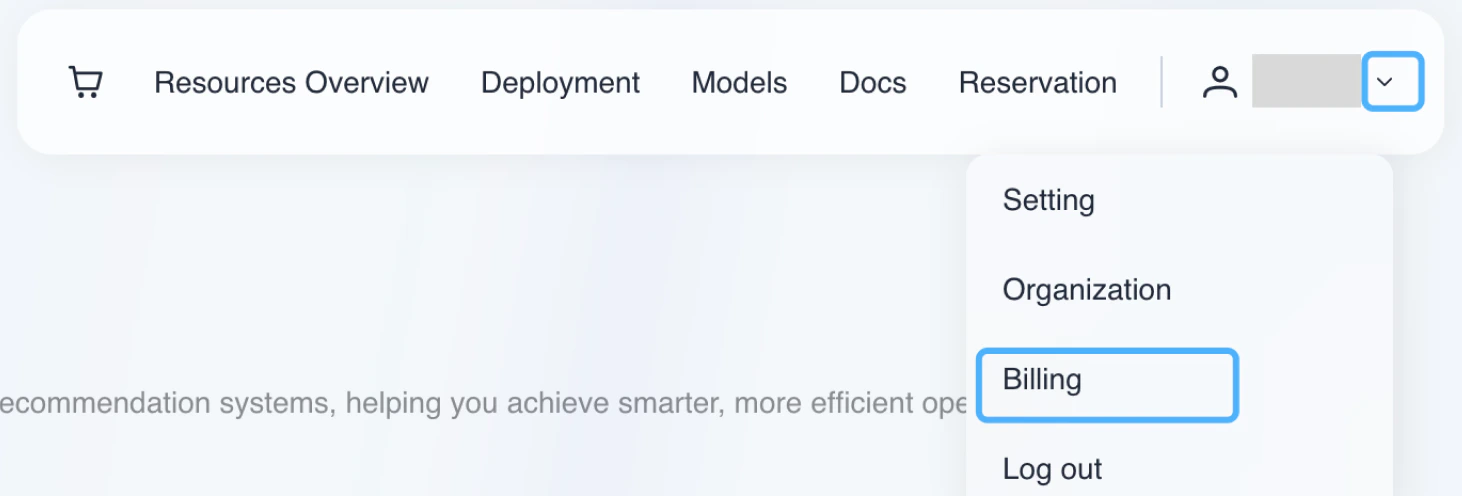
1. Click the arrow next to your username in the upper right corner, and select "Billing" from the dropdown menu.
 2. Click on "Serverless Usage" in the left-hand menu.You can view the serverless usage for different models and API keys. By default, the current month's daily usage is displayed.
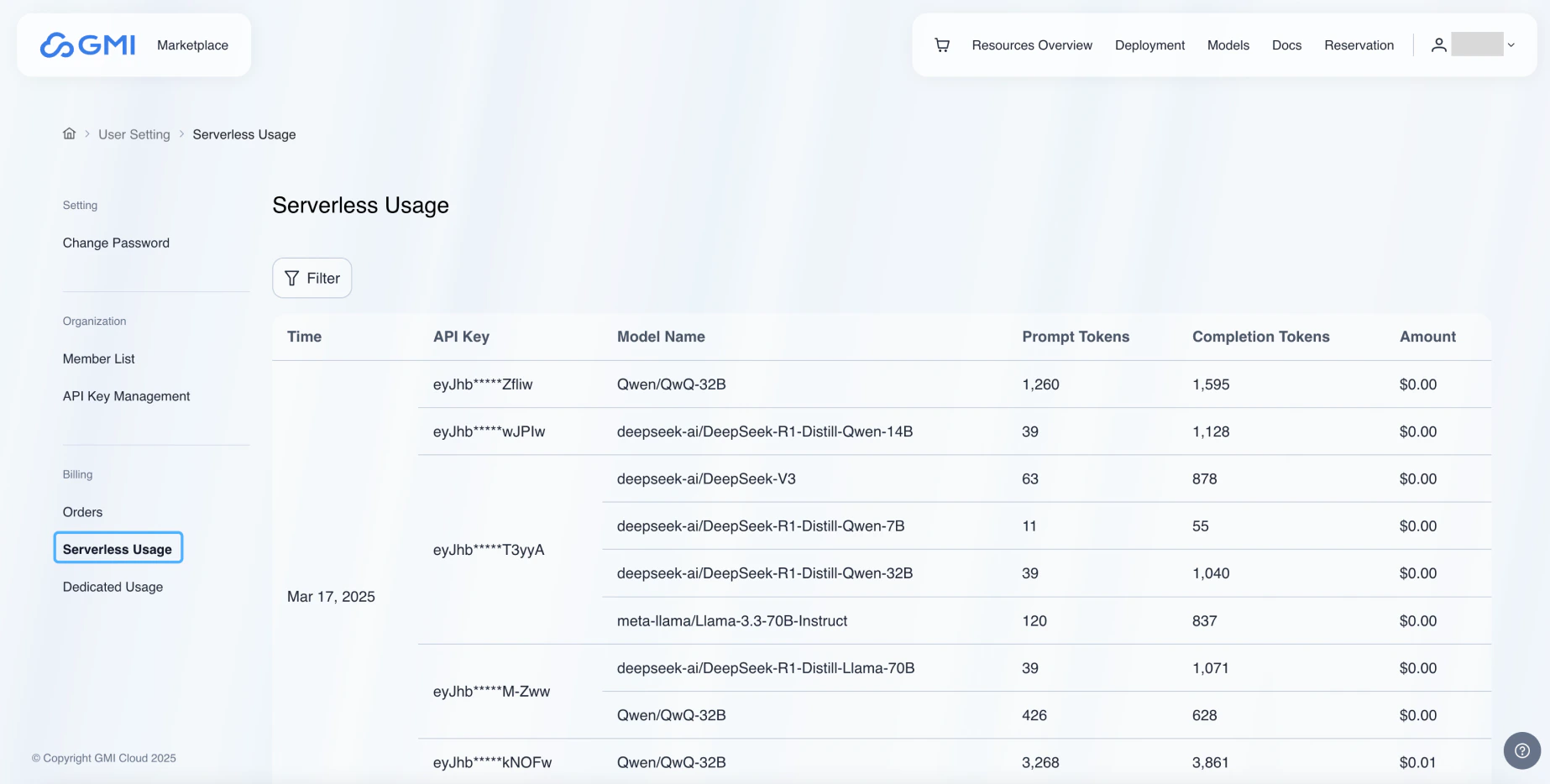 3. Click the "Filter" button, and then you can modify the conditions for viewing usage.
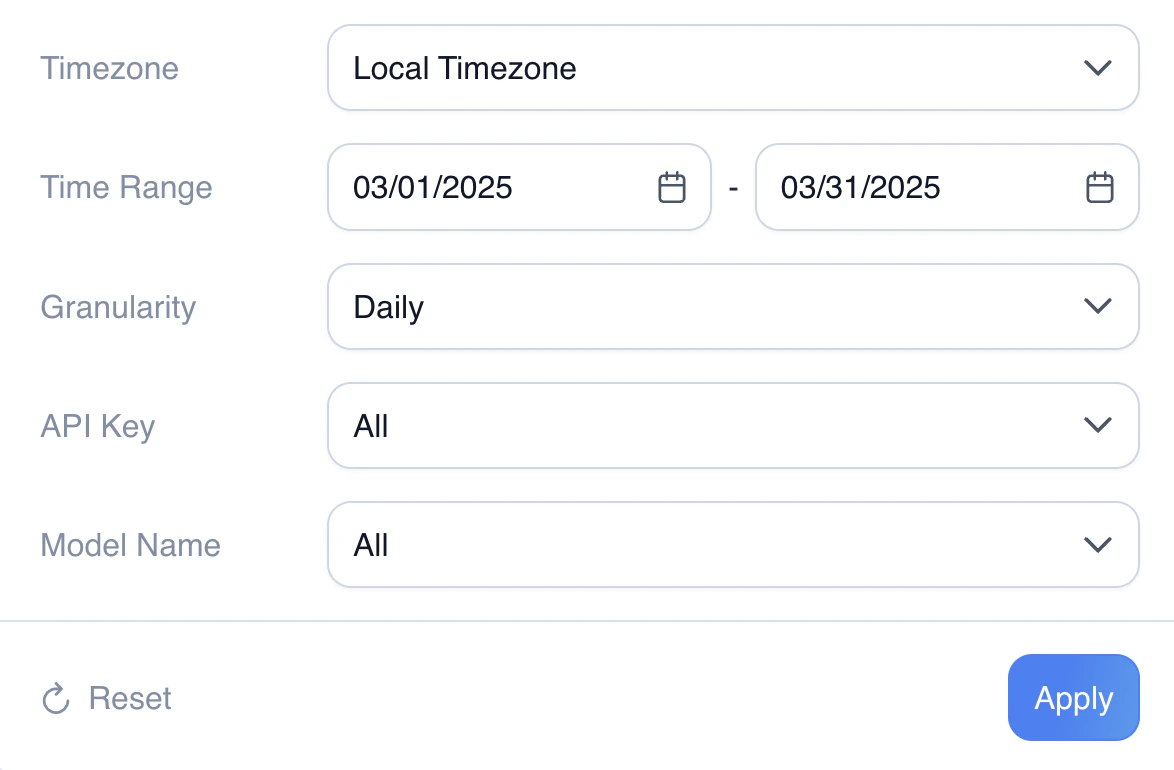 Timezone: you can select "Local Timezone" or "UTC".
Time Range: you can select start time and end time for usage.
Granularity: you can choose "Daily" or "Hourly" for usage.
API Key: you can select the API Key for usage.
Model Name: you can select the model name for usage.
Click "Apply" button to apply the selection.
## Dedicated Usage
You can view dedicated usage in the dashboard.
1. Click the arrow next to your username in the upper right corner, and select "Billing" from the dropdown menu.
2. Click on "Dedicated Usage" in the left-hand menu.You can view the dedicated usage for different models and API keys. By default, the current month's daily usage is displayed.
Timezone: you can select "Local Timezone" or "UTC".
Time Range: you can select start time and end time for usage.
Granularity: you can choose "Daily" or "Hourly" for usage.
API Key: you can select the API Key for usage.
Model Name: you can select the model name for usage.
Click "Apply" button to apply the selection.
## Dedicated Usage
You can view dedicated usage in the dashboard.
1. Click the arrow next to your username in the upper right corner, and select "Billing" from the dropdown menu.
2. Click on "Dedicated Usage" in the left-hand menu.You can view the dedicated usage for different models and API keys. By default, the current month's daily usage is displayed.
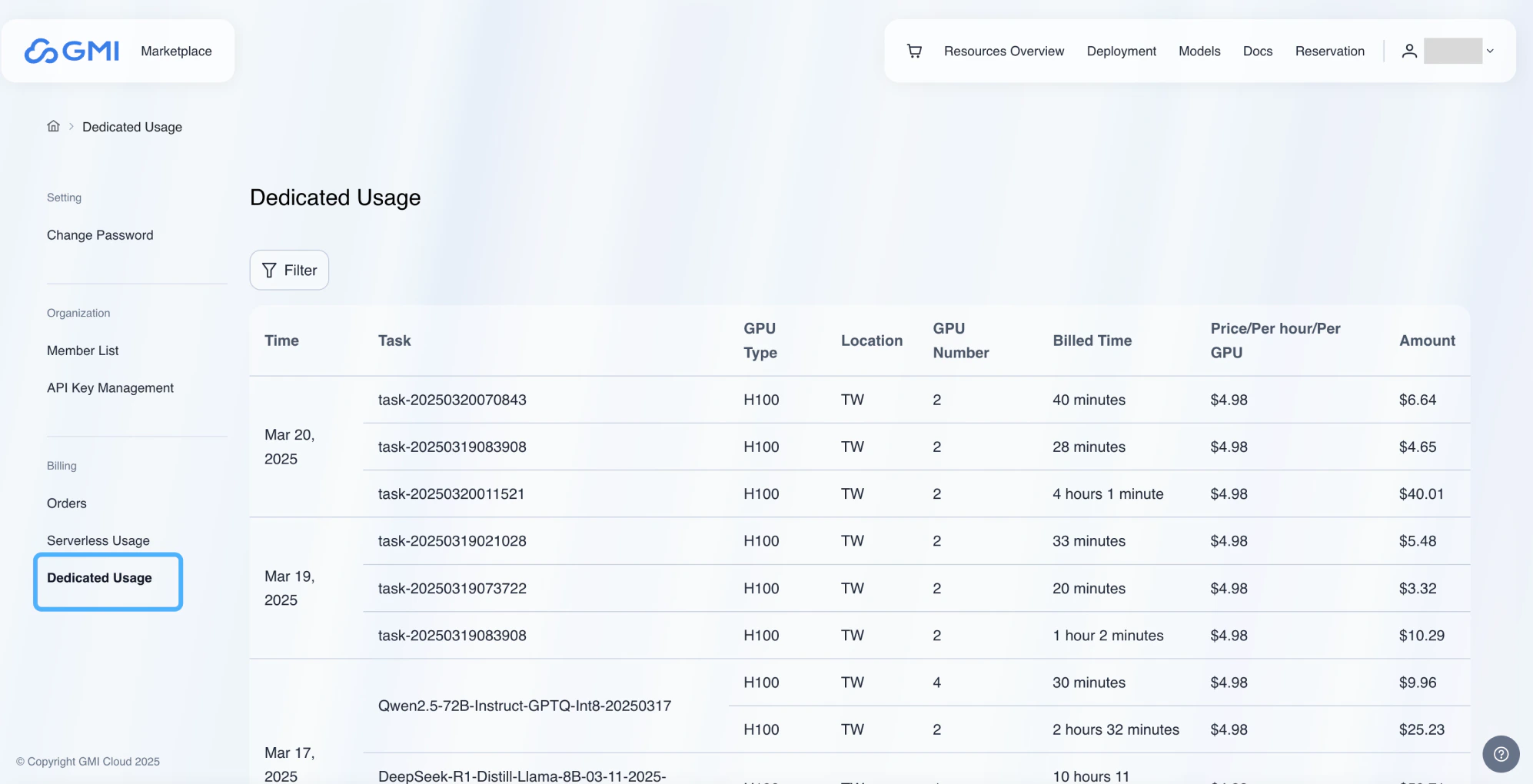 3. Click the "Filter" button, and then you can modify the conditions for viewing usage.
Timezone: you can select "Local Timezone" or "UTC".
Time Range: you can select start time and end time for usage.
Granularity: you can choose "Daily" or "Hourly" for usage.
API Key: you can select the API Key for usage.
Model Name: you can select the model name for usage.
Click "Apply" button to apply the selection.
3. Click the "Filter" button, and then you can modify the conditions for viewing usage.
Timezone: you can select "Local Timezone" or "UTC".
Time Range: you can select start time and end time for usage.
Granularity: you can choose "Daily" or "Hourly" for usage.
API Key: you can select the API Key for usage.
Model Name: you can select the model name for usage.
Click "Apply" button to apply the selection.