# Dedicated Endpoint
Dedicated Endpoints provide a customizable environment for deploying AI models tailored to specific requirements.
## Create a dedicated inference endpoint once or on a schedule
### Deploy a Dedicated inference model
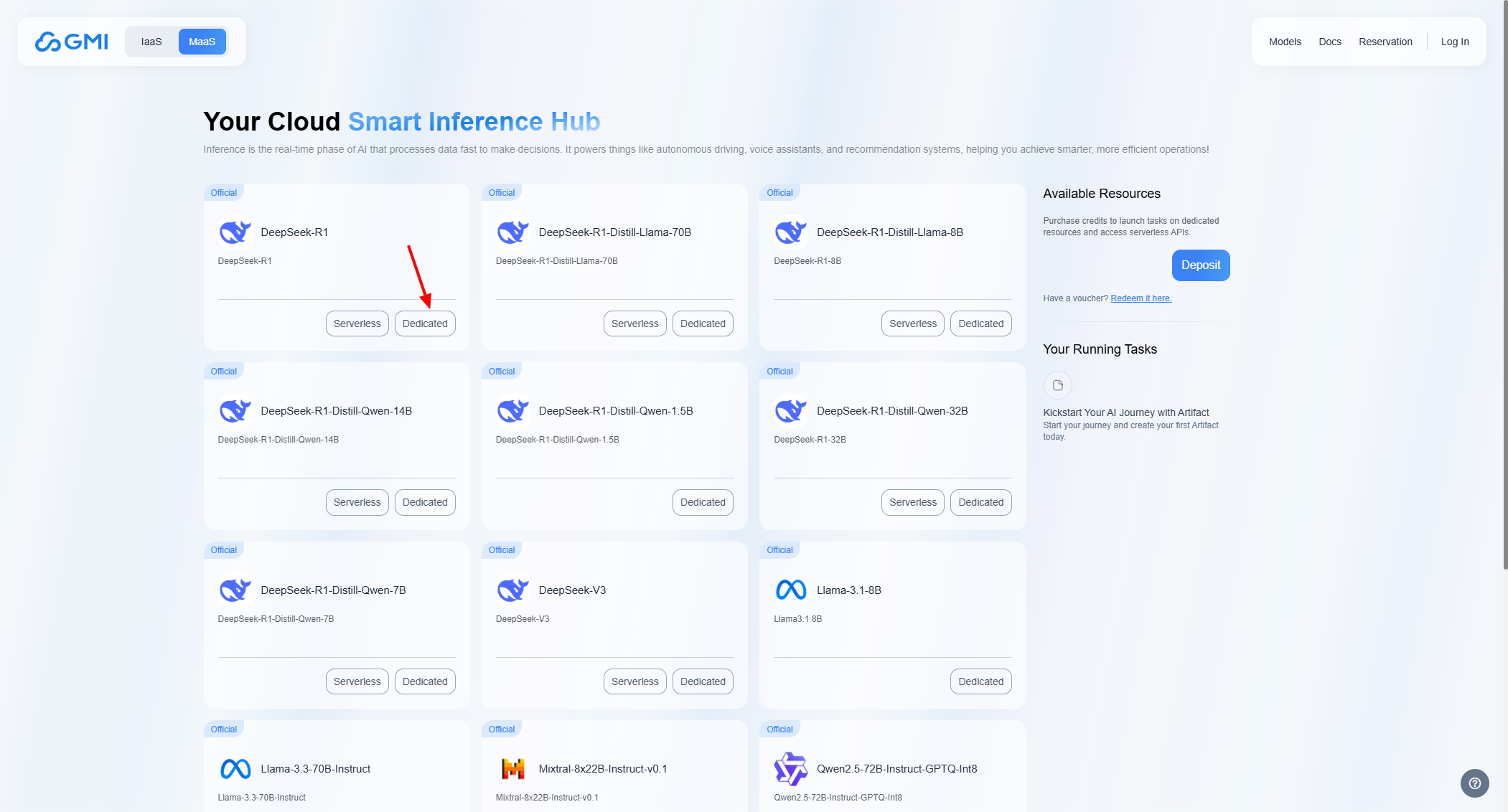
Select a model from the list.
Click on the button labeled *"Dedicated"*:
 ### Set compute resources
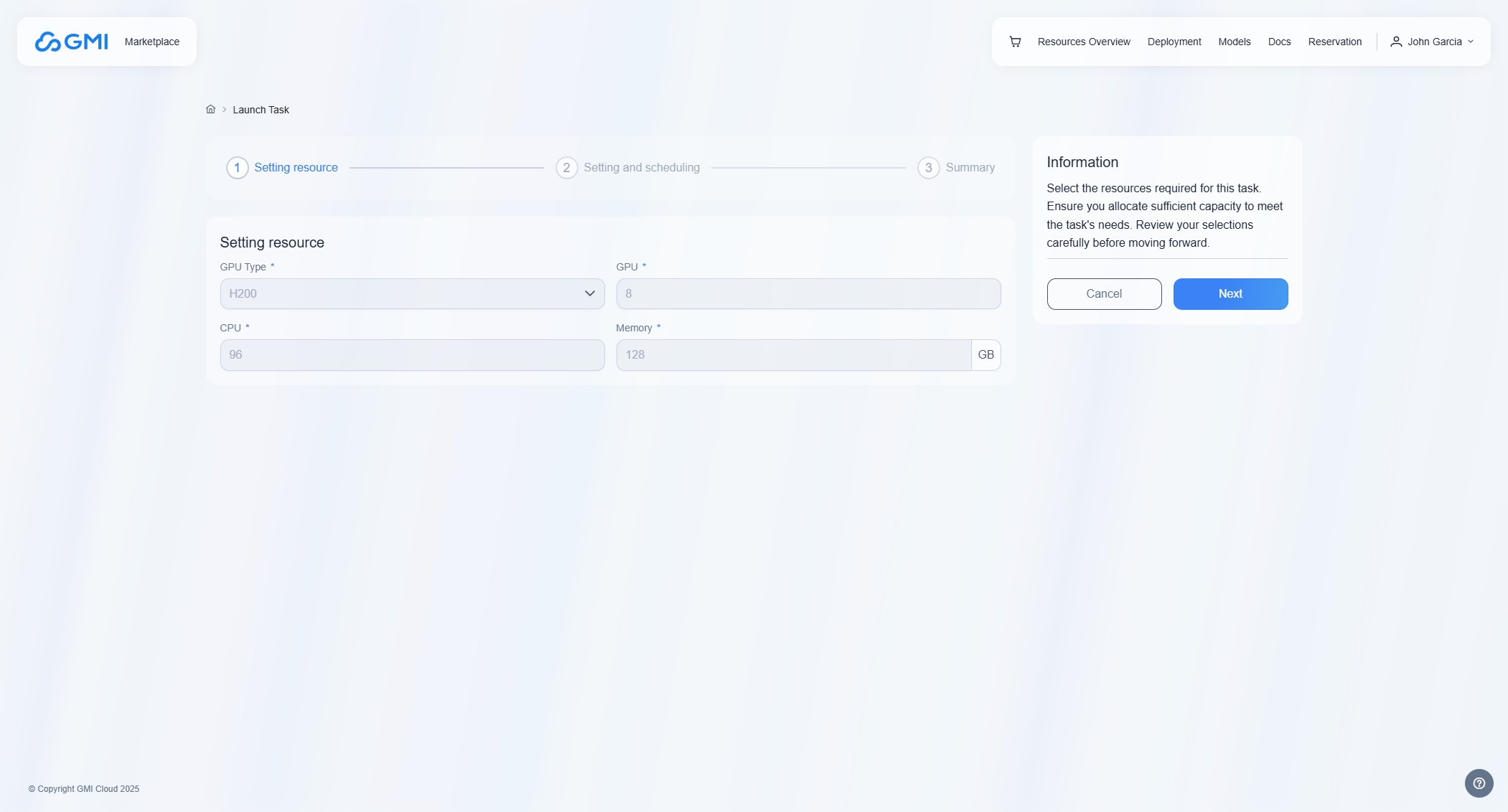
Select a GPU type, ram, and other system specifications:
### Set compute resources
Select a GPU type, ram, and other system specifications:
 ### Set task details
Set a task name, file path, and other inference details:
### Set task details
Set a task name, file path, and other inference details:
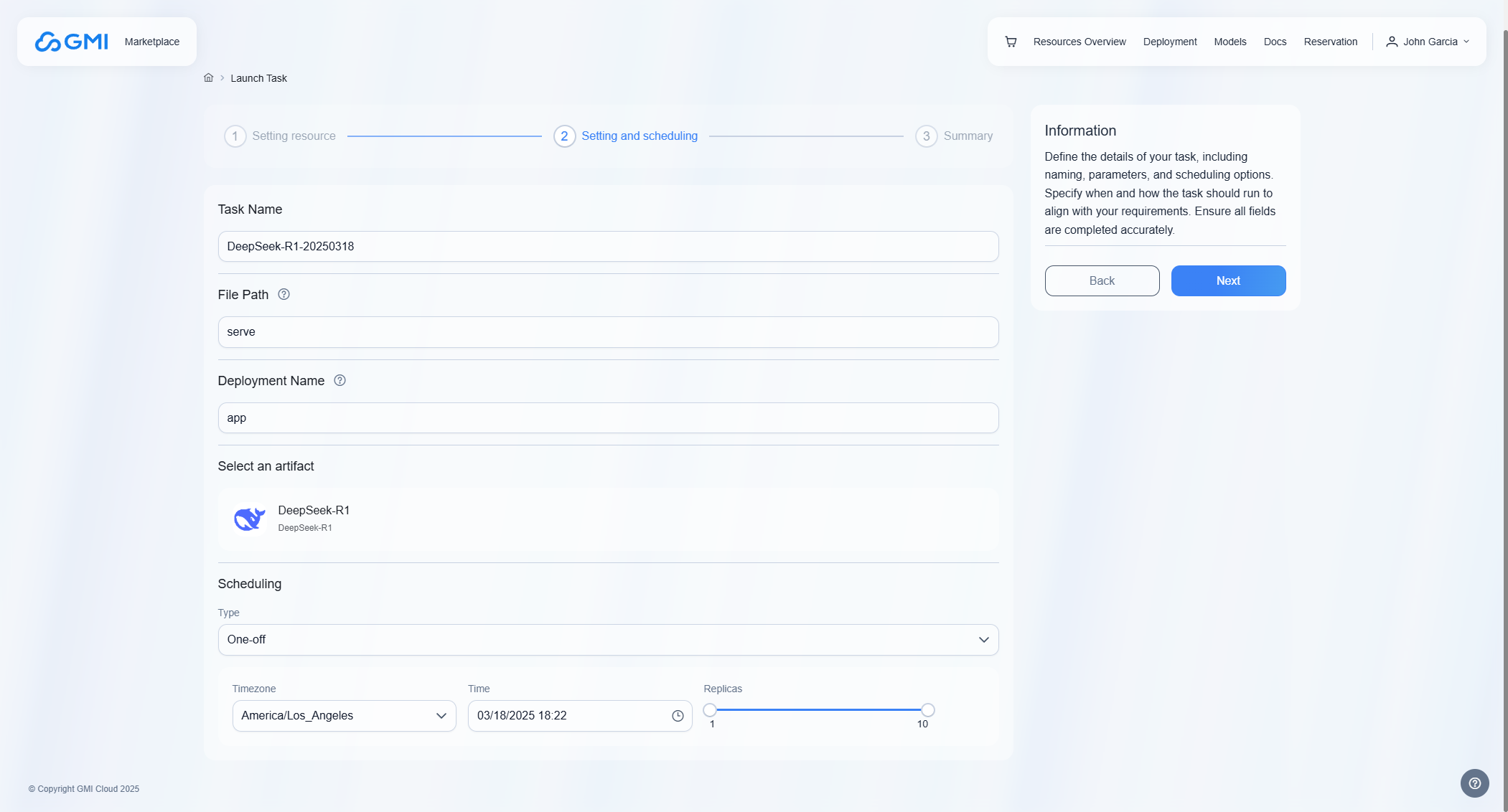 **Task Name**: Define task name.
**File Path**: Specify the script file name to be executed in the Docker image(without the file extension). Fox example, if the image includes a script named serve.py, enter serve here.
**Deployment Name**: Specify the deployment name that will be exposed to the Ray cluster by the script. For example, you can use app as the deployment name.
**Type**: One-off or Daily
One-off - The task runs once as scheduled time.
Daily - The task runs at the first scheduled time and can update replica numbers at subsequent daily scheduled times. This option is designed for recurring, predictable workloads where scaling needs follow a consistent daily pattern.
**Timezone**: Select the timezone for scheduling.
**Time**: Select the time for scheduling.
**Replicas**: Select the Min replicas and Max replicas for schedule.
### Review configuration
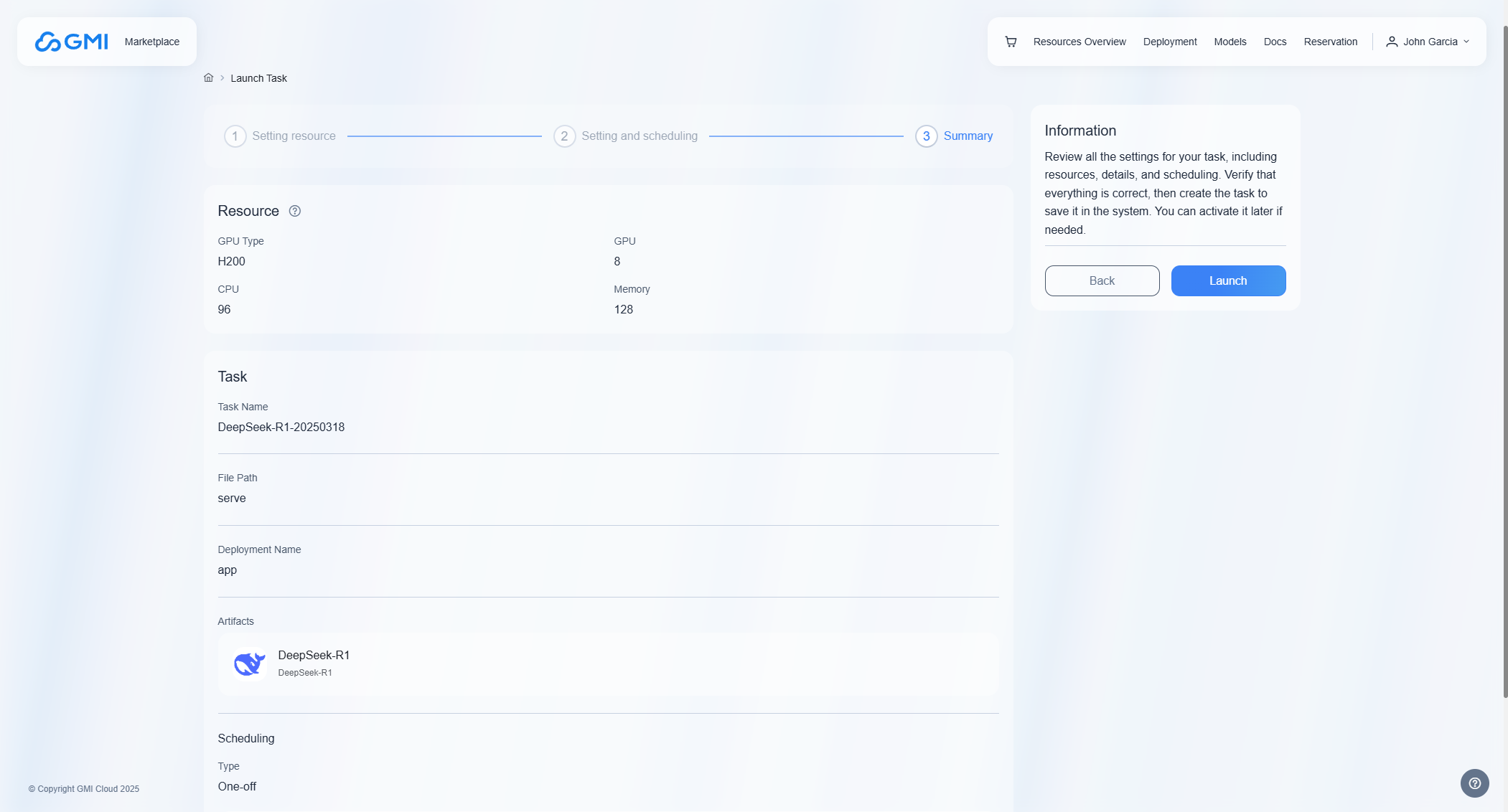
Review your configurations to ensure they are correct. After confirmation, click the "Launch" button to launch task.
**Task Name**: Define task name.
**File Path**: Specify the script file name to be executed in the Docker image(without the file extension). Fox example, if the image includes a script named serve.py, enter serve here.
**Deployment Name**: Specify the deployment name that will be exposed to the Ray cluster by the script. For example, you can use app as the deployment name.
**Type**: One-off or Daily
One-off - The task runs once as scheduled time.
Daily - The task runs at the first scheduled time and can update replica numbers at subsequent daily scheduled times. This option is designed for recurring, predictable workloads where scaling needs follow a consistent daily pattern.
**Timezone**: Select the timezone for scheduling.
**Time**: Select the time for scheduling.
**Replicas**: Select the Min replicas and Max replicas for schedule.
### Review configuration
Review your configurations to ensure they are correct. After confirmation, click the "Launch" button to launch task.
 ### Active task
In the task list, locate the task and then click button
### Active task
In the task list, locate the task and then click button  to active the idle task.