# Serverless Endpoint
We offer a range of serverless endpoints for popular open-source models.
## Access a Serverless inference model
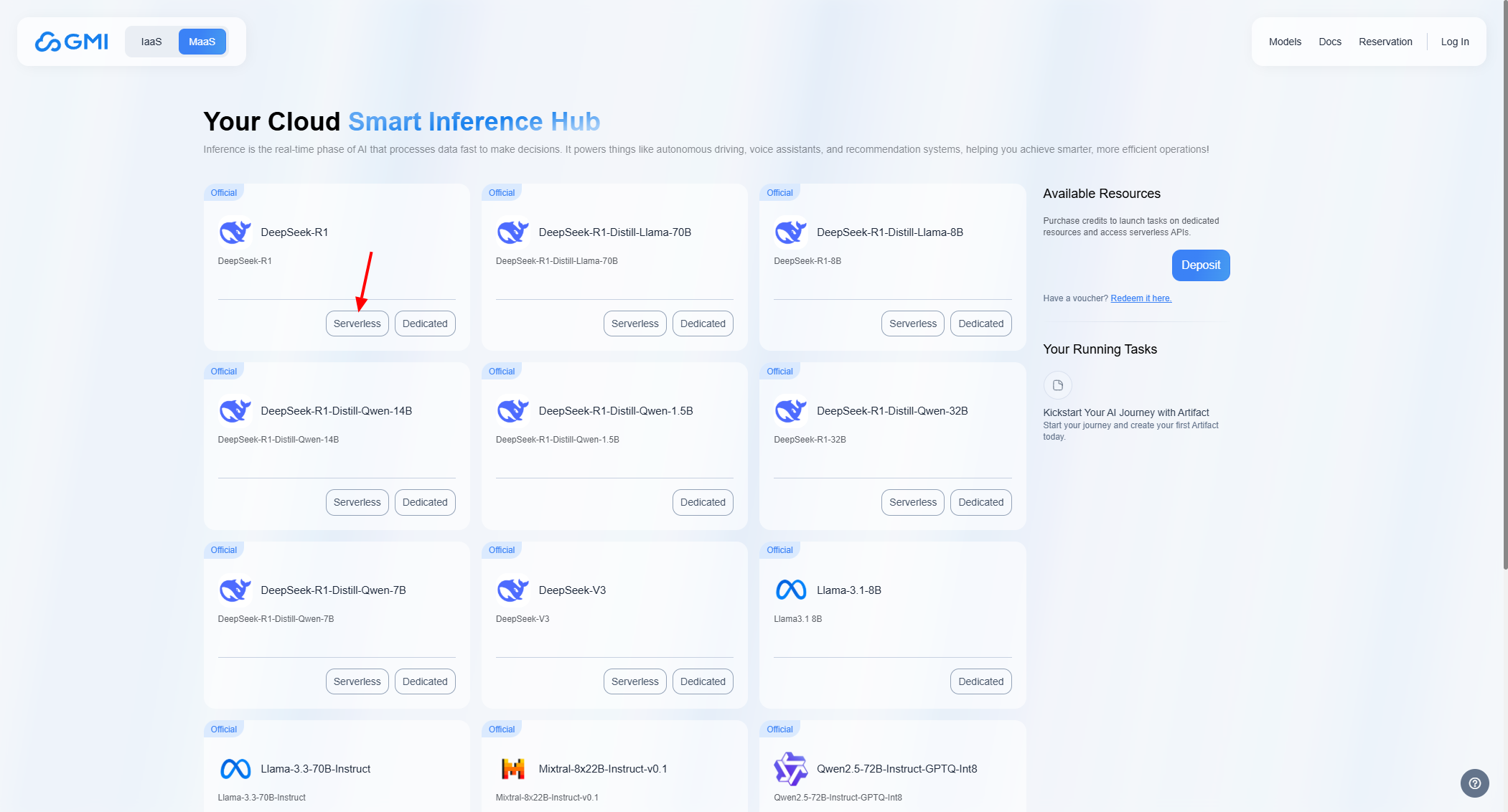
Select a model from the list.
Click on the button labeled *"Serverless"*:
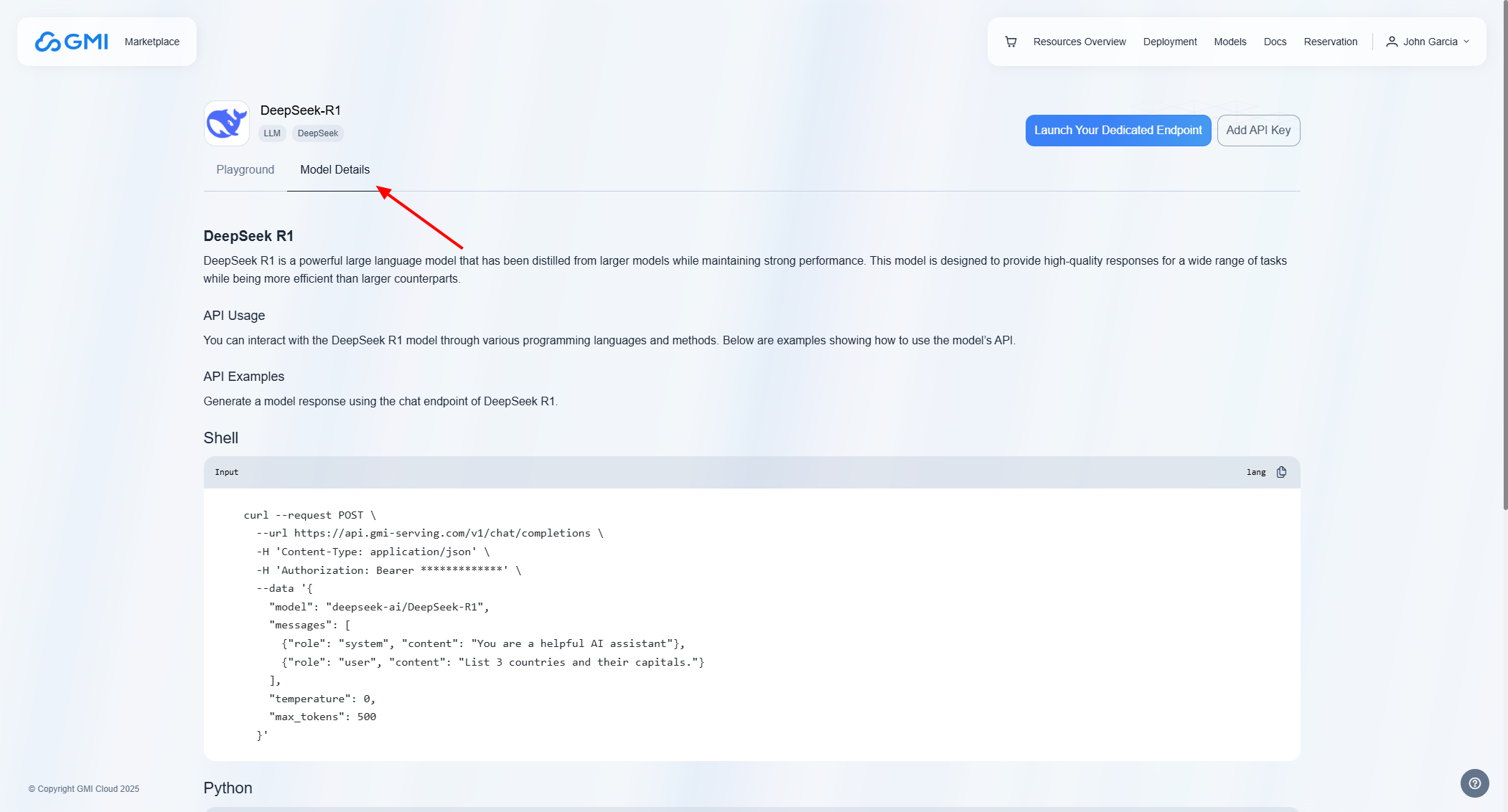
 ### Model Details
To access the connection details for your model, click on *"Model Details"*:
### Model Details
To access the connection details for your model, click on *"Model Details"*:
 ### Playground
To access the Playground for your model, click on *"Playground"*:
### Playground
To access the Playground for your model, click on *"Playground"*:
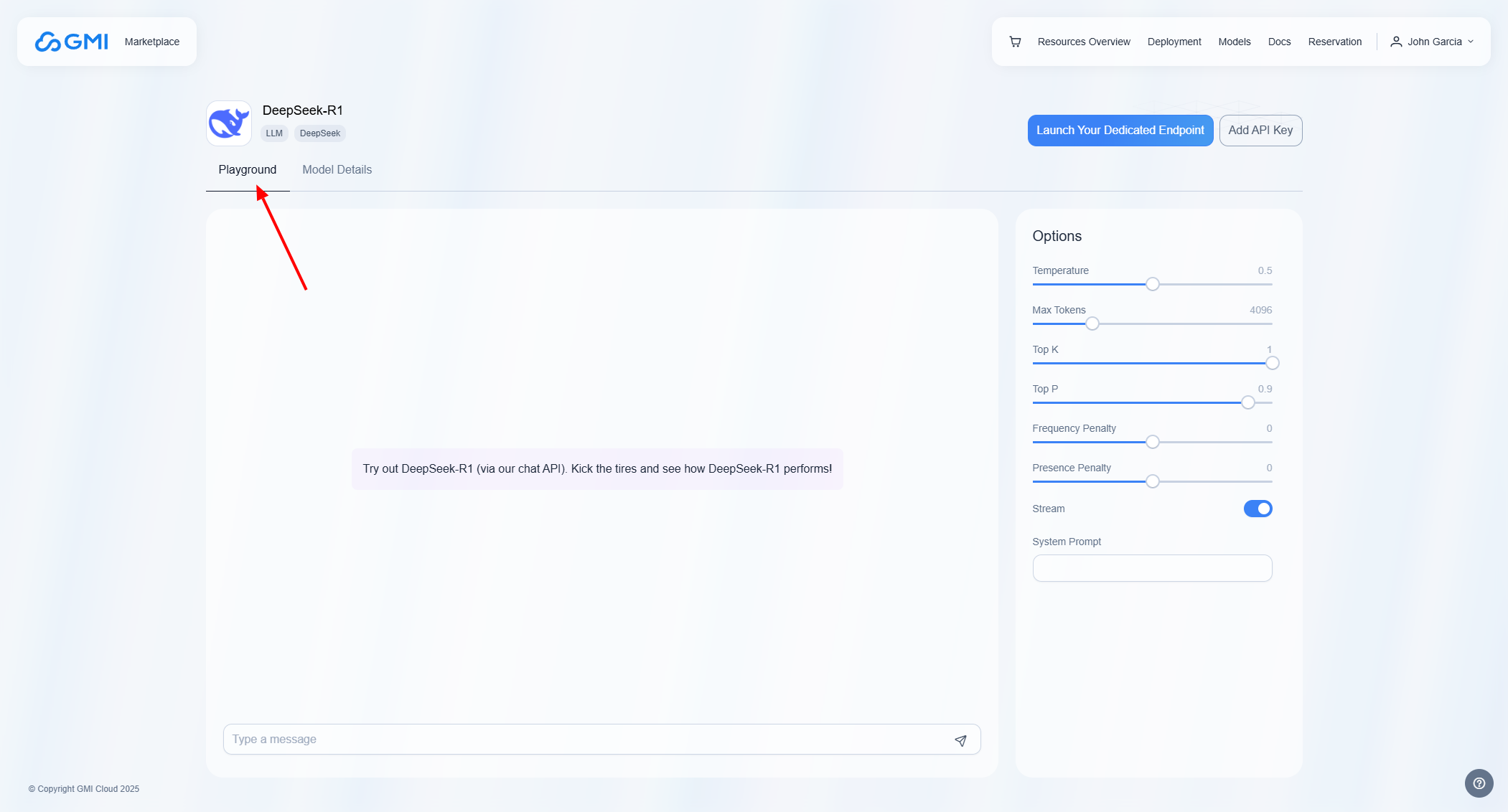 The options outlined serve to customize and control the text generation process of the API:
* Temperature: Temperature allows you to configure how much randomness you want in the generated text. A higher temperature leads to more “creative” results. On the other hand, setting a temperature of 0 will allow you to generate deterministic results which is useful for testing and debugging.
* Max Tokens: Max Tokens defines the maximum number of tokens the model can generate, with a default of 4096. If the combined token count (prompt + output) exceeds the model’s limit, it automatically reduces the number of generated tokens to fit within the allowed context.
* Top K: Top-K is another sampling method where the k most probable tokens are filtered and the probability mass is redistributed among tokens.
* Top P: Top-P (also called nucleus sampling) is an alternative to sampling with temperature, where the model considers the results of the tokens with top\_p probability mass. So 0.1 means only the tokens comprising the top 10% probability mass are considered.
* Frequency Penalty: Frequency penalty reduces repetition of the same words/phrases.A higher frequency penalty reduces the likelihood of the model generating tokens that have already appeared in the output. This helps create more varied and engaging text by preventing redundancy.
* Presence Penalty: Presence penalty encourages the introduction of new ideas/concepts.A higher presence penalty encourages the model to introduce new ideas or concepts rather than reiterating previously mentioned ones. This can enhance the richness of the generated content by promoting the introduction of fresh topics.
* Stream: Steam enables output to be processed and displayed incrementally, meaning that outputs are sent back to the user in real time.
* System Prompt: System prompt serves as a high-level instruction or context-setting mechanism that guides the model's behavior, tone, and responses throughout the interaction.
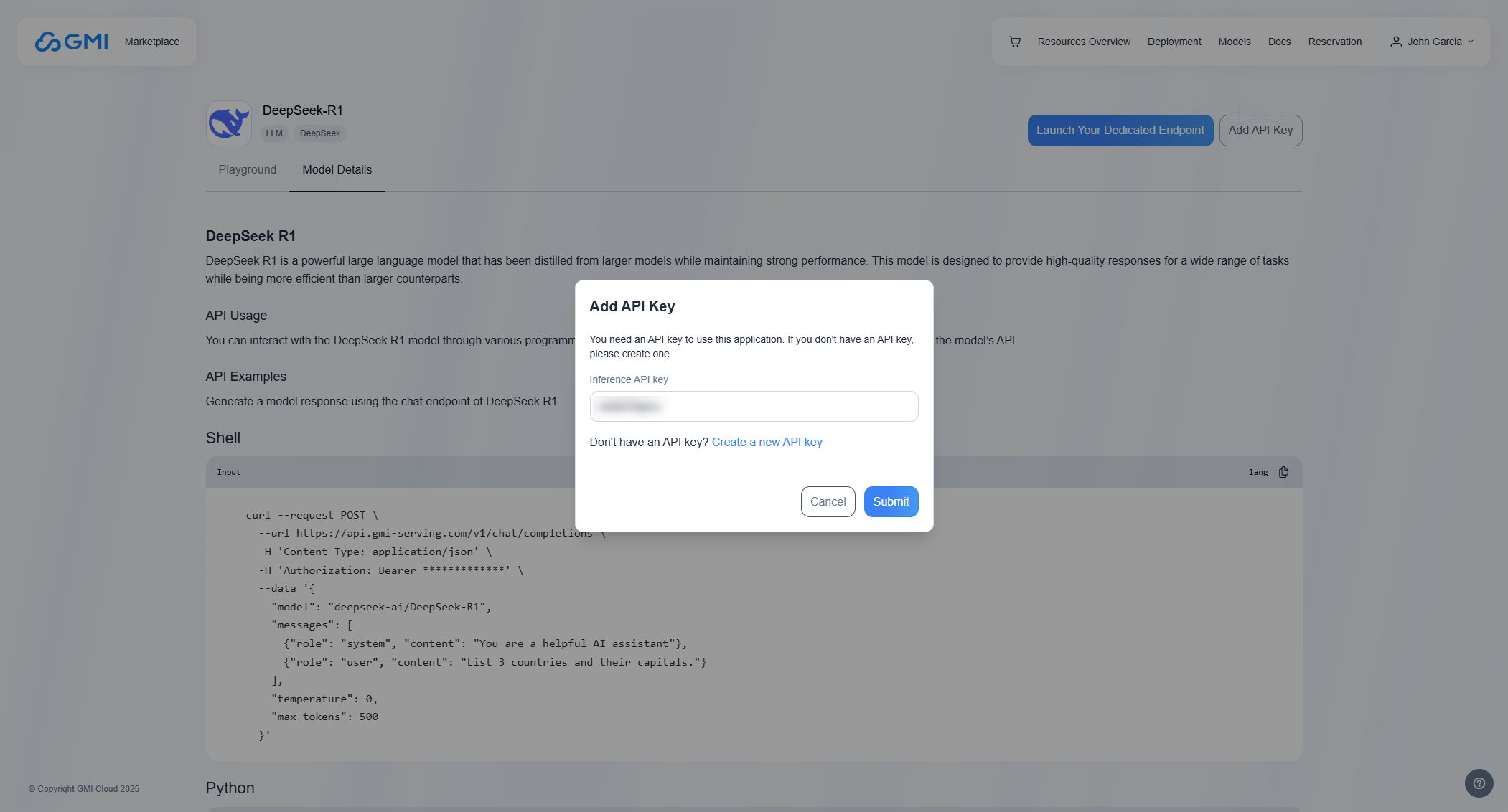
### Add API Key
To add an API key, click *"Add API Key"* and enter your key in the field:
The options outlined serve to customize and control the text generation process of the API:
* Temperature: Temperature allows you to configure how much randomness you want in the generated text. A higher temperature leads to more “creative” results. On the other hand, setting a temperature of 0 will allow you to generate deterministic results which is useful for testing and debugging.
* Max Tokens: Max Tokens defines the maximum number of tokens the model can generate, with a default of 4096. If the combined token count (prompt + output) exceeds the model’s limit, it automatically reduces the number of generated tokens to fit within the allowed context.
* Top K: Top-K is another sampling method where the k most probable tokens are filtered and the probability mass is redistributed among tokens.
* Top P: Top-P (also called nucleus sampling) is an alternative to sampling with temperature, where the model considers the results of the tokens with top\_p probability mass. So 0.1 means only the tokens comprising the top 10% probability mass are considered.
* Frequency Penalty: Frequency penalty reduces repetition of the same words/phrases.A higher frequency penalty reduces the likelihood of the model generating tokens that have already appeared in the output. This helps create more varied and engaging text by preventing redundancy.
* Presence Penalty: Presence penalty encourages the introduction of new ideas/concepts.A higher presence penalty encourages the model to introduce new ideas or concepts rather than reiterating previously mentioned ones. This can enhance the richness of the generated content by promoting the introduction of fresh topics.
* Stream: Steam enables output to be processed and displayed incrementally, meaning that outputs are sent back to the user in real time.
* System Prompt: System prompt serves as a high-level instruction or context-setting mechanism that guides the model's behavior, tone, and responses throughout the interaction.
### Add API Key
To add an API key, click *"Add API Key"* and enter your key in the field: