

Configure infrastructure for your Claw through the Deploy Wizard. Test the live endpoint before sending it to the Marketplace.Documentation Index
Fetch the complete documentation index at: https://docs.gmicloud.ai/llms.txt
Use this file to discover all available pages before exploring further.
Pick a deployment path
GMI CE
GMI hosts your container, scales it, and exposes a public URL. Eligible for the Verified badge when paired with MaaS.Self-hosted + MaaS
You host the agent yourself and call GMI Models-as-a-Service for inference. Lists with the Powered by GMI MaaS badge.Wizard steps
- Basic Info
- Infrastructure
- Env Variables
- Review & Deploy
Basic Info
- Name, tagline, and description.
- Category and up to five tags.
- Icon and 16:9 preview image.
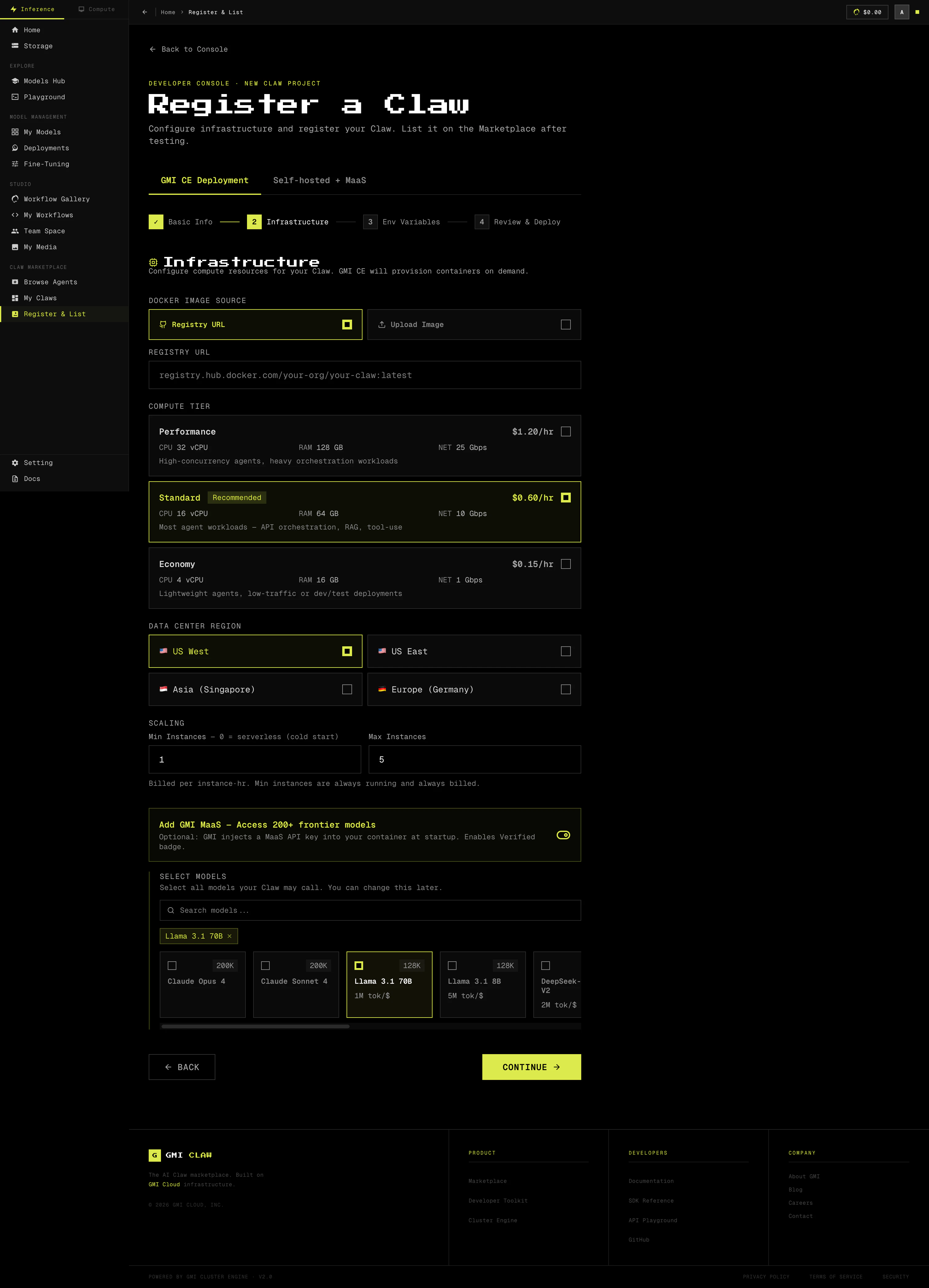
Infrastructure
- Image source. Registry URL or direct upload.
- Compute tier. Performance, Standard (recommended), or Economy.
- Region. US West, US East, Asia (Singapore), or Europe (Germany).
- Scaling. Min and max instances. Min instances are always billed.
- MaaS. Toggle on to inject a MaaS API key, then select the models your Claw will call.
Env Variables
- API keys, third-party credentials, and runtime config.
- Mark sensitive values as secrets. Secrets are encrypted and never logged.
Review & Deploy
- Confirm every setting on a single screen.
- Click Deploy. CE builds, runs health checks, and assigns a public URL.
- Test the live endpoint before listing. Continue to List a Claw.