

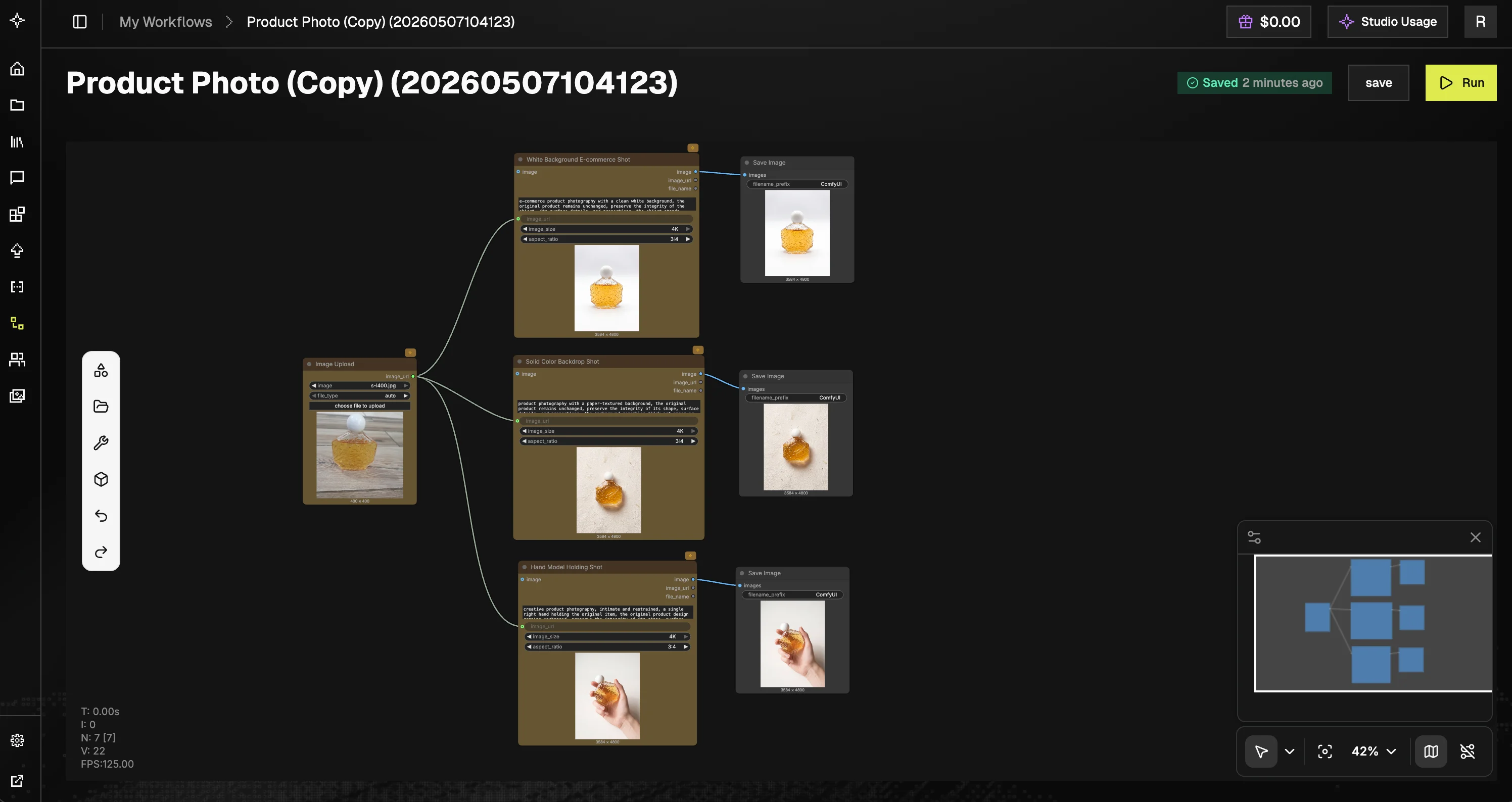
Who is it for
- AI creators and artists building image, video, LLM, and audio workflows
- Engineers prototyping or deploying inference pipelines
- Teams collaborating on reproducible AI workflows
Key concepts
- Workflows: directed graphs defining how nodes connect and execute
- Nodes: individual functional units (e.g., upload, inference, save)
- Sessions: a single execution run of a workflow
- Execution engine: GMI’s backend system that schedules and runs workflows on GPUs
Console layout
The GMI Studio console organizes work into four areas:- Workflow Gallery: curated templates and community-shared workflows. Most support One-Click Execution: run them instantly, no node graph required. The topology is hidden and only the required inputs are exposed.
- My Workflows: your personal workspace for managing workflows you created or duplicated. Search by name, create new workflows, and use the Actions (⋯) menu to edit metadata, duplicate, or delete. Workflows show Last modified and Created at timestamps.
- Team Space: a shared workspace where teammates can co-author workflows. Each entry lists its Permission (e.g. Can edit, Can view), Last modified by, and Created at. Use Create Workflow to start a new shared workflow, Filter by workflow name to search, and Subscribe to follow updates from other team members.
- My Media: a gallery of every asset you’ve generated (images, videos, audio) across all your workflow runs. Preview, download, or reuse outputs without re-running the workflow.
Where to start
Getting Started
Sign in, open the console, create your first workflow.
Workflow Canvas
Tour the editor: node library, canvas basics, toolbar.
Tutorials
Step-by-step examples for image, video, audio, and batch workflows.
Node Reference
Per-node docs for image, video, and LLM nodes.