Documentation Index

Fetch the complete documentation index at: https://docs.gmicloud.ai/llms.txt

Use this file to discover all available pages before exploring further.

Wire GMI Cloud’s models into Dify’s DeepResearch template to spin up a multi-step research agent in about five minutes. You’ll swap Dify’s default LLM and reasoning nodes for GMI-served models (GLM-4.6 + Qwen3 235B Thinking), then run a real query end-to-end.
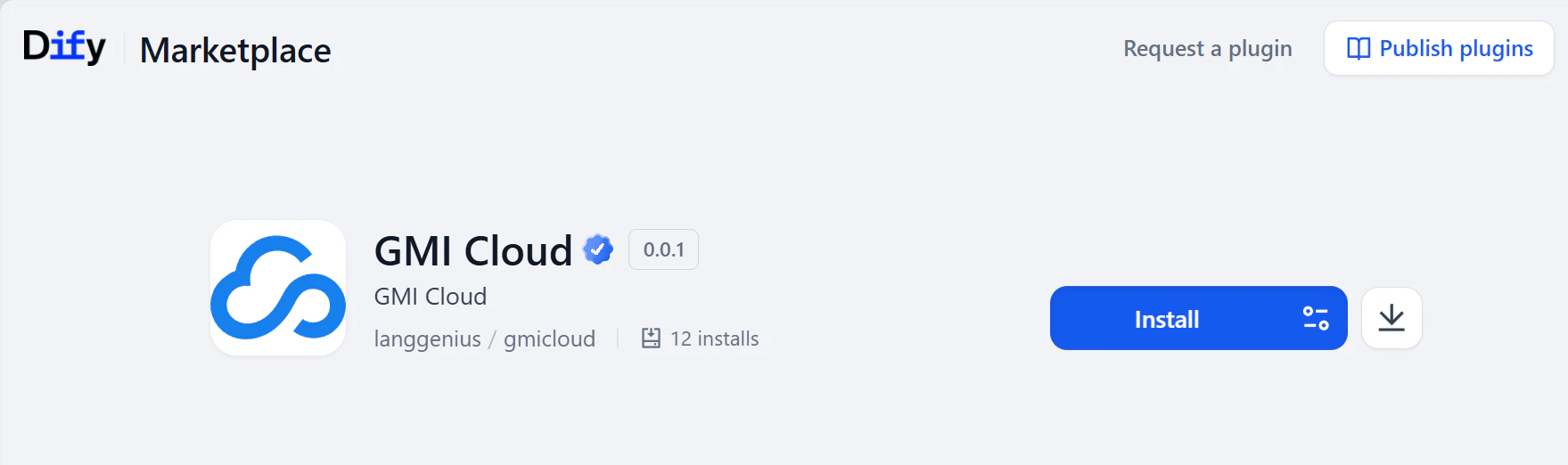
The GMI Cloud plugin exposes the full model catalog through an OpenAI-compatible API, chat, streaming, tool calling, and custom endpoints all work the way Dify expects. The plugin page lists the current preset models: marketplace.dify.ai/plugins/langgenius/gmicloud.

Prerequisites


Step 1. Get your GMI Cloud API key

  1. Sign in to the API Key Management page.
  2. Click Create API Key, name it, and set Scope to Inference.
  3. Copy the key now, it won’t be shown again.
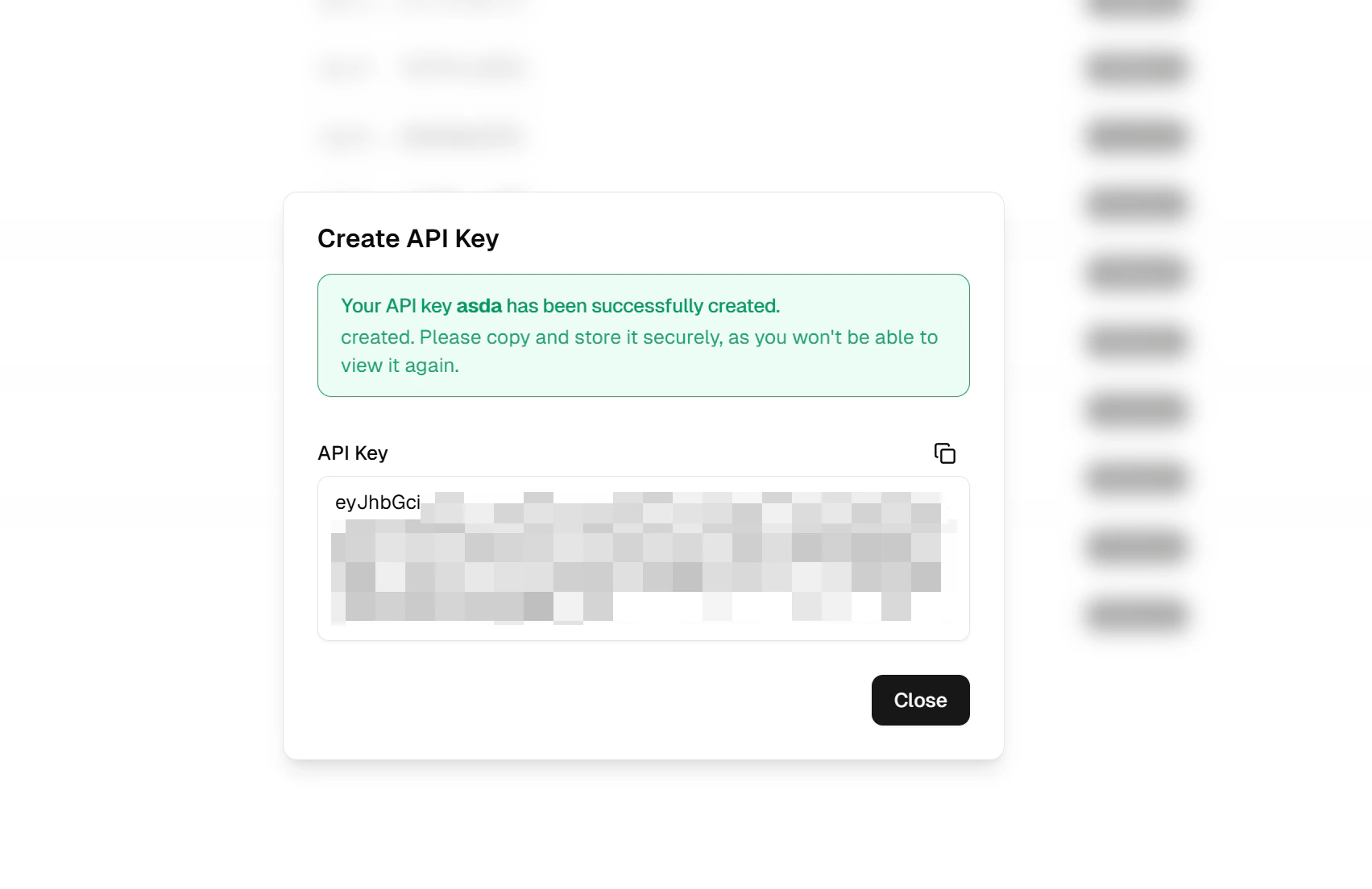
Create API key

Step 2. Install the GMI plugin in Dify

Open the Dify plugin marketplace, search GMI Cloud, and install.
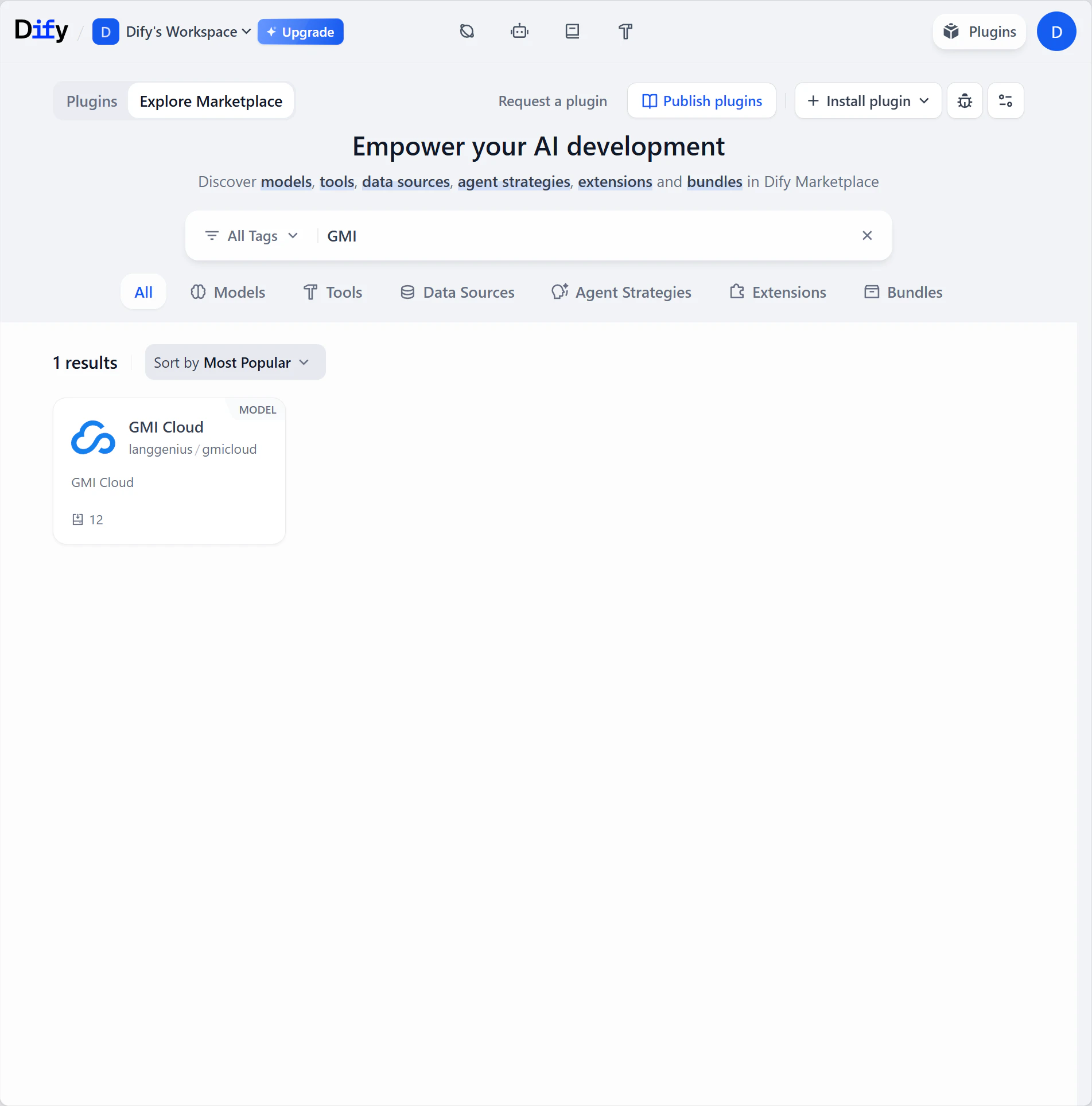
GMI Cloud plugin in the Dify marketplace

Step 3. Configure the plugin

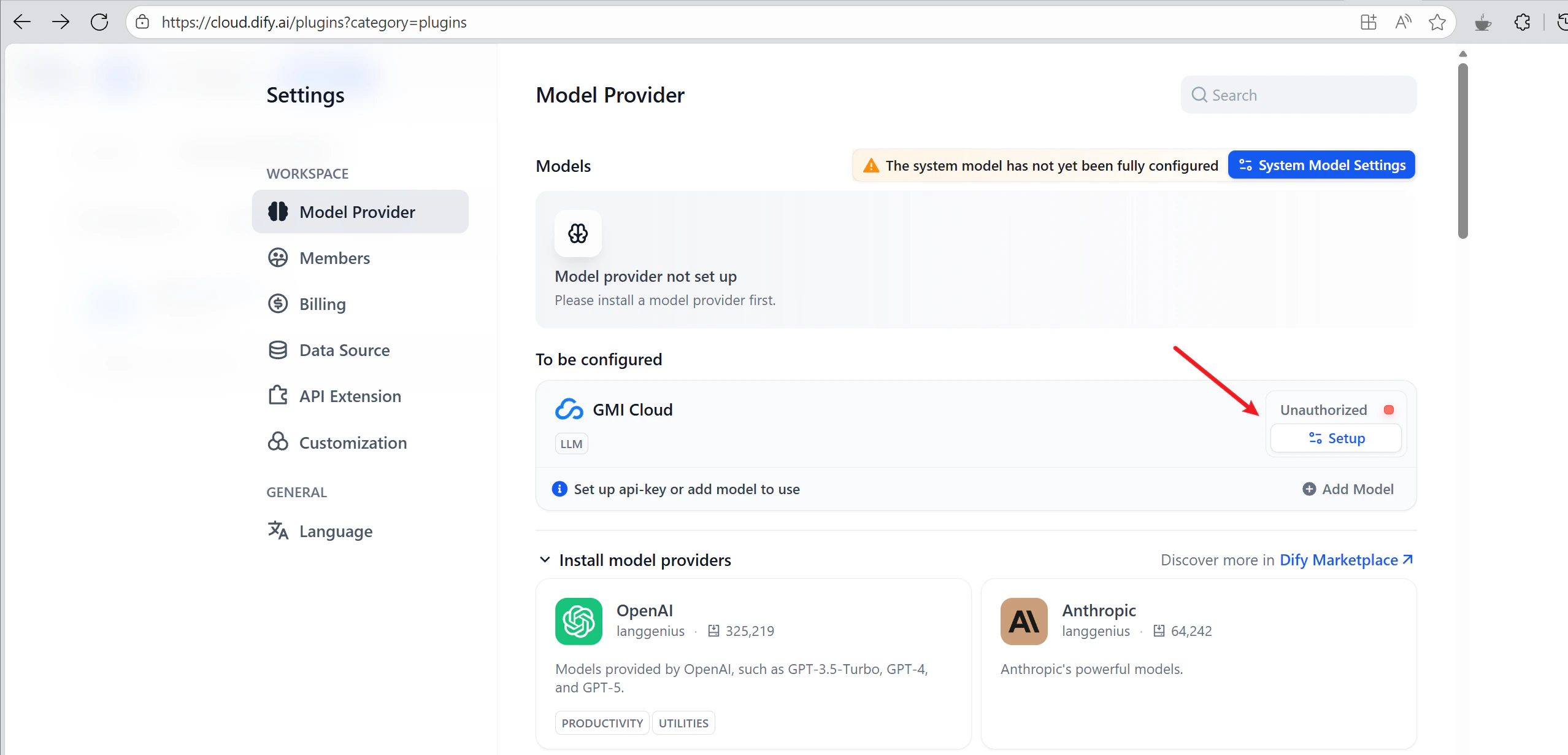
  1. In Dify, open Settings → Model Provider.
  2. Find GMI Cloud and click Setup.
  3. Paste your API key. Custom endpoint is optional; default is https://api.gmi-serving.com/v1.
  4. Save. Dify hits /v1/models to validate.
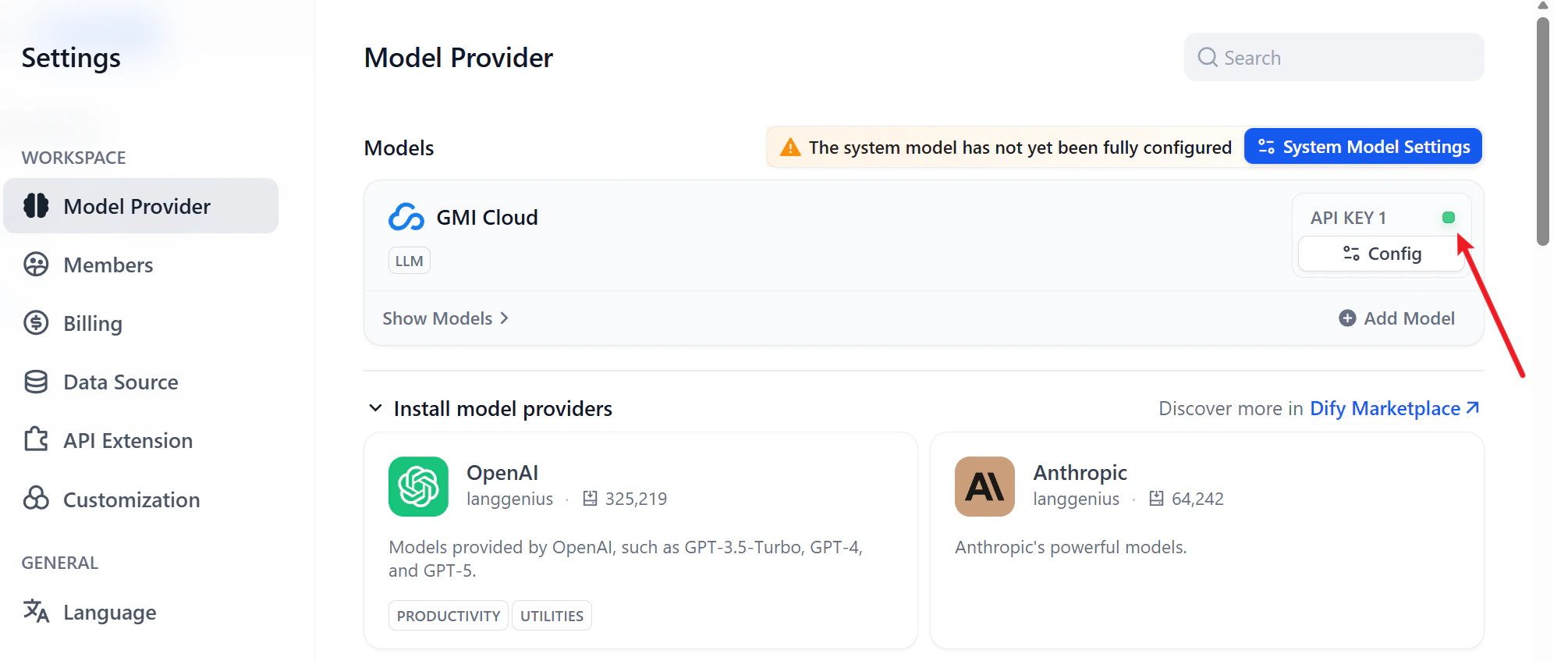
Configure the GMI Cloud provider
A green light means you’re connected.
Connection success

Step 4. Build the workflow

From Dify’s home, click Create from Template and pick DeepResearch.
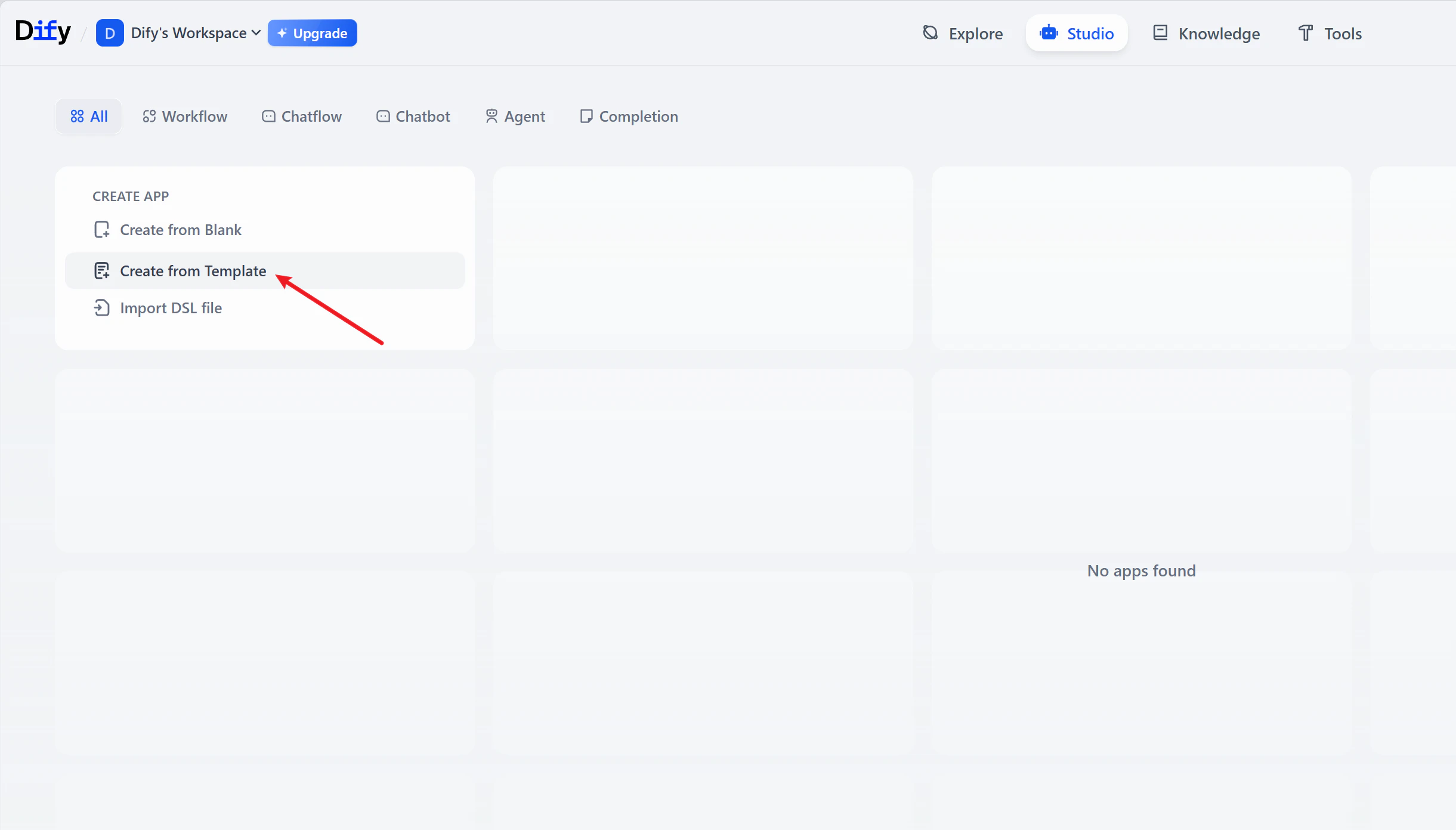
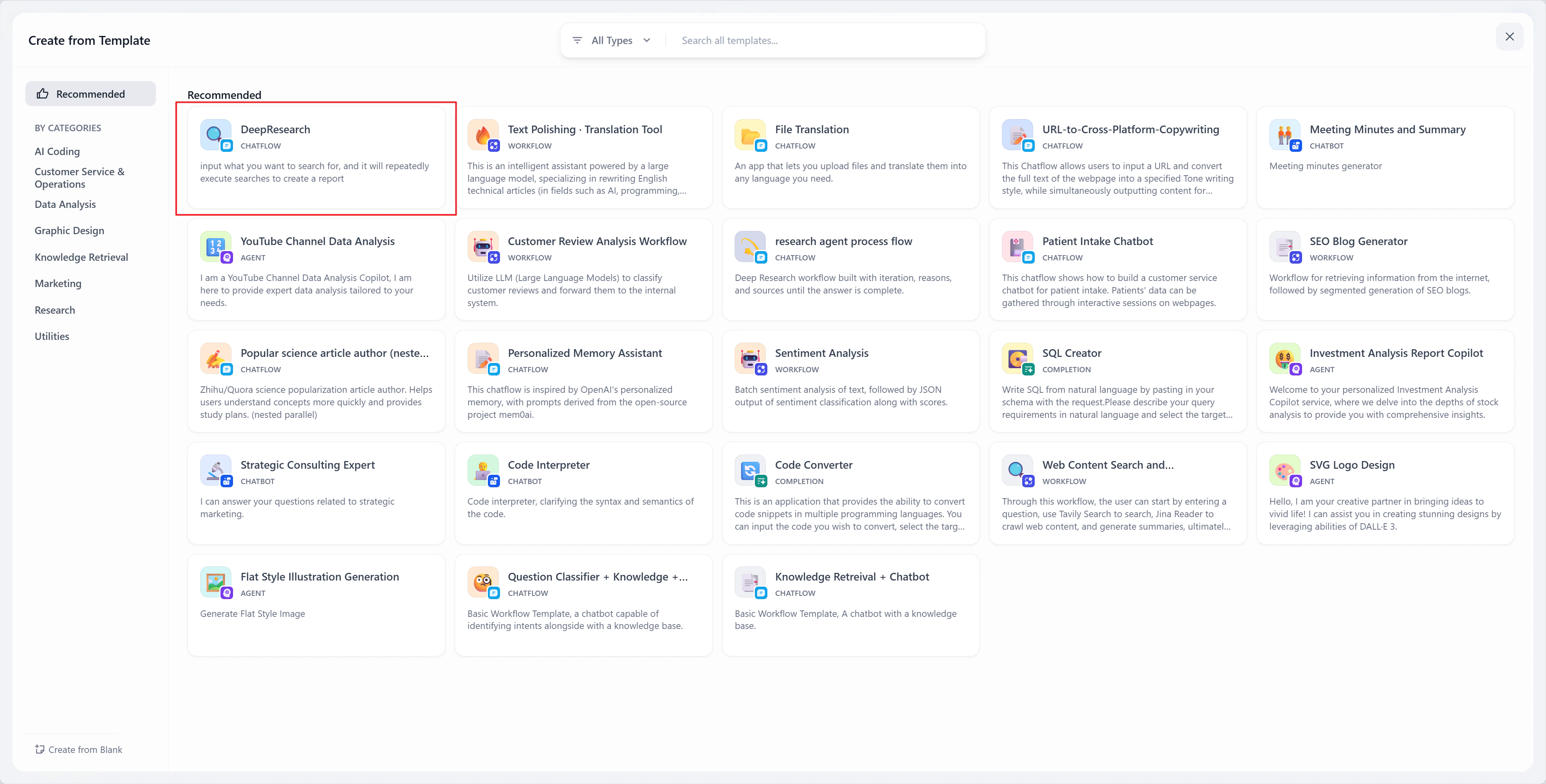
Create from template
DeepResearch template
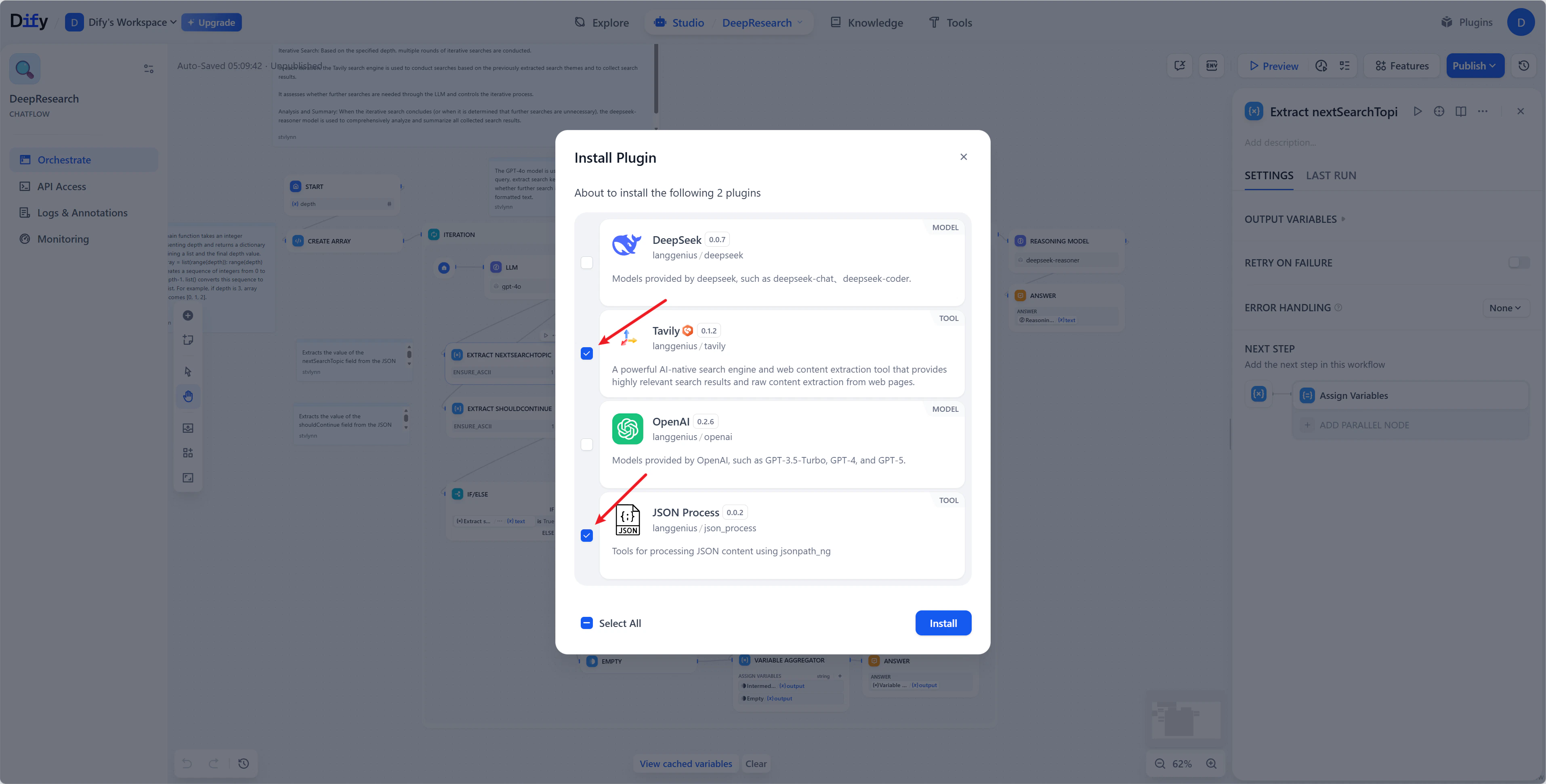
On the install screen, enable Tavily and JSON Process. Skip the other two model-provider plugins. GMI Cloud handles inference.
Plugin install screen
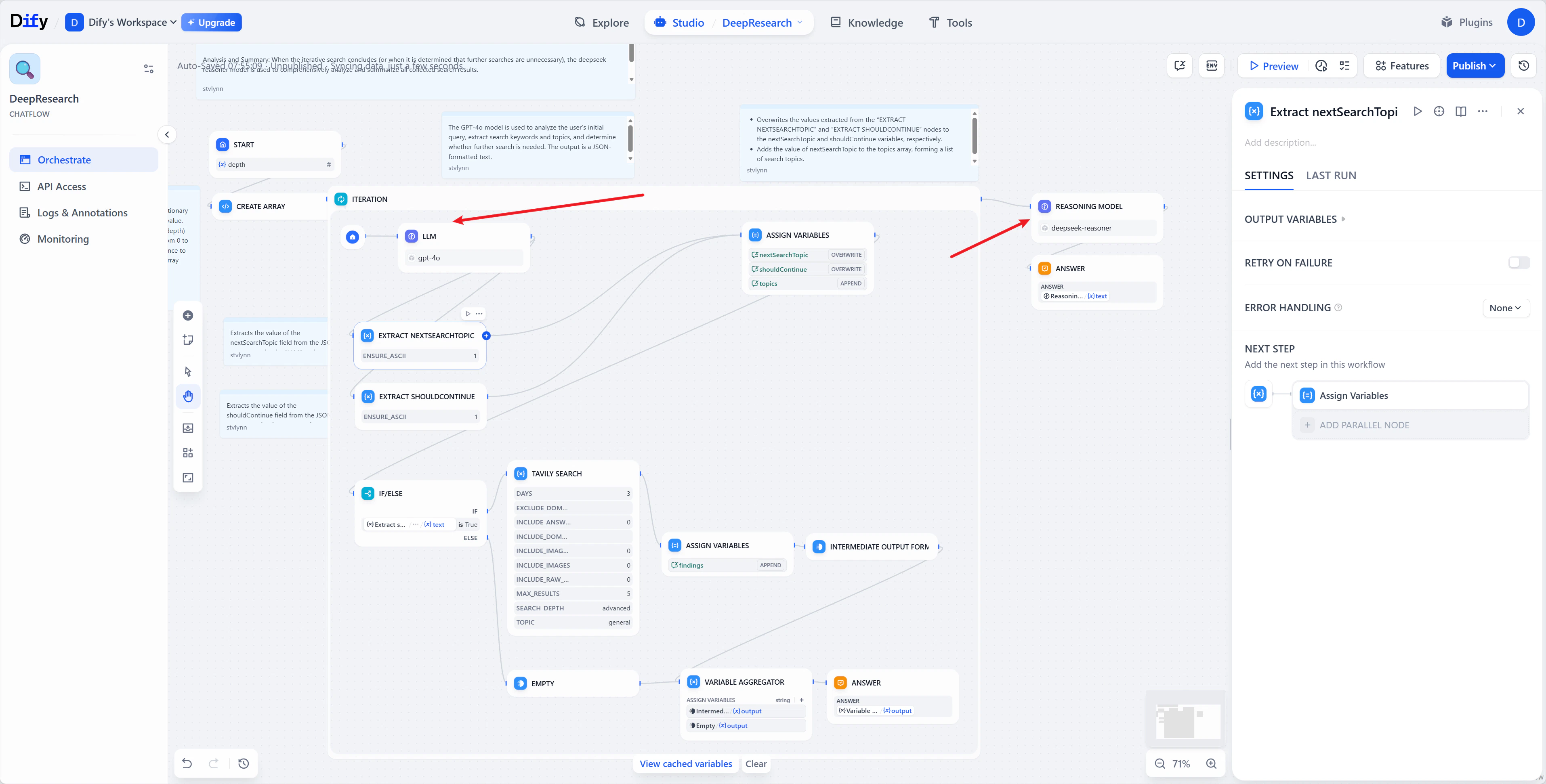
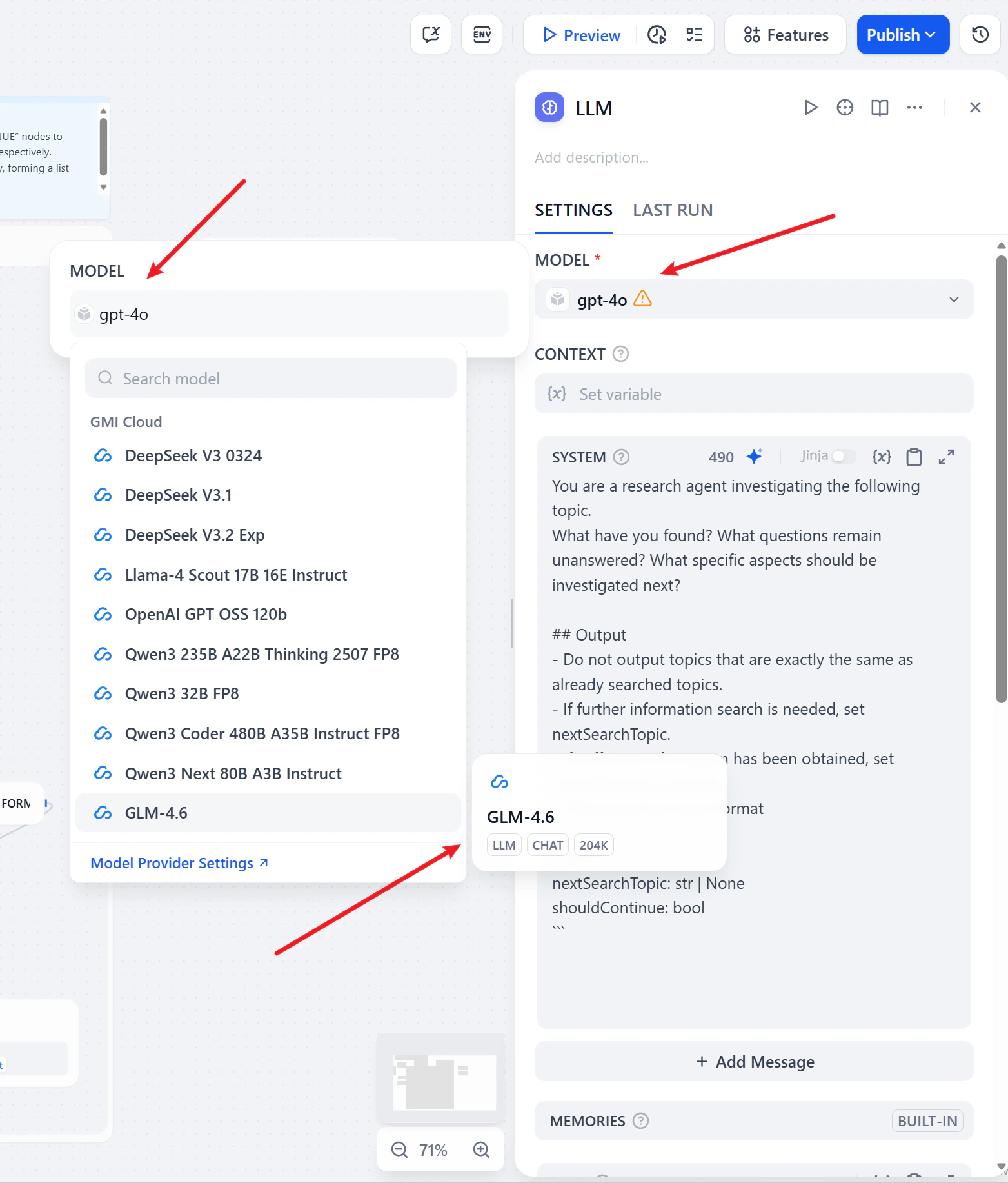
The graph looks busy, but only two nodes matter: LLM and Reasoning Model. Both will point at GMI.
Nodes to replace
  • LLM node → swap gpt-4o for GLM-4.6 (model card).
Replace LLM with GLM-4.6
  • Reasoning Model node → swap for Qwen3 235B A22B Thinking 2507 FP8 (model card).
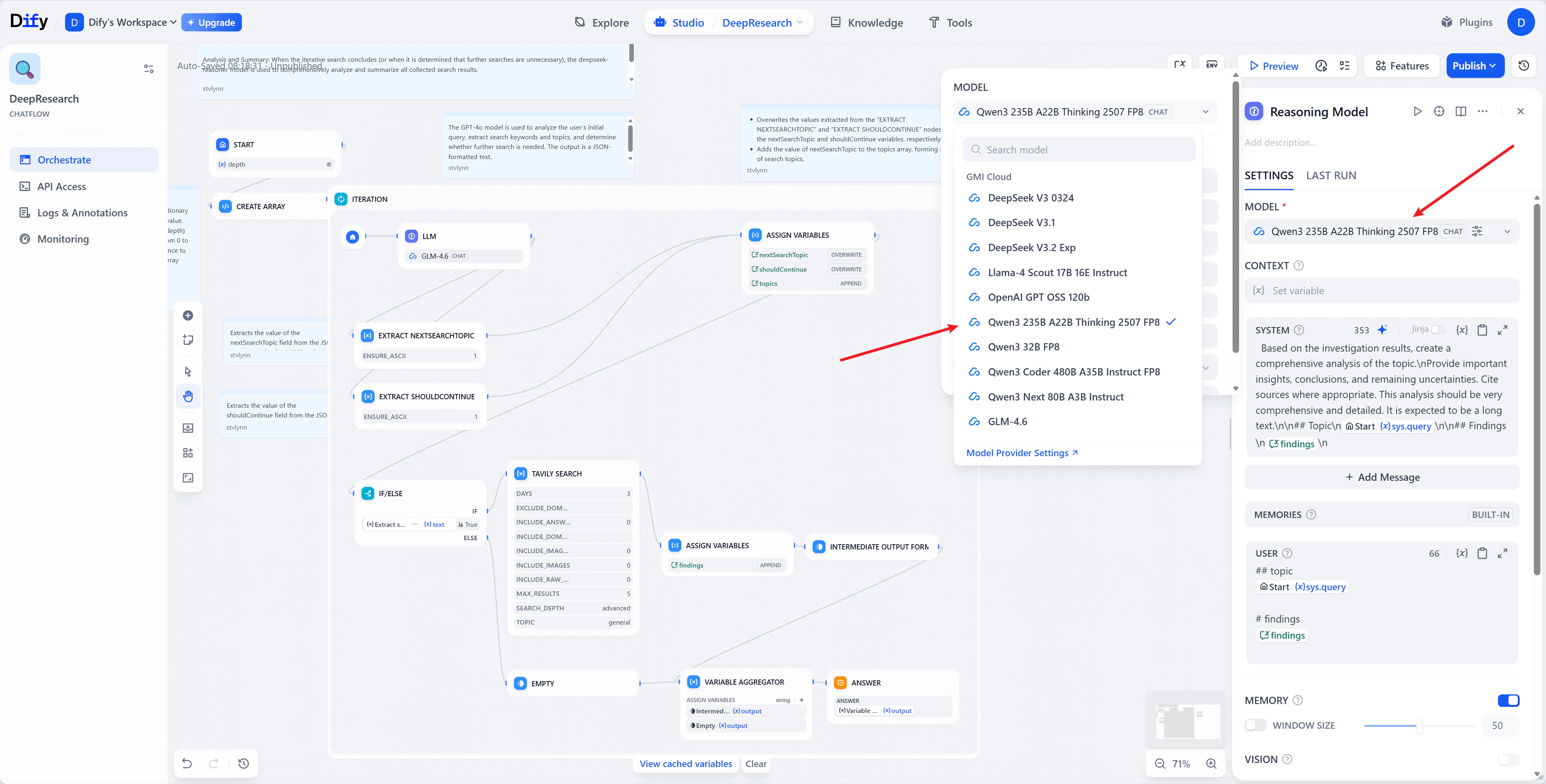
Replace reasoning node Hit Publish.

Step 5. Run it

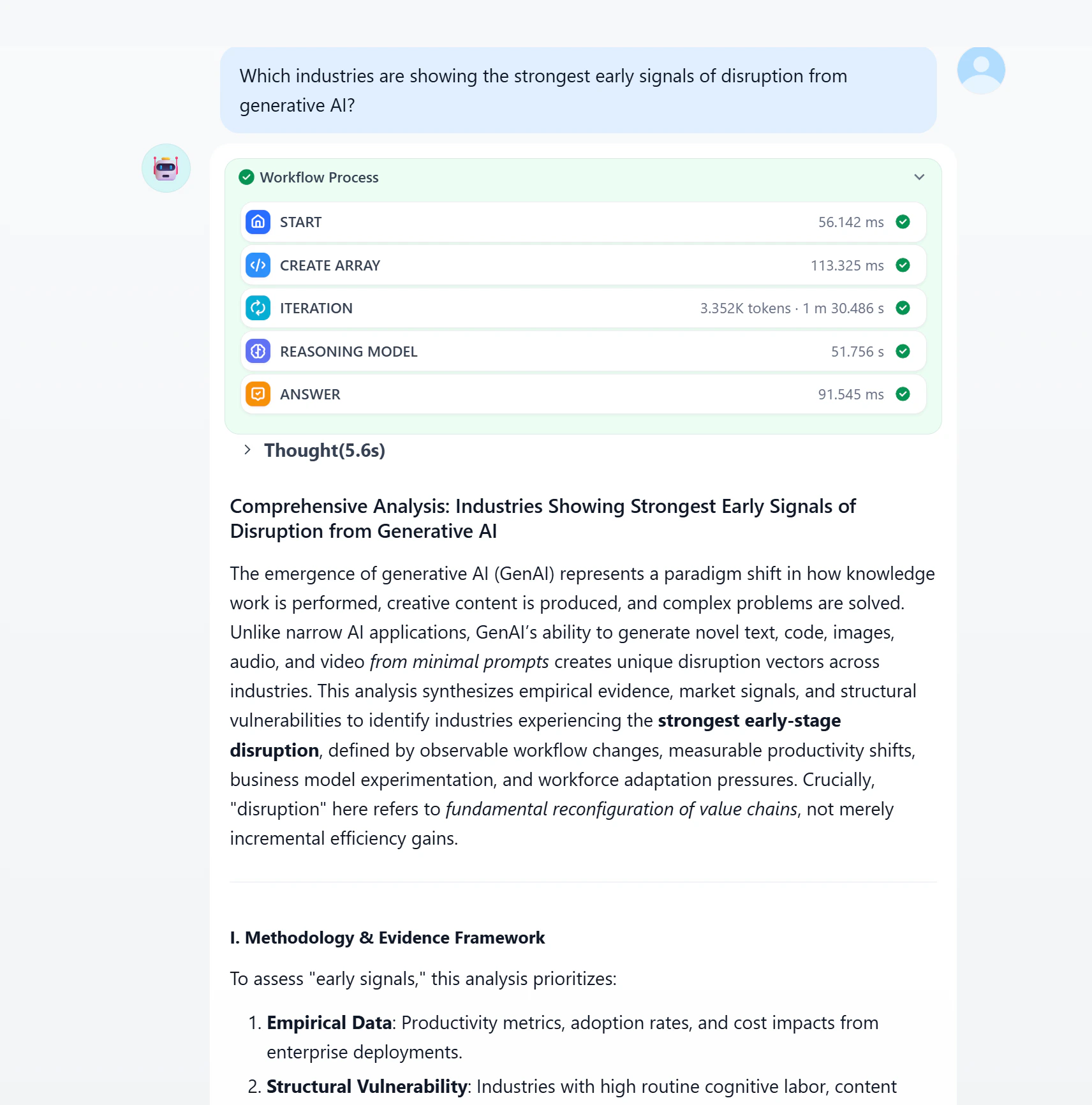
Open the workflow app. Set Depth to control how many search rounds the agent runs - 2 is a good default. Sample prompt:
Which industries are showing the strongest early signals of disruption from generative AI?
Run the workflow
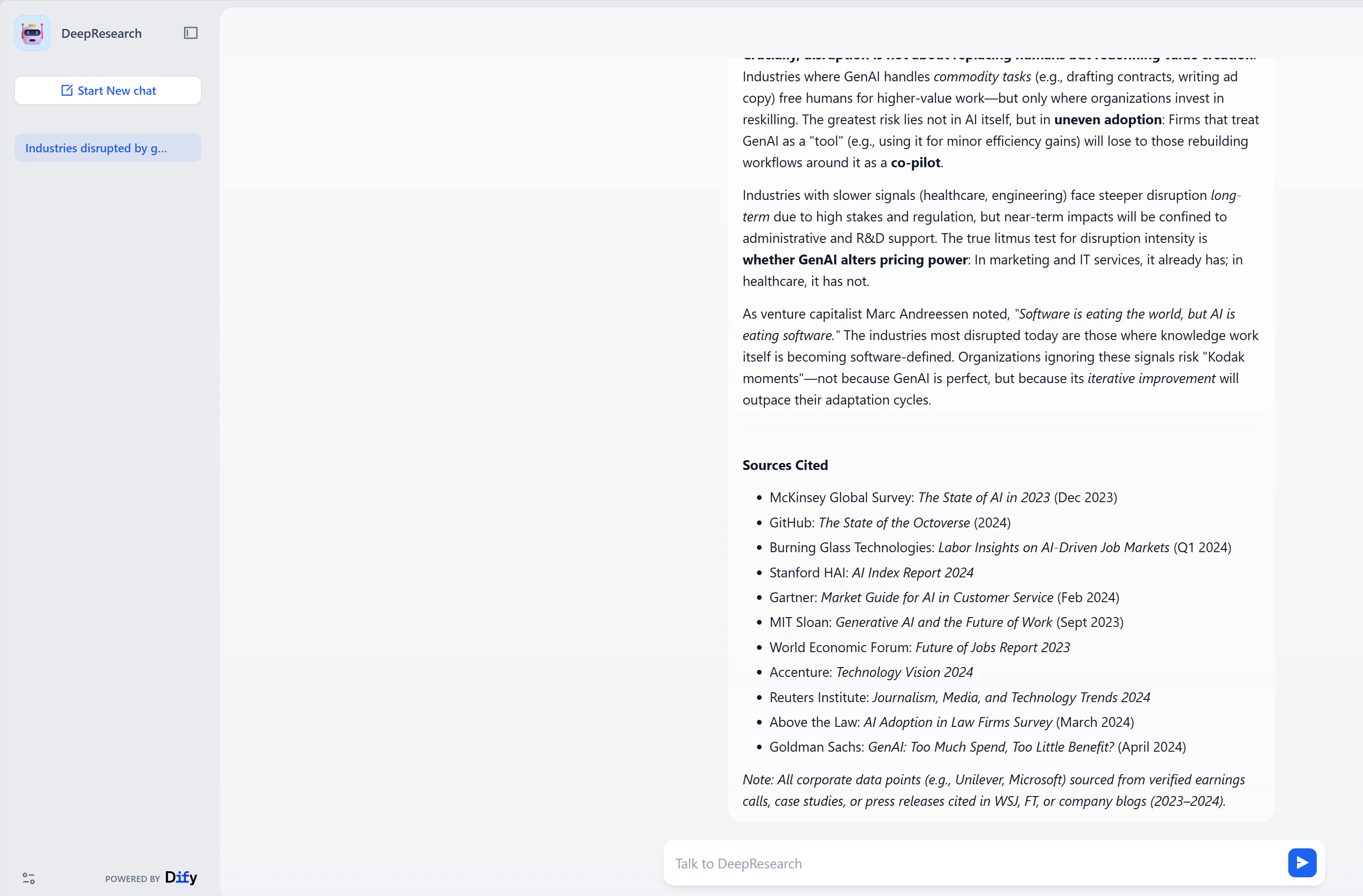
Deep runs take a minute or two while the agent iterates. The output is a sourced report.
Final research output

Next steps