

Wizard steps
- Listing Info
- Review & Publish
Step 1: Listing Info
GMI CE Deployment template
- The GMI CE Deployment template you registered in Register an agent is detected and linked automatically.
- Example ID: tpl_9f3a-771e-contract.
- Consumers access the agent through GMI’s infrastructure. Your internal endpoint is never exposed.
- When the template is detected, a Detected badge appears confirming the link.
- Container image and version
- Environment variables and secrets
- Port mappings and network config
- MaaS model selections
- Your API keys or credentials (GMI injects these at runtime)
- Usage history or session data
- Your internal project name
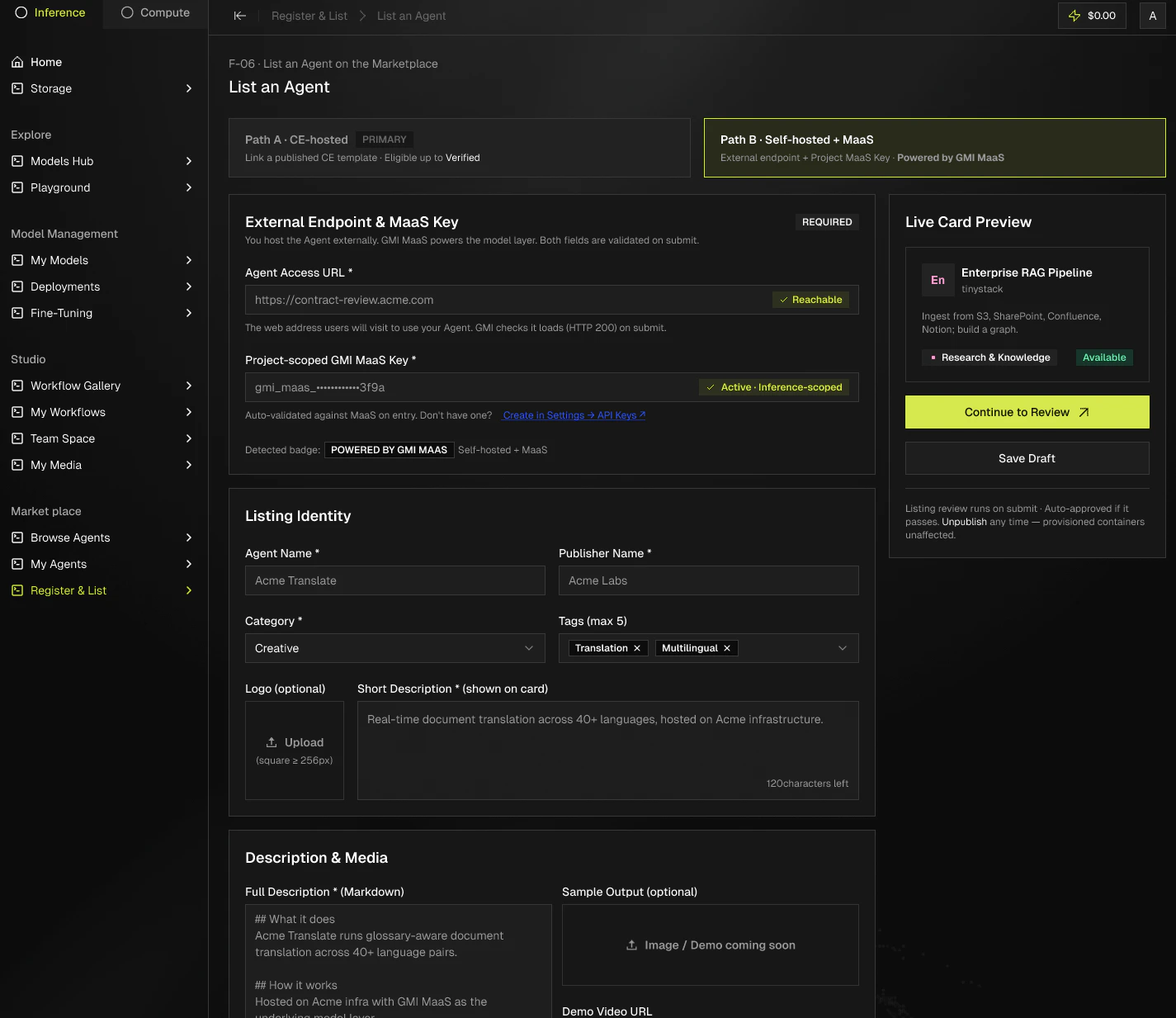
Agent Access URL
This field appears only when you start from the blank dashboard form. If a GMI CE Deployment template is already linked, this step is skipped because the endpoint is managed by GMI. For self-hosted agents, enter the public-facing URL where your agent is accessible.Also using GMI MaaS?
- Toggle on if your agent also calls GMI Models-as-a-Service.
- Enables the Verified badge. Without it, the listing shows Powered by GMI Infrastructure.
- Badge preview updates in real time.
Listing Name
- Public-facing name on the Marketplace.
- Your internal project name stays private.
Publisher Name
- Your company or personal name. Shown on the agent detail page.
Contact Email
- Where users send questions. Not shown publicly unless you opt in.
Agent Type
Pick one:- Code & Dev Tools. Code review, testing, data pipelines, benchmarks, developer tooling.
- Data & Analytics. Data processing, analysis, reporting, and business intelligence.
- Customer Support. Support automation, ticket triage, and customer-facing assistants.
- Content & Marketing. Content creation, copywriting, design, and marketing automation.
- Research & Knowledge. Research, summarization, and knowledge-base question answering.
Short Description
- One sentence describing what the agent does.
- Up to 120 characters.
- Shown on the Marketplace card.
Full Description
- Describe what your agent does, who it’s for, what inputs it accepts, and what outputs it produces.
- Shown on the detail page.
Tags
- Comma-separated keywords used by search and filters.
- Example: Security, Solidity, Audit.
Step 2: Review & Publish
- Review every listing field on a single screen.
- Click any section to jump back and edit.
- Click Publish. The listing goes live on GMI Agentbox within minutes.
- No review queue. Listings are auto-approved and published immediately. You stay responsible for keeping the description accurate.
- To remove a listing, use Unpublish from the My Agents dashboard. The agent is removed from the Marketplace but existing instances keep running.