

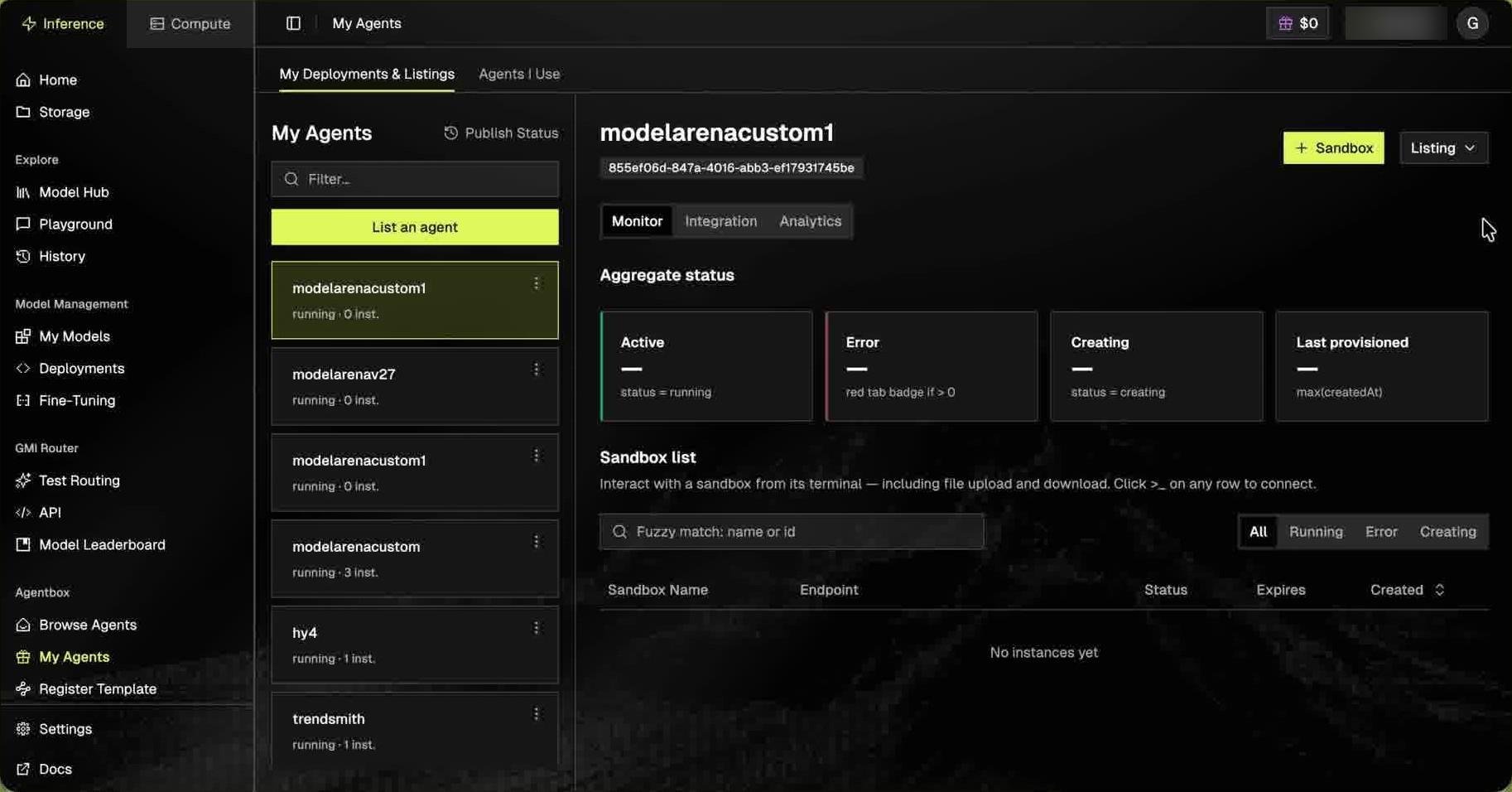
running · 0 inst.). Each card’s ⋮ menu offers Edit template and Delete template.
- Edit template reopens the form. The data center (shown as Region) and instance type can’t be changed.
- Delete template removes the template.
Launching a sandbox: your first real test
+ Sandbox opens Launch sandbox: [template name], Provision a new sandbox from this deployment.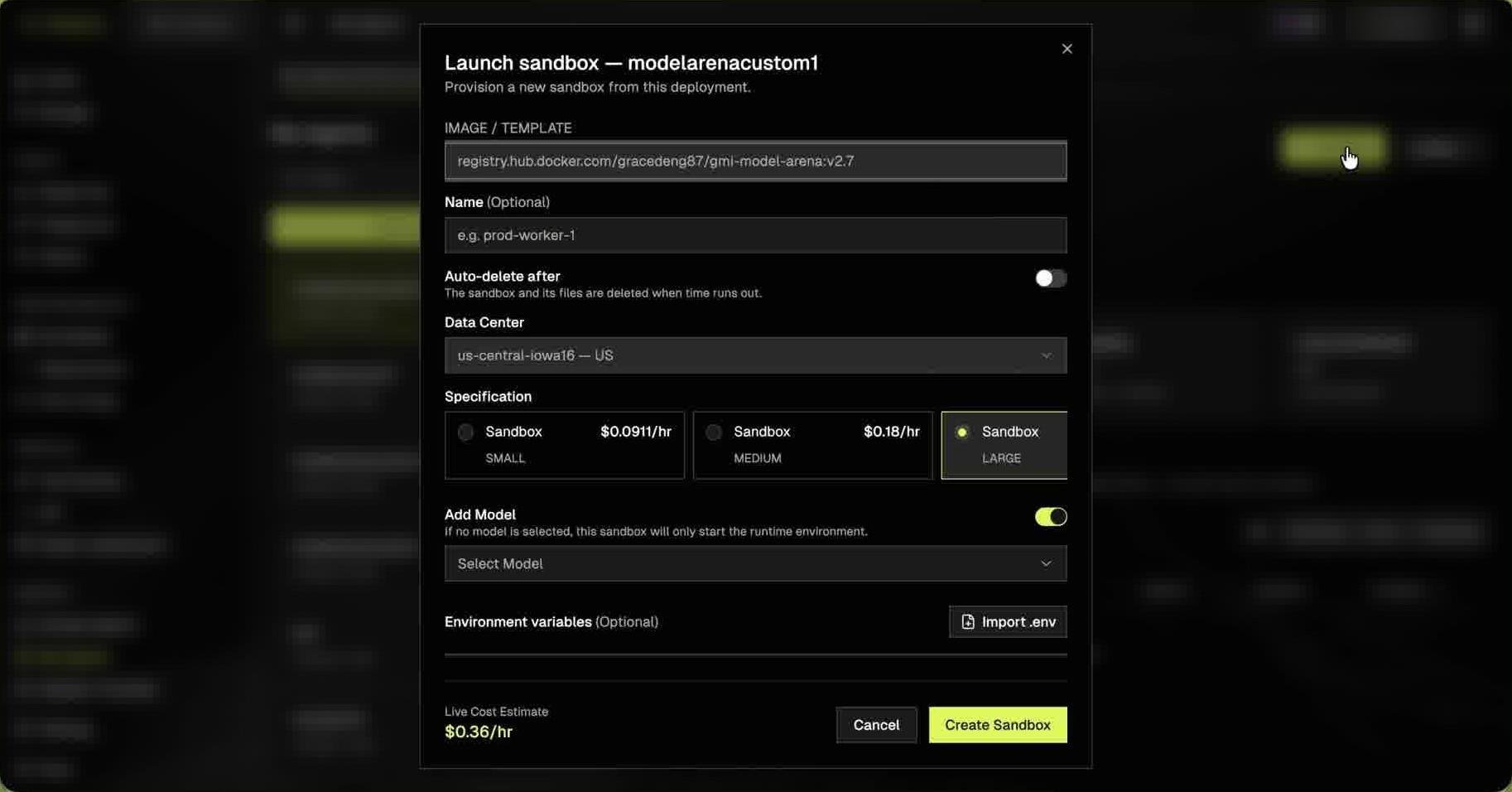
The Live Cost Estimate at the bottom shows $/hr for your selections. Cancel discards. Create Sandbox provisions for real and starts your compute meter.
A sandbox bills until the auto-delete timer ends or you pause or delete it.
Monitor tab: is it actually working?
Aggregate status shows four cards:
Sandbox list: columns Sandbox Name, Endpoint, Status, Expires, Created; filter by name/ID or status (All / Running / Error / Creating). Click >_ on a row to open its terminal. Empty state:
No instances yet.
Each row has three controls:
Delete removes the sandbox and its files.
Integration tab: driving it from your own code
Pass your Template ID to start a session. TheSample · provision → poll → terminate block has four curl calls; Copy code copies them.
Console and API use different names for the same things:
Step 2 only lists running tasks. Copy the commands from the Integration tab; placeholders are pre-filled.
Analytics tab: what it’s costing you
Going public, and coming back
Listing ▾ on a template offers Publish, which opens the listing form. Publish Status (top of the left column) opens a table of every listing you’ve submitted (Listing name, Template, Review Status, Updated), all sortable.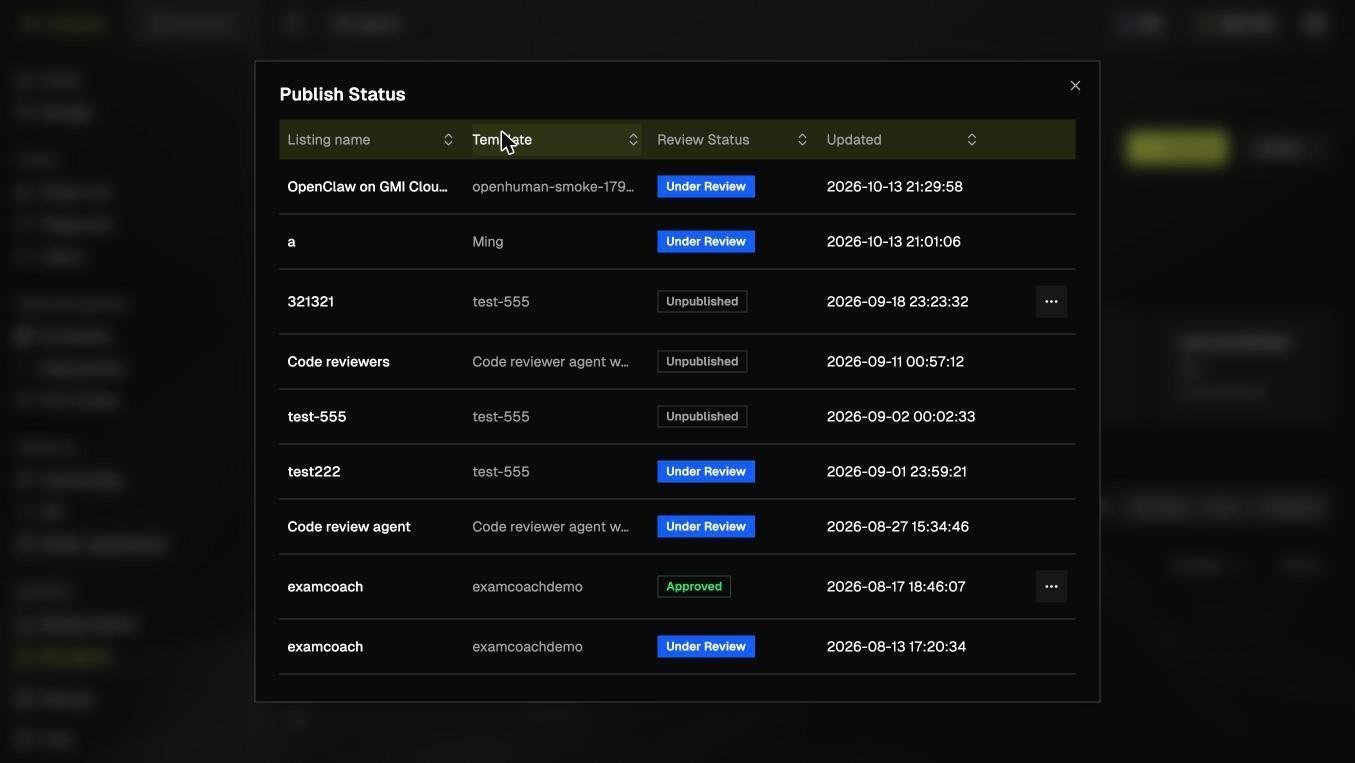
An approved listing’s … menu offers Edit listing and Unpublish. Unpublishing removes the listing from the Agent Marketplace; running sandboxes are unaffected.