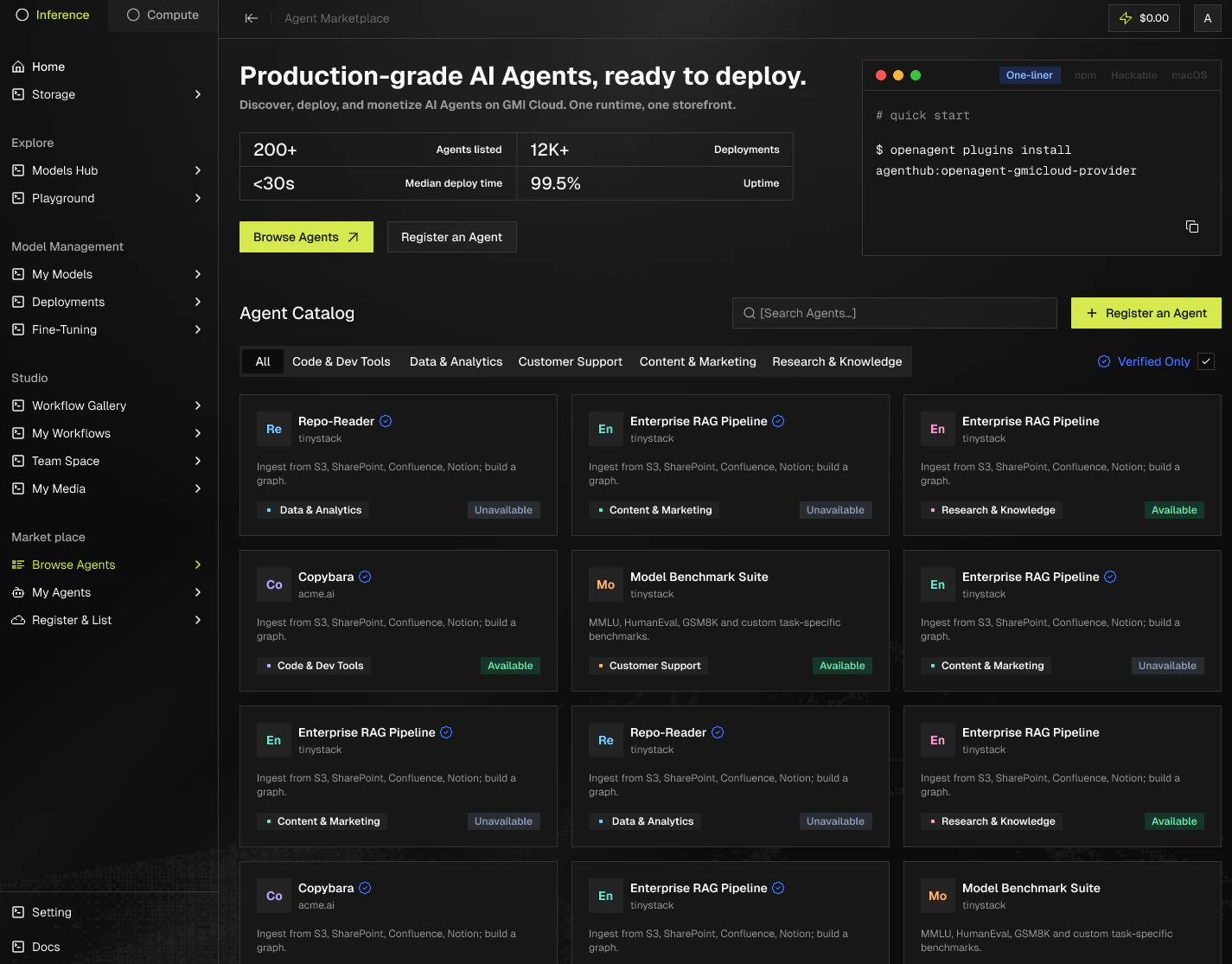
The catalog is built around fast search, clear filters, and a single click to start using. You can search by keyword, filter by category, and narrow results by infrastructure badge.
Two outcomes
Finding an agent leads to one of two outcomes:
- Use it hosted on GMI. Click Access agent and GMI provisions a dedicated instance for you. This is the fastest path and requires no local setup.
- Bring GMI models into OpenClaw. Wire GMI in as a model provider and route your own OpenClaw agents and workflows to GMI-hosted models.
Installing into OpenClaw
OpenClaw connects to GMI through the official provider plugin. Install it from the terminal:
After installing, configure your GMI API key and pick GMI from the provider dropdown. See OpenClaw for the full setup.
Search
- Categories: Code & Dev Tools | Data & Analytics | Customer Support | Content & Marketing | Research & Knowledge.
- Infrastructure filters: Verified, Powered by GMI Infrastructure, Powered by GMI MaaS.
Open an agent
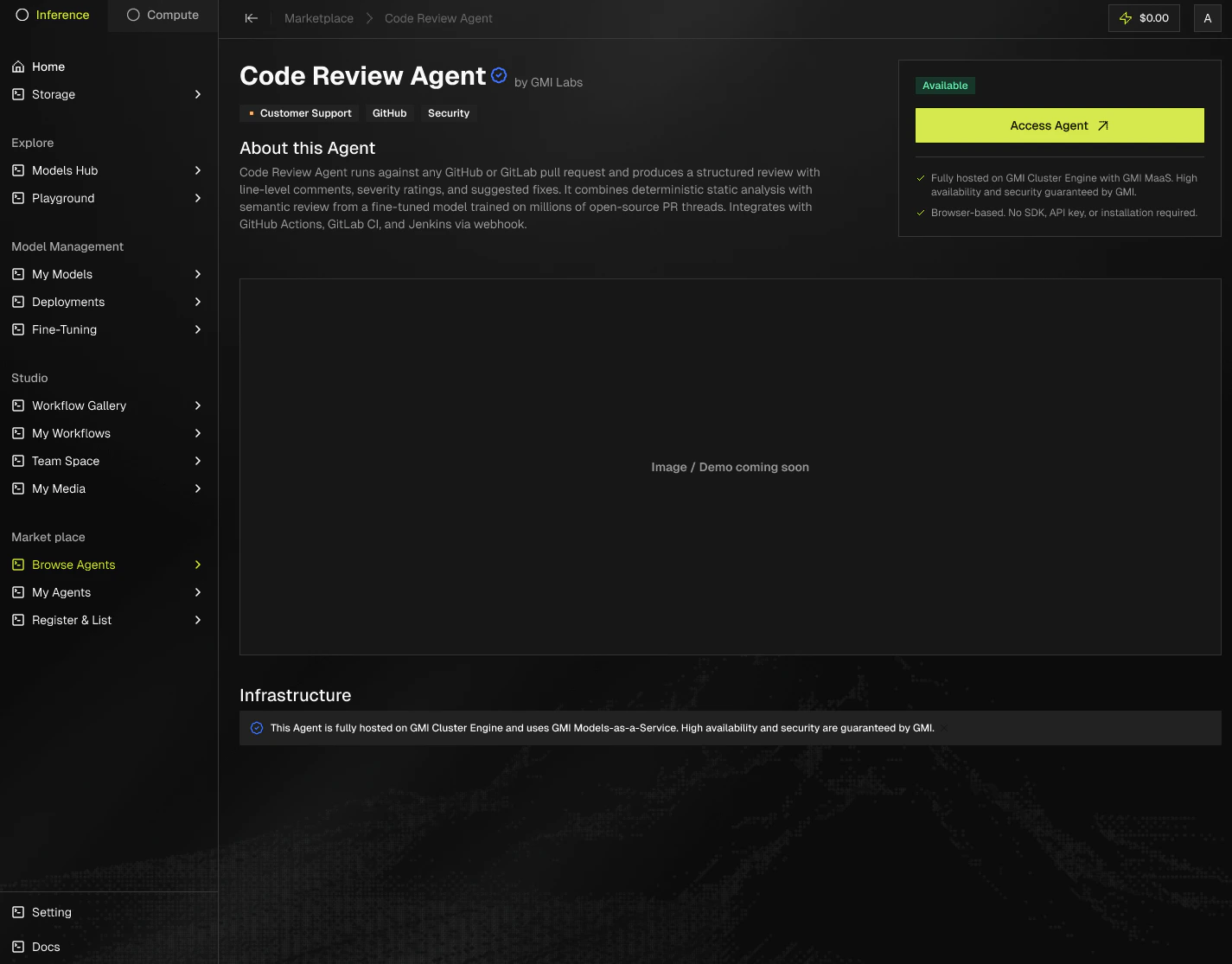
The agent Detail page shows the description, publisher, infrastructure badges, and a preview of the interface. It also surfaces:
- Keyword tags. Searchable labels that describe the agent, for example
open source or hermes.
- How a session works. A step-by-step breakdown of what happens when you access the agent, from sign-in through the request/response loop.
- For publishers. A packaging section explaining how the agent is built and deployed, useful if you want to list something similar.
- Demo media. Embedded demo videos and screenshots so you can see the agent in action before using it.
Before you deploy, evaluate the listing in this order:
Listings without sample output or documentation have not been fully reviewed. Read the publisher details and test carefully before integrating into production.
Deploying your own copy
When you access a GMI-hosted agent, the platform provisions a dedicated instance just for you. A pre-filled banner shows the deployment configuration before anything launches.
Copied to your deployment:
- Container image and version
- Environment variables and secrets
- Port mappings and network config
- MaaS model selections
Not copied:
- Your API keys or credentials (these are injected at runtime by GMI)
- Usage history or session data from other users
- Publisher’s internal configuration
To deploy your own copy:
- Click Access agent on the listing.
- Review the pre-filled deployment banner.
- Adjust any settings if needed, then confirm.
- Wait for the instance to reach Running status.
- Use the assigned public URL to interact with your instance.
Use it
- Click Access agent, or Request Early Access if it’s in beta.
- Sign in with your GMI account.
- For agents hosted on GMI, usage bills against your GMI account, line-item on every call. If the agent redirects you to its own product website, billing is handled by that agent provider.
Tips
- The Verified badge is the strongest reliability signal.
- Community agents can be excellent, but they aren’t GMI-managed. Read the publisher details.
- Check the infrastructure note before integrating into production.